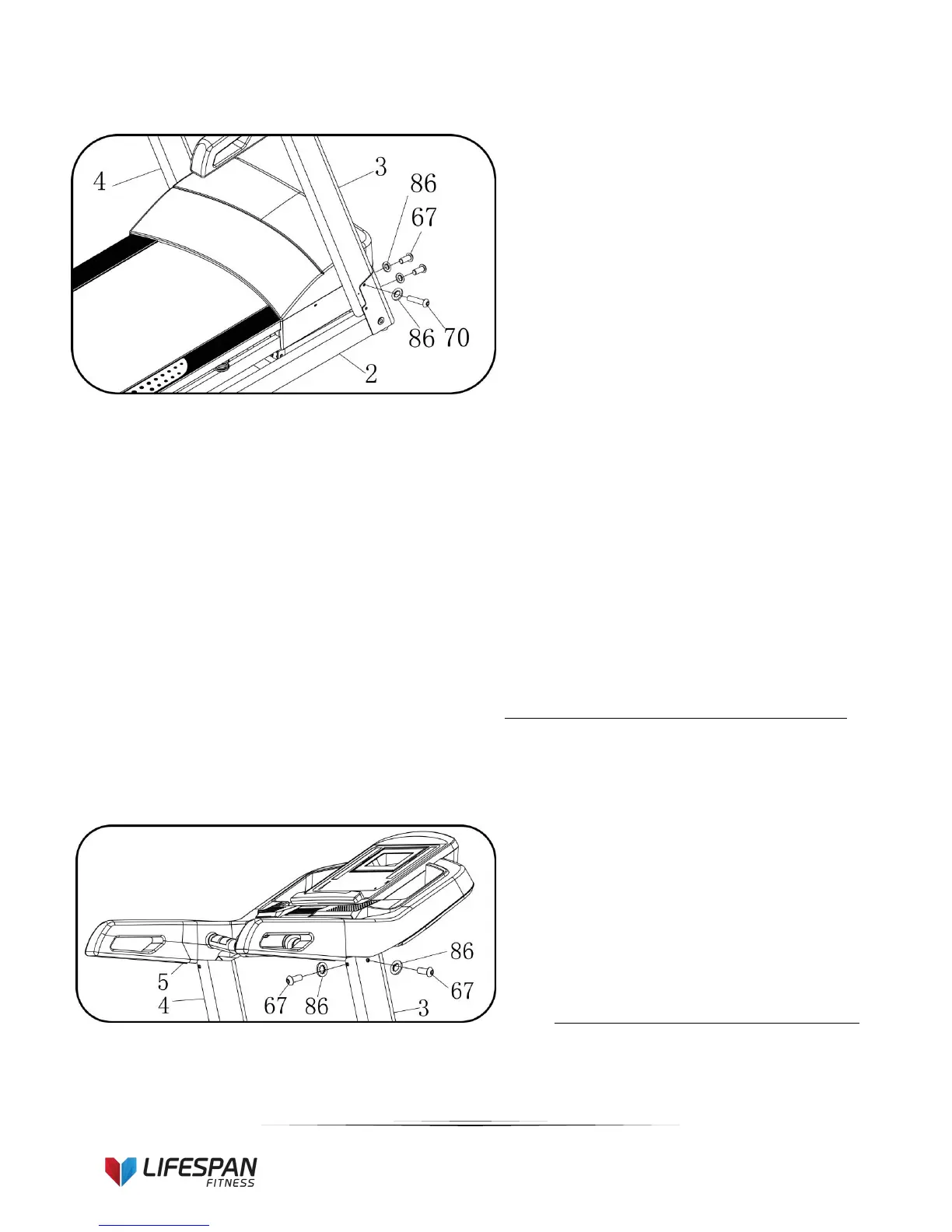
1. Attach the Computer frame to the Left
and Right Upright tight using 5# Allen
wrench (13), Bolt M8*55(70) and Lock
washer(86).
2. Secure base frame (2) to upright (3)
using the 5# Allen wrench (13), Bolt
M8*20 (67) and Lock washer (86).
Reference the picture left.
3. Repeat above steps to assemble the
left side.
Note: Support the upright with your hand to avoid
it falling down and causing injury.
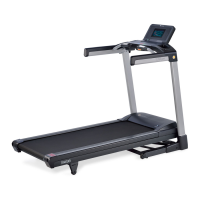
1. Attach the computer bracket on right
upright with the 5# Allen wrench (13),
M8*20 bolt (67) and lock washer (86).
2. Repeat above step to assemble the left
side.


 To Next Page