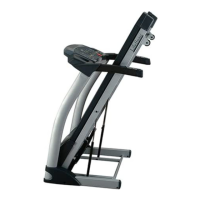
3. “MODE” button: When machine in standby state, press this button to choose the mode: mode-time
count down, mode-distance count down, mode-calories count down;
4. “START” button: Press this button to start the machine,
5. “STOP” button: Press this button to stop the machine, the machine will stop smoothly;
6. “SPEED+”, “SPEED-”: Adjust the speed. Press the button to adjust the speed when running, and
adjust the data when stop;
7. “INCLINE +”, “INCLINE -”: Adjust the incline. Press the button to adjust incline section when run,
and adjust the data when stop;
8. SPEED (4, 8, 12KM\H): Adjust the speed quickly
9. INCLINE (4, 8, 12): Adjust the incline quickly
10. Music Bluetooth control keys: Move Next/Move Previous and Volume+, Volume-.
4. MANUAL MODE
Under the manual mode, in the standby mode, press the "MODE" button to enter the time countdown mode,
"TIME" window displays "15:00". Time setting range: 5:00-99:00.
At the time the countdown mode, press the "MODE" button to enter the distance countdown mode,
"DISTANCE" window displays "1.00". Movement distance can be set, setting range: 0.50-99.9.
At the distance countdown mode, press the "MODE" button to enter the calorie count down mode, "CAL"
window shows "50". Calories setting range: 10-999.


 To Next Page