-11-
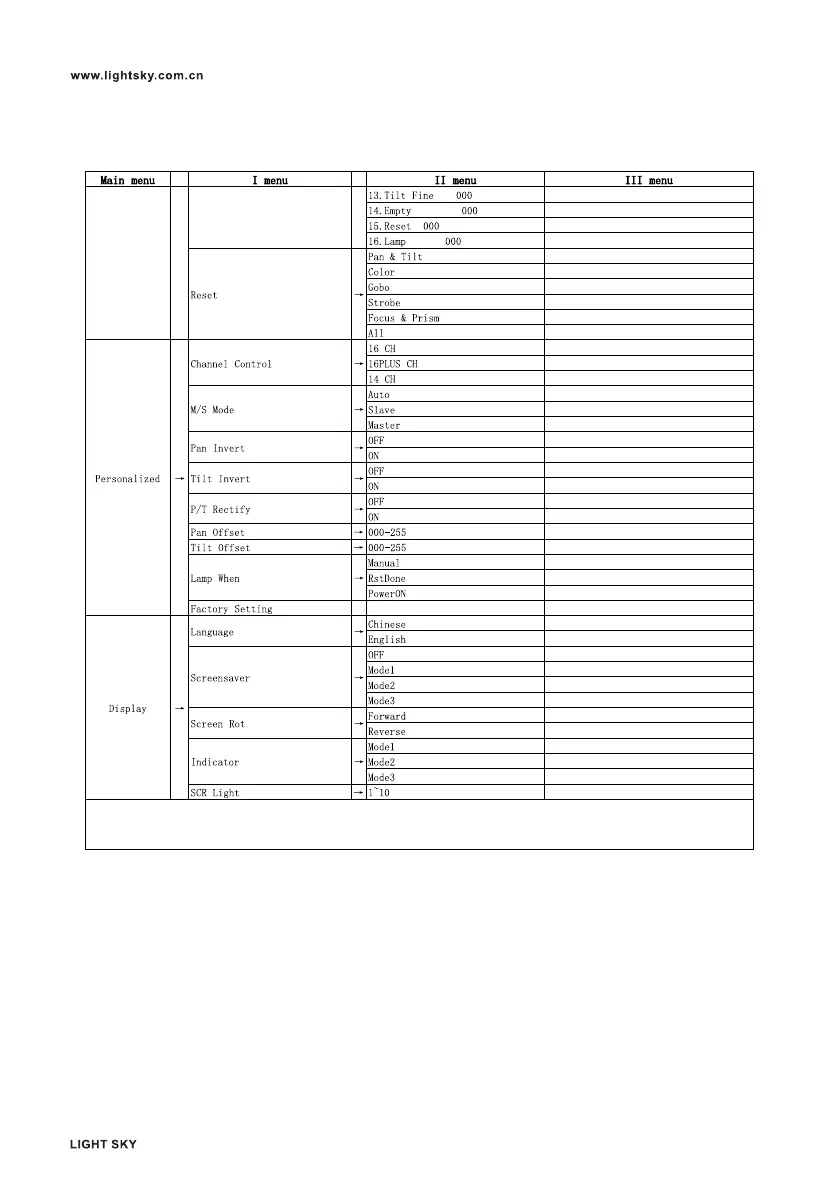
1. On the main interface, long press the exit button (the button on the left side of the upright display screen> 3S, the password
box will pop up, enter the password 2222, and you can enter the parameter calibration interface;
2. In the menu and submenu interface, ESC/ENTE is the key to exit.



 To Next Page