16
1. Overview 2. Setup & Use
3. Optional
Accessories
4. Troubleshooting
5. Warranty, Safety
& Specifications
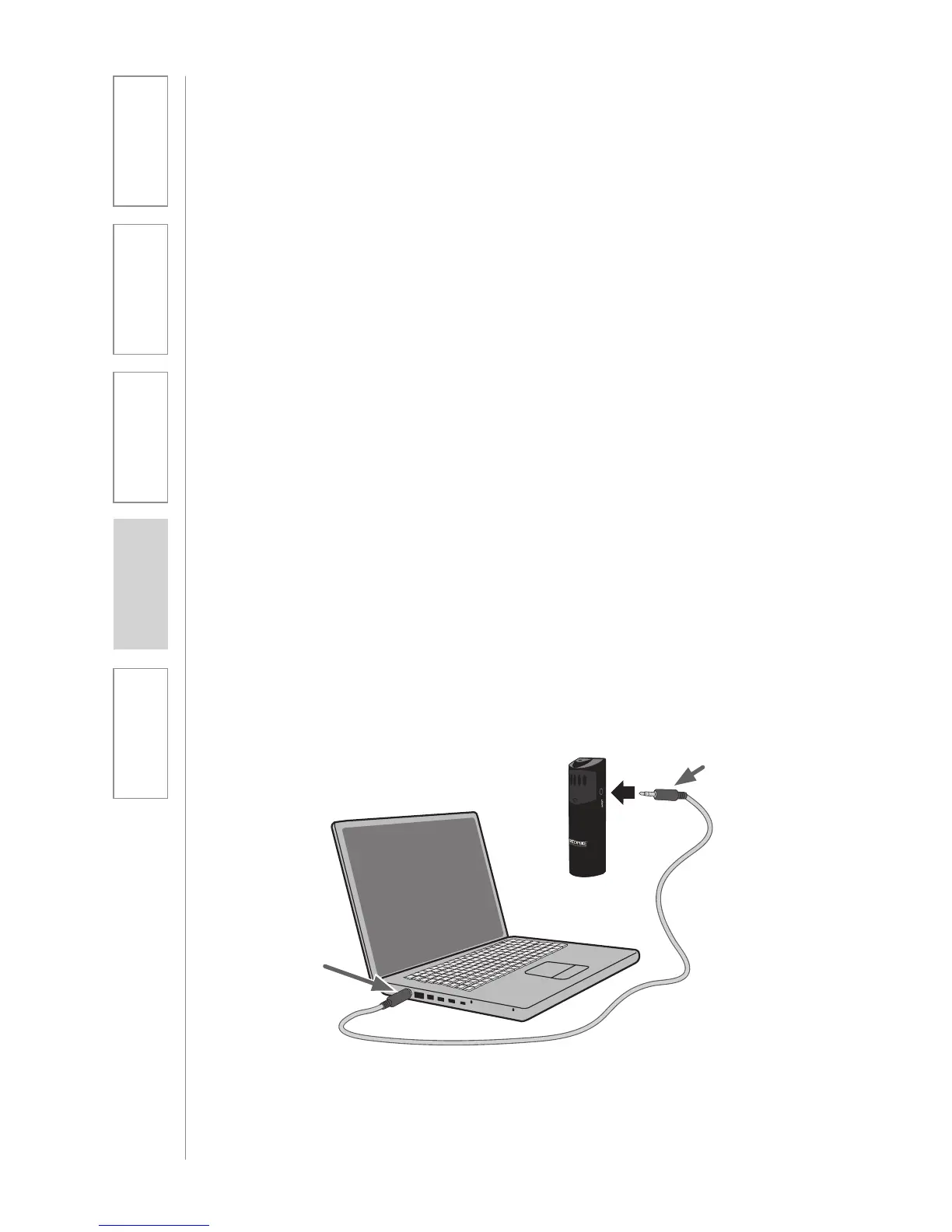
The REDMIKE includes a 3.5mm audio input jack to connect to an audio source
like a laptop or MP3 player. The REDMIKE will transmit the audio signal to be
played through the system.
1. If your system includes two
REDMIKEs, use the student
microphone (already set to
channel B). NOTE: This feature
works on both channels but we
recommend using channel B
so the teacher’s volume on the
channel A does not have to be
adjusted. REMEMBER: It’s easy
to determine which REDMIKE is
set to channel B by speaking into
the mic and watching which set of
LED’s glow on the top panel of the
705iR.
2. Plug your laptop, MP3 player or
other audio source into the input
on the REDMIKE labeled “INPUT”
using a 3.5mm patch cable.
3. Adjust the volume of the selected
mic channel to achieve desired
loudness.
USING THE REDMIKE TO AMPLIFY
EXTERNAL AUDIO EQUIPMENT
AUDIO
OUTPUT
AUDIO
INPUT


 To Next Page