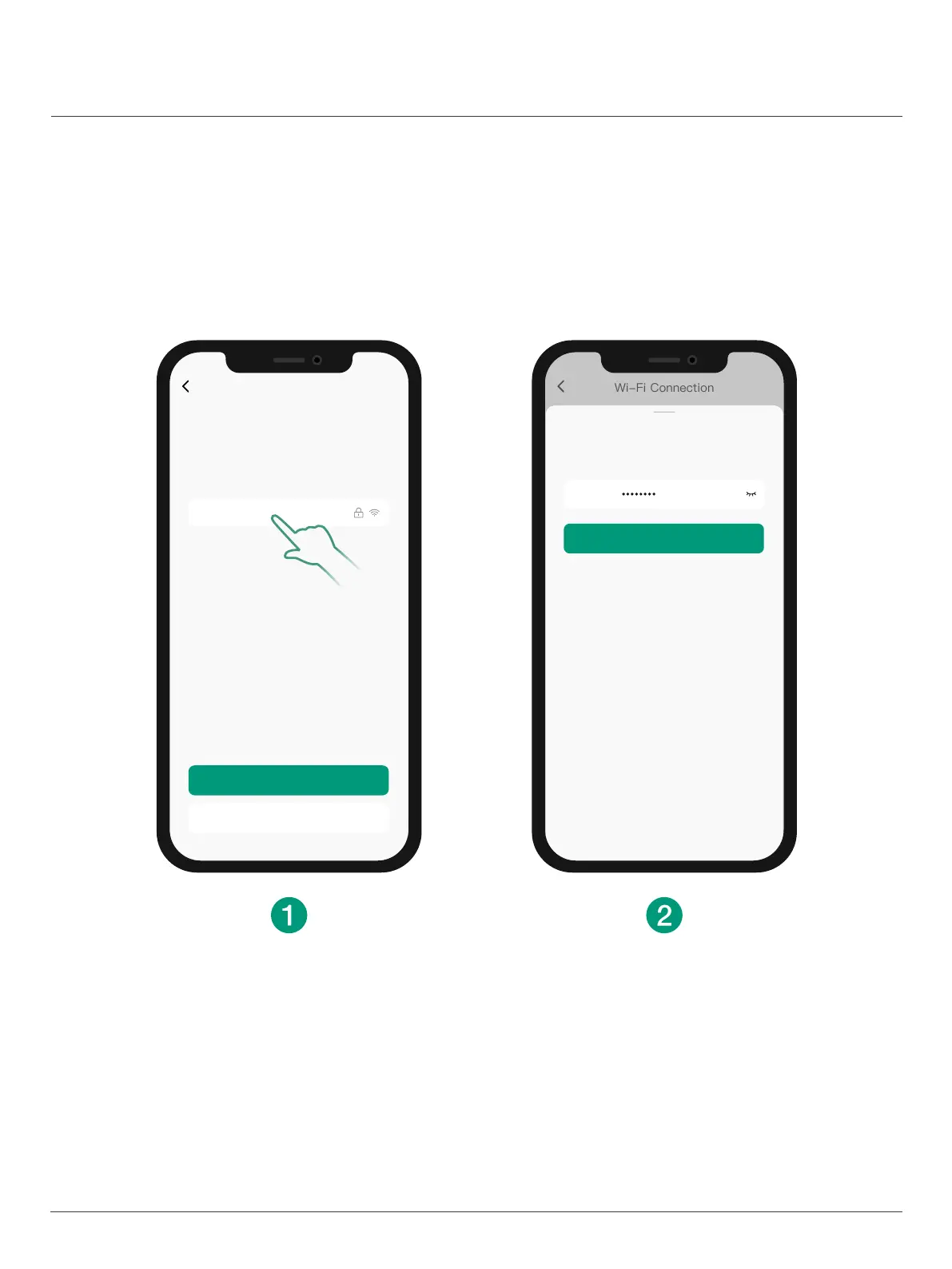
Wi-Fi Connection
1. Select your Wi-Fi (only support 2.4GHz).
2. Enter Wi-Fi password.
*
If you cannot find your Wi-Fi in the Wi-Fi list, mannually enter
your Wi-Fi to get connected.
Only supports 2.4GHz Wi-Fi.
Wi-Fi Connection
Select the WLAN name and enter password you want
the doorbell to connect.
My Network
LindoLife
Manually enter Wi-Fi
Can’t f
nd my Wi-Fii
Password
Conf
rmi
Enter password
Enter the password for “LindoLife”
15


 To Next Page