10.5 Option 2 - Connect the doorbell with
a digital chime
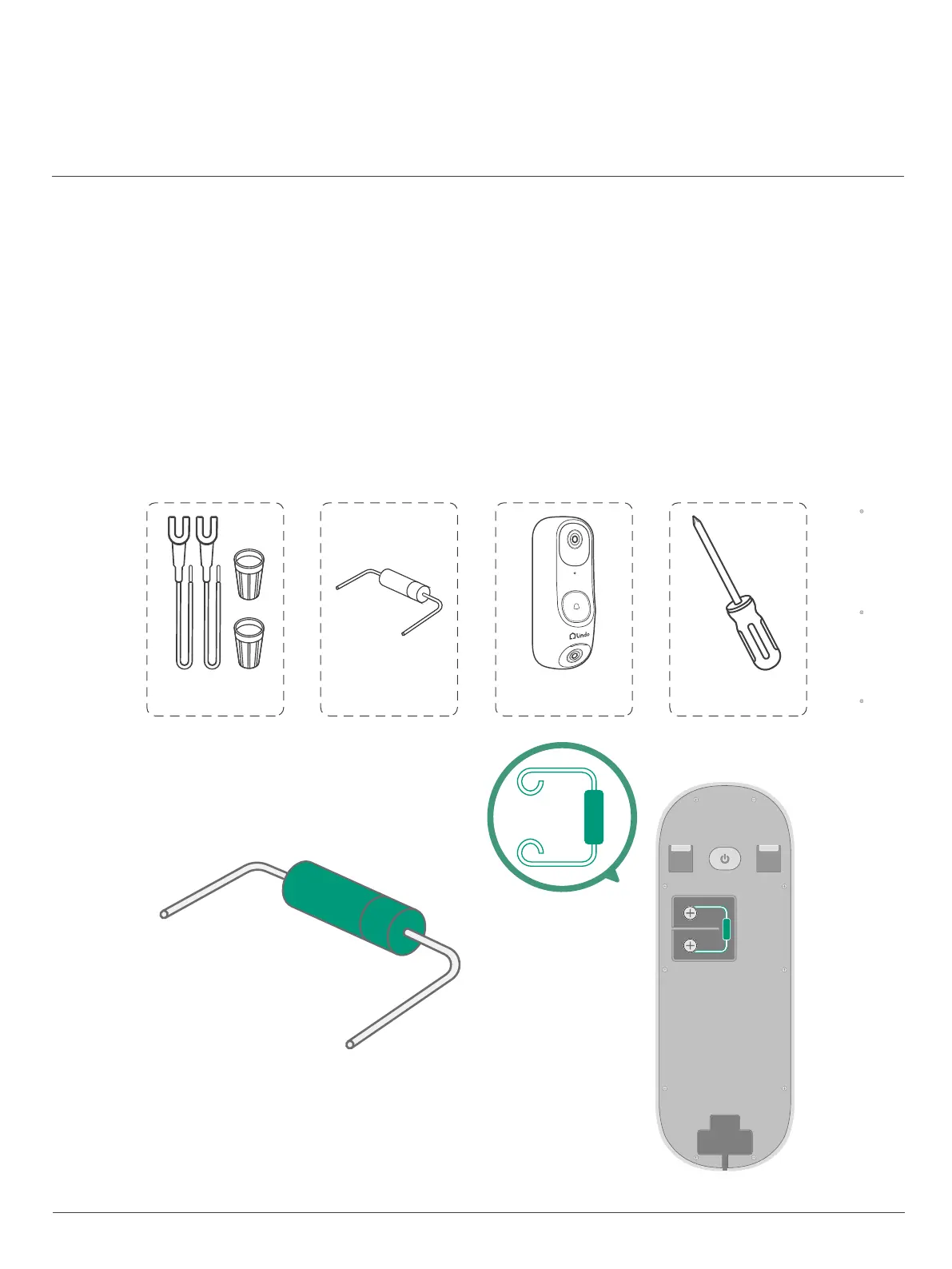
What you need: Wires and Wire Nuts (Optional), Diode
Video Doorbell, Philips-head Screwdriver
When you place the diode on the back of the doorbell,
the small marking on one end should be on the same side as the wire
that leads to your doorbell chime. If you don't know which wire that is,
don't worry about it, just connect the diode. Since connecting it the
wrong way won't do any harm. Your doorbell just won't ring correctly.
If this happens, just reverse the direction of the diode.
Diode
Dual-Cam Video Doorbell 2K
(Model : LVD01)
Extension Wires and
Wire Nuts (Optional)
Phillips-Head Screwdriver
(not provided)
Diode
33


 To Next Page