GETTING SET UP • PODxt Pro — Configurations & Connections
3 • 9
Input & Digital Out Options
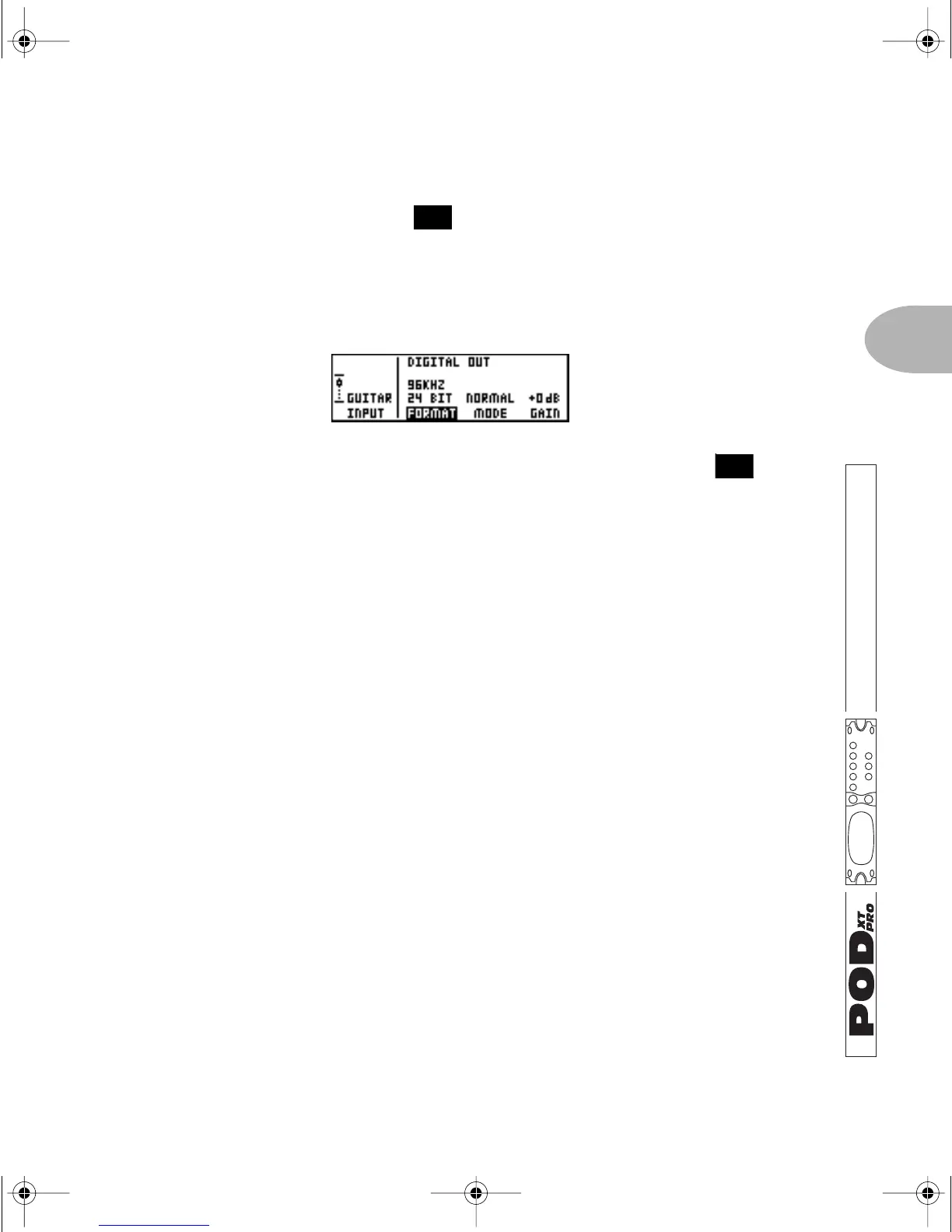
Press the I/O & DIG SELECT button once to see this page and select from PODXT
Pro’s many inputs and several digital options:
FORMAT: Sample rate, word length (bit depth), and clock source
Press the Soft Button below FORMAT and spin the EFFECT TWEAK knob to
choose to output any combination of 16, 20 or 24 bits along with 44.1, 48, 88.2 or
96 KHz. POD
XT Pro will use its internal clock to generate the sample rate you
choose.
Or choose
MATCH AES IN or MATCH SPDIF IN from the FORMAT options, to have
POD
XT Pro clock to the sample rate being received, and output data in the same
rate/bit format.
Clocking to external gear: Whatever you’ve selected as your input (including
analog Guitar In or Line In), you can still pick
MATCH AES IN or MATCH SPDIF IN
for
FORMAT to have PODXT Pro slave to the clock of your other digital equipment.
For instance, feed POD
XT Pro’s digital input with an output from your digital
mixer, choose that source for
FORMAT, and PODXT Pro slaves to your digital
mixer’s clock and matches its digital audio format. Sweet.
FEATURE FOCUS
26
14
PODxt Manual Book RevC.book Page 9 Friday, August 29, 2003 5:43 PM



 To Next Page