GETTING SET UP • Re-Amping with PODxt Pro
3 • 16
Digital Re-amping
In this scenario, we’re going to track PODXT Pro’s analog outputs, while also recording
a “safety” track of dry guitar digitally, so the dry guitar can be used later if you need to
make a tone change.
Connect your guitar to the Guitar In jack on the front of the POD
XT Pro. Connect
POD
XT Pro’s left and right Analog Outs to your audio system so you can record them
while you are also listening to what’s coming out of them. Play a little guitar. Hear it?
OK so far.
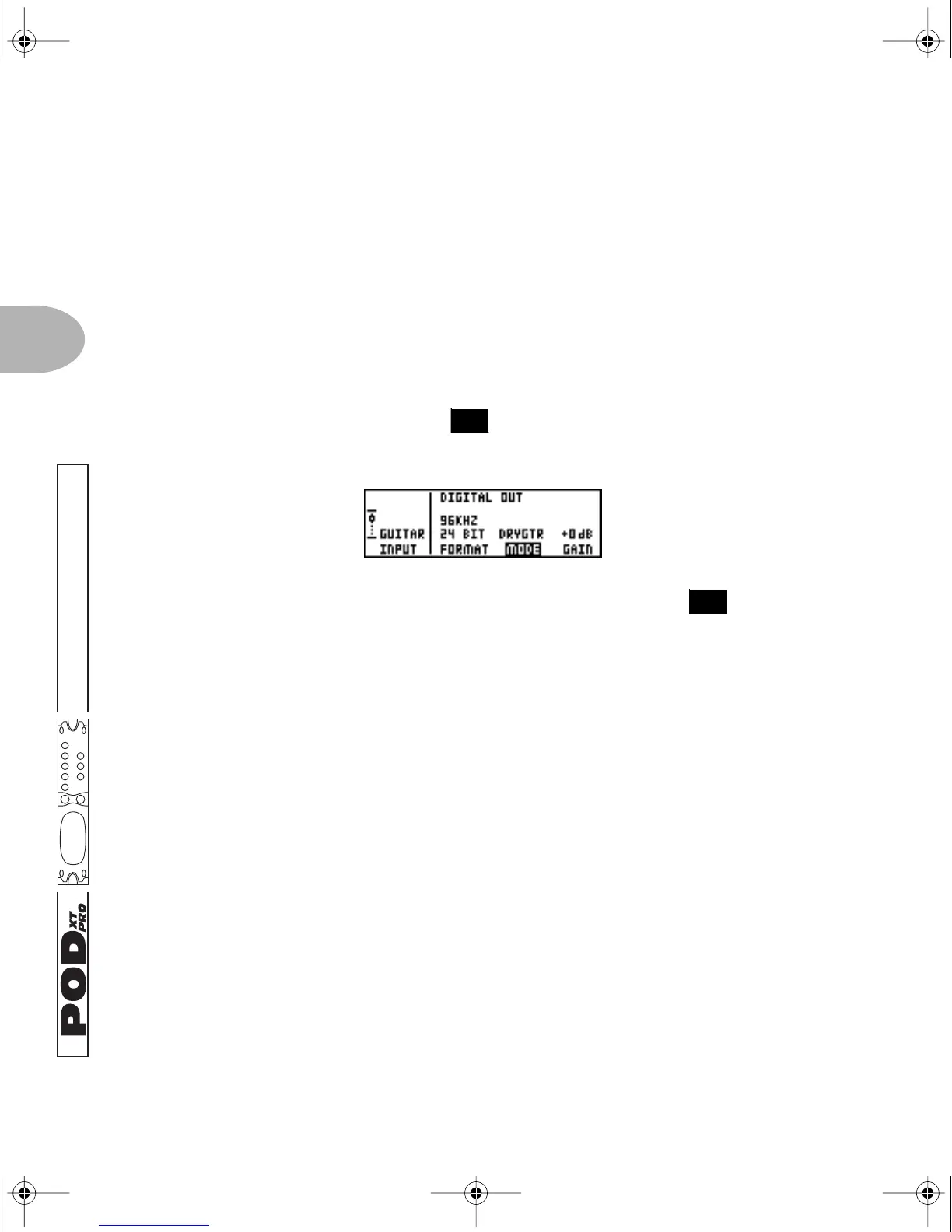
Press the I/O & D
IG SELECT button once to see this page if it’s not already
shown:
Press the Soft Button below
INPUT and spin the EFFECT TWEAK knob to choose
GUITAR IN. Select DRYGTR for the MODE option. Connect PODXT Pro’s AES/EBU or
S/PDIF digital outputs to your recorder. Do not monitor this signal while recording—
you’re simply “saving it for a rainy day” so that you can “fix it in the mix.”
Also, be sure
GAIN is set to +0dB; adding gain to get a hotter signal to your record track
won’t improve signal to noise ratio or any other aspect of audio quality, and will cause
problems when you actually attempt to use this signal later for re-amping, so take our
advice: don’t do it!
Now, the idea is to record the main analog outputs to your recorder, while the dry
guitar is also being recorded on a separate track. Monitoring the processed guitar signal
and punching in/out works exactly as you would expect it to if you were recording any
other analog signal into your recording app/device. The bonus here is that you also
have a digitally recorded unprocessed guitar signal that can be used to create a new (or
additional) sound that you can use later. Speaking of which...
FEATURE FOCUS
26
14
PODxt Manual Book RevC.book Page 16 Friday, August 29, 2003 5:43 PM



 To Next Page