LT360 Precision Turntable
User Manual
LT360 Precision Turntable
User Manual
13
The rotation of the turntable
can be stopped and aborted
at anytime by pressing either
of the RED switches on the
LT360 front panel, or on the
LR360 remote module.
If you are using the Win32
application software, you can
also abort the rotation by
clicking anywhere on the
platter graphic in the main
window.
SET
ORIGIN
SET
TORQUE
Precision Turntable
ZERO DEG
REFERENCE
% MOTOR
POWER
LR360
INTERFACE
REMOTE
CONTROL MODULE
12
3
4
56
1.3 LT360 Emergency Stop
76
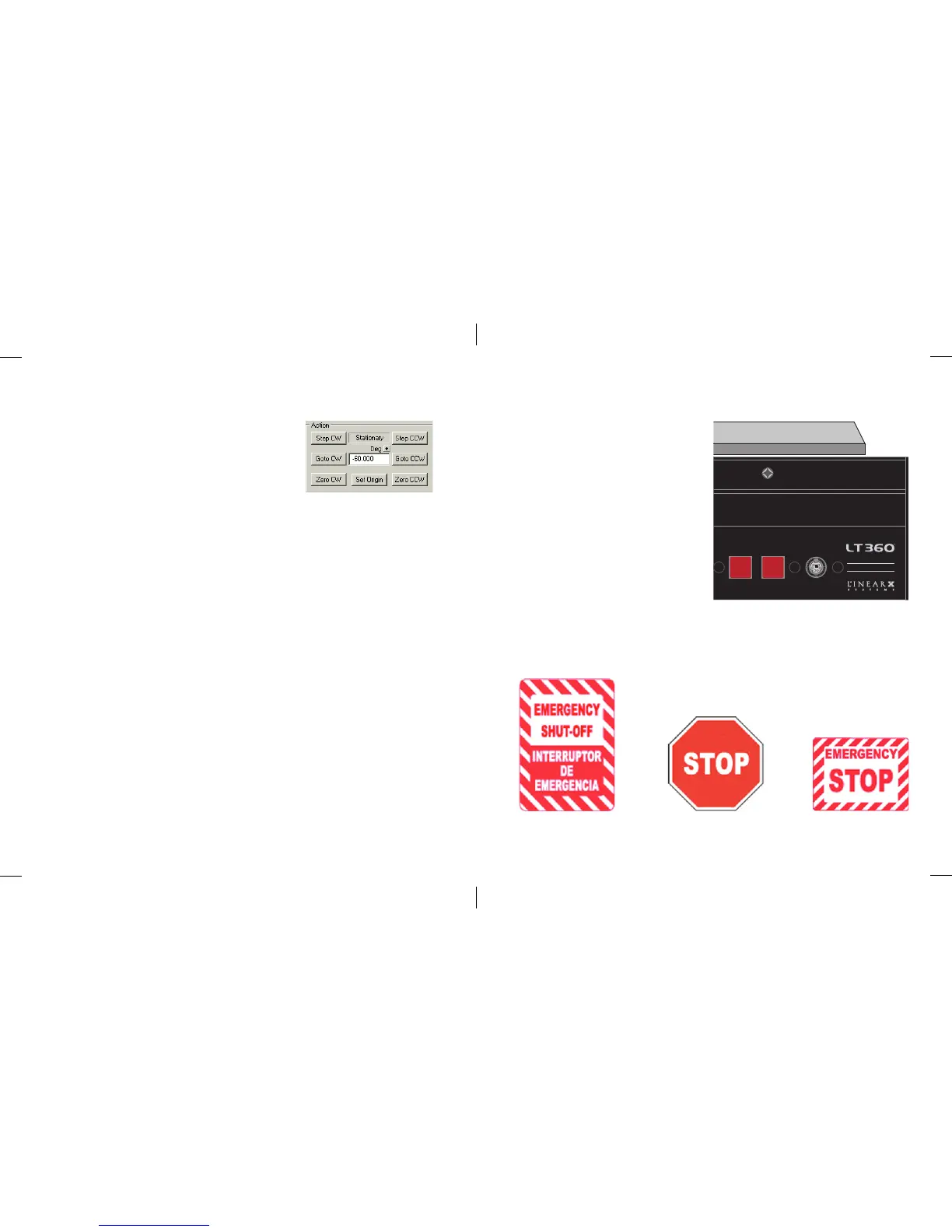
■ Action
This group box contains a number of buttons to
control the platter position.
The Step CW and Step CCW buttons will cause
the platter to rotate one step, either ClockWise
or Counter ClockWise.
The Goto CW and Goto CCW buttons will cause the platter to rotate to the
position as entered in the Deg field parameter, either by ClockWise or
Counter ClockWise rotation.
The Zero CW and Zero CCW buttons will cause the platter to rotate to the
0.0 origin, either ClockWise or Counter ClockWise.
The Set Origin button will define the current position as the origin (0.0). No
platter rotation will occur. The display will change to 0.0.
There is also a text field indicator that will display the rotating status as:
Stationary, Moving CW, or Moving CCW.



 To Next Page