LT360 Precision Turntable
User Manual
LT360 Precision Turntable
User Manual
23
LT360 provides two methods of advanced computer control: USB (Universal
Serial Bus), and the legacy industry standard RS-232. RS-232 has the
advantage of longer cable runs universal support with any serial
communcations device, computer, or operating system.
The USB interface uses the Low-Speed mode,1.5M bits per second. The
RS-232 interface has parameters of:
■ DCE Wiring Straight-Through cable (DB-9F)
■ Baud Rate 9600 (factory default)
■ Data Bits 8
■ Parity None
■ Stop Bits 1
■ Handshaking None The user can change
the baud rate to
higher values, with
the max baud rate
115200. The follow-
ing are some typical
baud rate values:
9600
14400
19200
28800
38400
57600
115200
3.3 Computer Interfaces
66
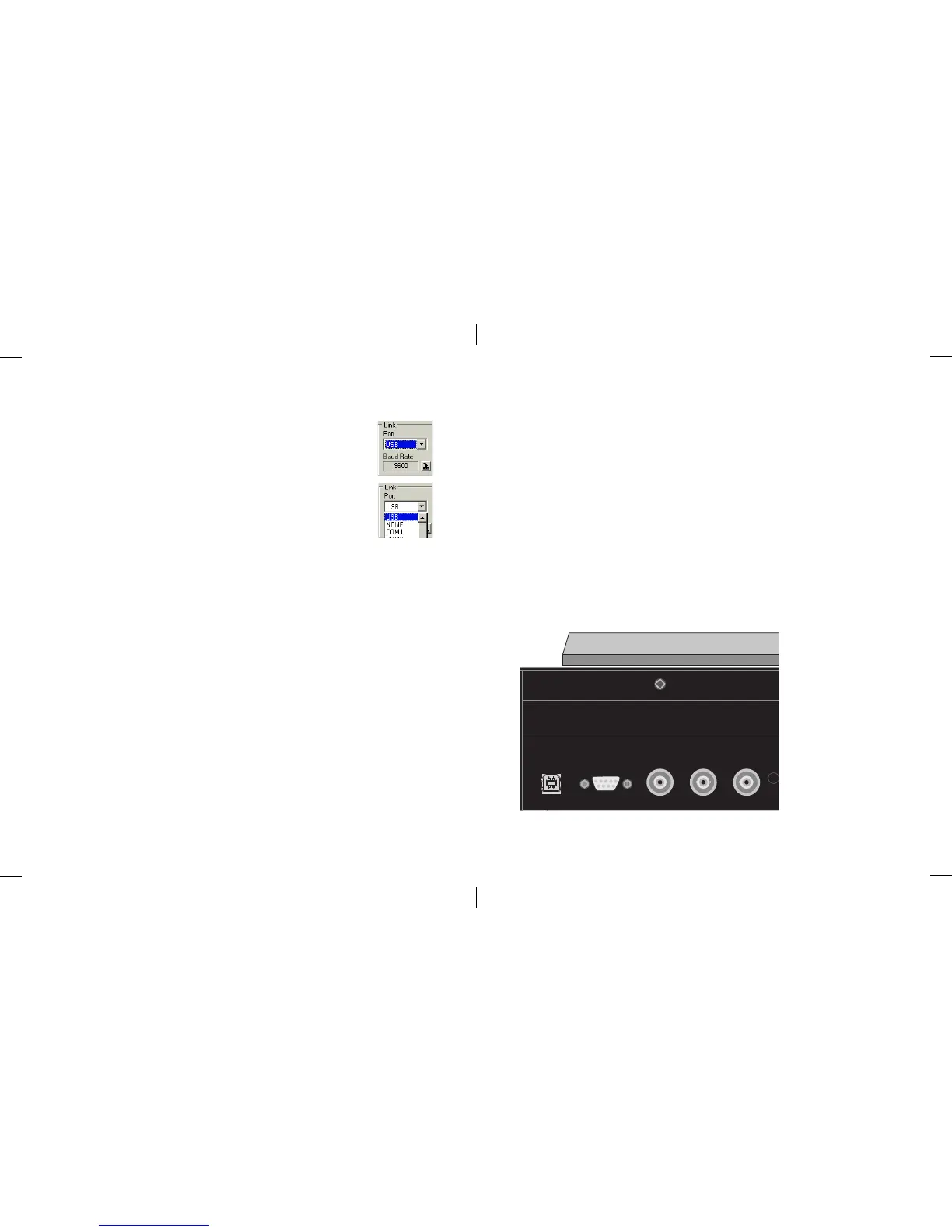
The LT360 can be connected to a USB or COM serial port on
the computer. The Link group box has selections for: USB,
NONE, COM1, COM2, etc.
If the NONE selection is chosen, the link will be closed. To
open a link, select the USB or one of the COM ports. If using
a COM port, the baud rate field should be set correctly to
match the LT360 unit.
If an LT360 unit is found on the port, the link will be activated and the
contents read from the LT360 into the parameter fields and controls. If the
baud rate does not match the LT360, or the unit is not on the selected COM
port, an RX error message will be shown. The Port list box wil then be
forced back to the NONE selection. For USB links, the Port list box will be
forced back to the NONE selection without any message if an LT360 is not
found.
Note: If you are using a USB link, the LT360 driver must be installed.
Once the link is active all of the controls will be enabled.
Note: There is a small arrow button to the right side of the Baud Rate field.
To edit the value, click this button and an editing dialog will open. These edit
buttons are used to send parameter changes to the LT360.
8.2 Opening an LT360 Link



 To Next Page