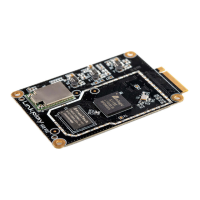
Doc Title Wireless smart audio module
Number
WMB20150921
Document No.: WMB20150921 Page 16 of 21
3.1. Airplay introduction
AirPlay is the streaming standard developed by Apple Inc. It lets you wirelessly stream what’s on your iOS device
to your HDTV or speaker. It is supported starting from iOS4.2 and OS X Mountain Lion. It can also stream the
music in PC or Mac via iTunes 10.1 or above.
When the user devices (including iMac, PC, iPod touch, iPhone, iPad) are in the same WiFi LAN with the speaker
that supports Airplay, when the user device launches the applications such as iTunes or iOS music applications, the
Airplay button appears. When click the Airplay button, please choose the speaker that you want to stream
to.
3.2. DLNA introduction
Digital Living Networrk Alliance (DLNA) is an organization formed by companies in consumer electronics,
cellphone and PC fields. The device with DLNA certification could seamlessly works with other DLNA devices
without compatibility issue. The device has logo.
3.3. WiFi mode
LinkPlay WiFi Audio A31 module is working at WiFi AP Client mode. To setup AP client mode, please setup with
web browser when you connect with the device via WiFi or Ethernet.
3.3.1. AP Client mode
Device working under AP Client could serve as AP and client simultaneously. When it is used as AP, other wireless
device could connect with it directly. Meanwhile, it could connect to other wireless AP as a wireless station. In this
mode, device could connect with WiFiAudio-A31 and playback music to this device with airplay or DLNA.
Meanwhile, if LinkPlay WiFi Audio A31 is connected with main wireless AP that is connected to Internet, the
device that is connected with LinkPlay WiFi Audio A31 has access to Internet too.



 To Next Page