Doc Title Wireless smart audio module
Number
WMB20150921
Document No.: WMB20150921 Page 18 of 21
language in the web server.
If the LinkPlay WiFi Audio A31 device is not connected to another AP to get Internet access, the web server will be
directed to the WIFI setup page. In this page, the user could choose the AP to connect. Otherwise, if it is already
connected with another AP, it will be redirected to the setting page for other settings.
3.4.2. Connecting the module to another AP
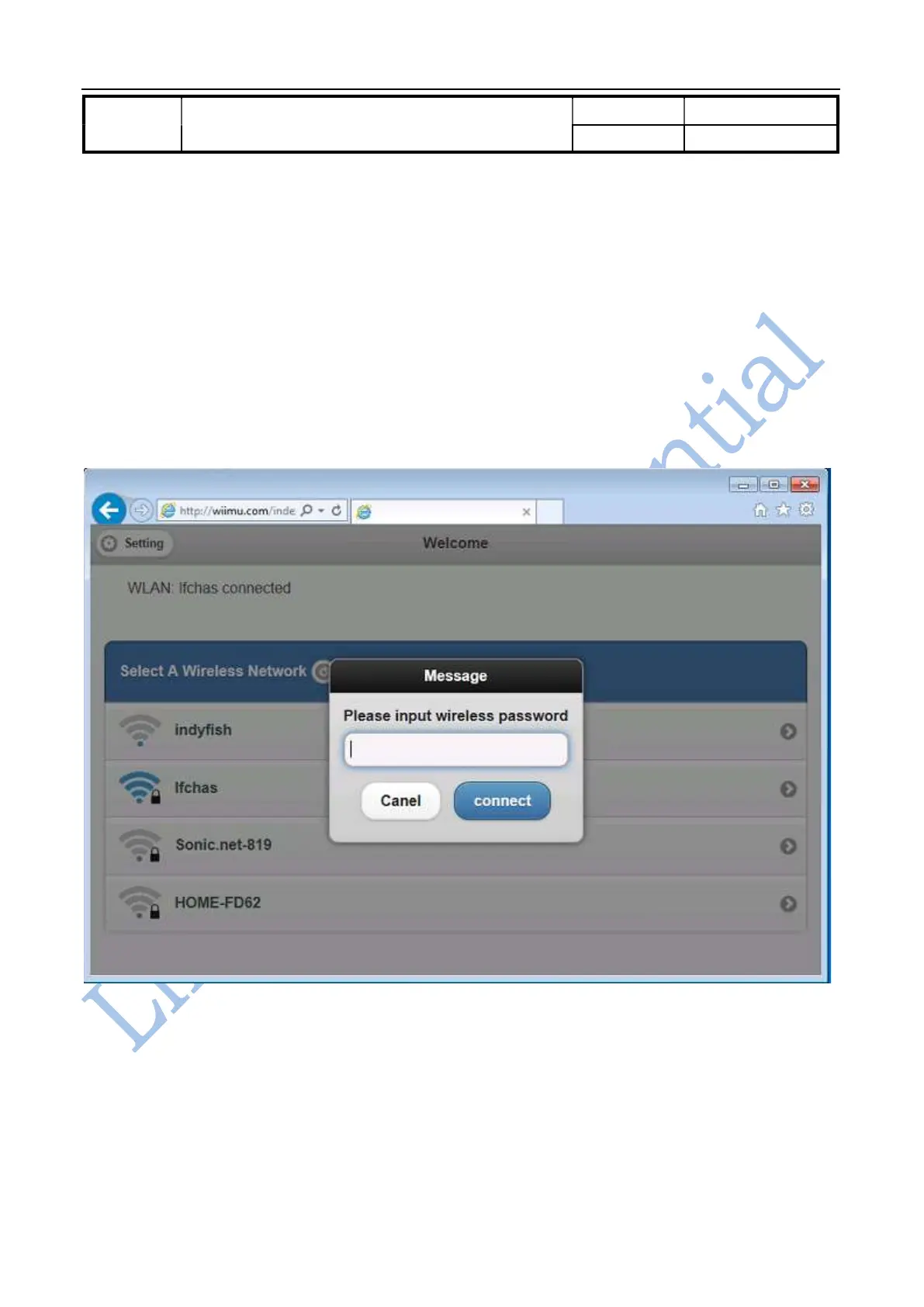
In this page, the network information such as the connected AP and list of available AP are displayed. Please see
the details in Figure 3-2. The user could select the AP to connect to provide the module with Internet access.
Meanwhile, the module could serve as the AP for other devices that could directly connect with the module. In the
case, the module worked as “AP client” or so called bridge mode.
Figure 3-2 Connect LinkPlay WiFi Audio A31 with another AP
After entering the password for the connected AP, there is pop up message window to remind you that the user
device should be in the same network as LinkPlay WiFi Audio A31 in order to use it , i.e., the user device is
connected to the module directly or the AP that the module is connected to.



 To Next Page