Doc Title Wireless smart audio module
Number
WMB20150921
Document No.: WMB20150921 Page 17 of 21
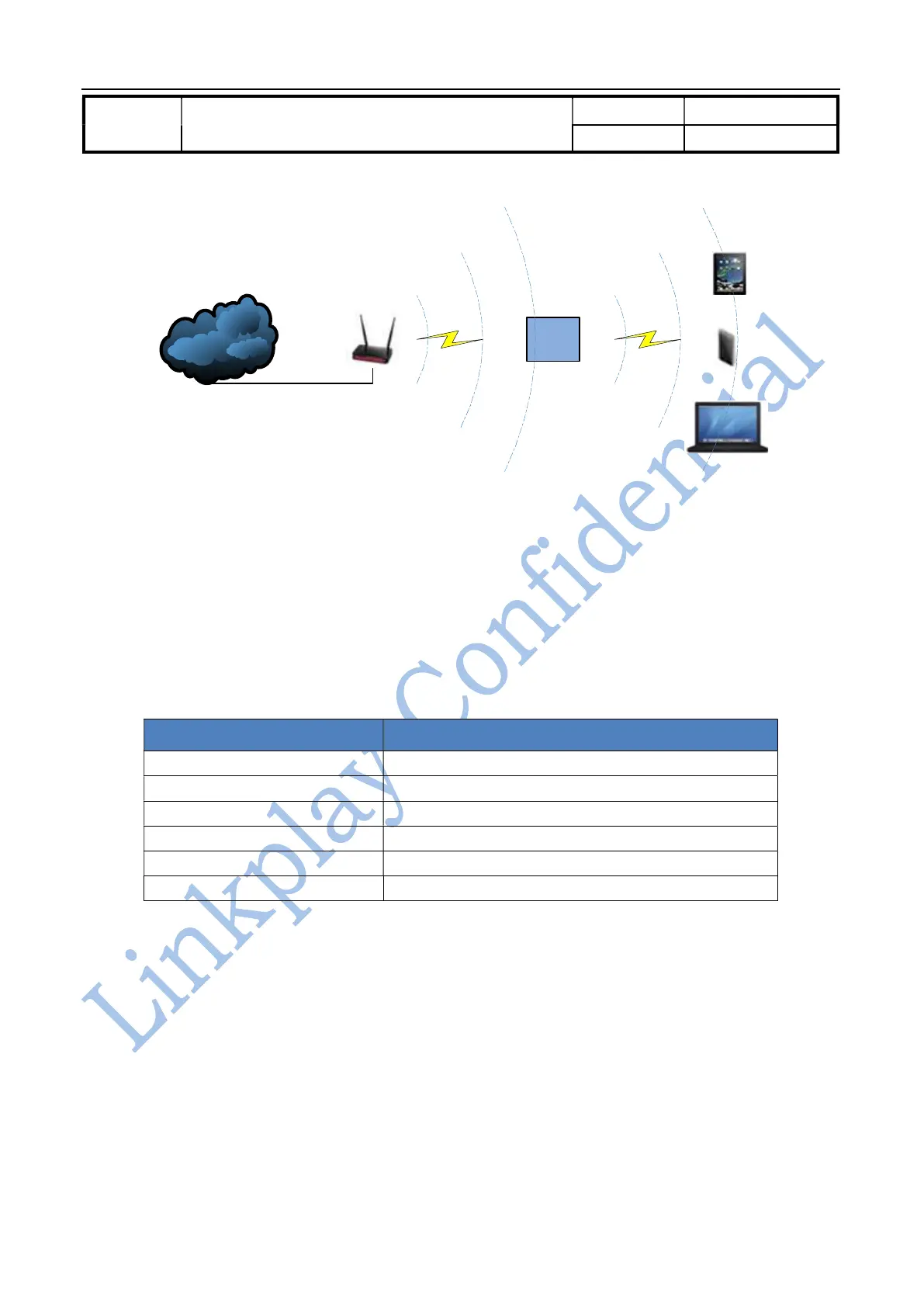
Internet
Wireless router
WiiMu-
A02
Figure 3-1 LinkPlay WiFi Audio A31 AP Client mode
3.4. Web Server setup
LinkPlay WiFi Audio A31 module provides built-in web server to let user configure the module via the Internet
browser.
In the factory mode, the SSID of WiFiAudio-A31’s AP port is in the form of WiFiAudio_xxxx. The xxxx represent
four digital numbers. The IP address, user name and password are shown below:
Parameters Default setting
SSID WiFiAudio _xxxx
IP address 10.10.10.254
Mask 255.255.255.0
DNS WiiMu.com
User name admin
Password admin
Table 3-2 LinkPlay WiFi Audio A31 AP default parameters
You could use PC, iOS or Android device connect the WiFiAudio-A31 first as wireless AP, then launch the browser
and login to web server and configure the module. It supports IE8.0 or up, Chrome and Safari Internet browser.
3.4.1. Web server login
When the user devices are in the same network as WIFIAudio-A31 the user could login to the built-in web server
by entering “http://10.10.10.254” or “http://wiimu.com” in the Internet browser. Currently, both English and
Chinese language are supported in the web server and could be configured in the setup page. However, it is also
possible to add other language support. The following example is shown in English as it is selected as the default



 To Next Page