
 Need help?
Do you have a question about the LinMot C1250-IP-XC-0S and is the answer not in the manual?
Guides on PLC setup in TwinCAT by inserting LinMot drive as a slave.
Details linking data by creating an instance of tstLM_Axis data type in PLC.
Guides on PLC setup for PROFIBUS by installing GSD file and dragging drive to network.
Guides on PLC setup for PROFINET by installing GSDML file and adding drive to network.
Explains assigning PROFINET device name and IP address using TIA Portal.
Guides on PLC setup in RSLinx Classic for EtherNet/IP.
Details adding a LinMot drive using Add-On Instructions (AOP) in Studio 5000.
Guides on installing EDS files using the EDS Hardware Installation Tool.
Guides on PLC setup in TIA Portal by installing GSDML file and adding drive to network.
Explains assigning PROFINET name and IP address in device properties.
Guides on adding and setting up a new Technology object for a linear axis.
Guides on adding and setting up a new Technology object for a rotary axis.
Details homing the linear axis in the PLC using torque limiting functionality.
Explains using a zero mark via PROFIdrive telegram for active homing.
Details accessing drive parameters via RAM using SIEMENS 'SINA-PARA' function block.
Explains adding parameters/variables to the real-time channel for read/write access.
Guides on PLC configuration by dropping modules into drive slots and naming channels.
Provides guidance on tuning control loops, starting with default settings.
Explains tuning the drive control loop by adjusting P and D gains.
Guides on setting Gain (Kv factor) in technology object for PLC control loop tuning.
Guides on PLC setup in TwinCAT by copying XML file and scanning for devices.
Details setting up process data by configuring PDO assignments in TwinCAT.
Guides on PLC setup in TwinCAT by copying XML file and scanning for devices.
Details setting up process data by configuring PDO assignments.
Guides on basic setup of the NC axis, including encoder and drive configuration.
Details accessing drive parameters asynchronously using Beckhoff FB_EcCoESdoRead/Write.
Guides on adding parameters/variables to PDO for cyclical read/write access.
Provides general device properties for SERCOS setup.
Guides on adding the LinMot drive to the SERCOS master in Automation Studio.
Describes different ways to home a linear axis, including using Schneider's FB_Home.
Details homing setup using FB_Home function block with NegDirectionPosEdgeSensor mode.
Explains starting drive-based homing by executing IDN S-0-0148 command.
Explains accessing parameters via UPID using the Sercos service channel.
Provides an example of reading a RAM parameter value using FC_SercosReadServiceData.
Provides an example of writing a RAM parameter value using FC_SercosWriteServiceData.
Guides on PLC setup in CODESYS by installing XML file and adding drive.
Explains using MC_Home function block for drive-controlled homing.
Details accessing parameters using Omron function blocks EC_CoESDORead/Write.
Explains installing XDD files and dragging the drive onto the Powerlink interface.
Details configuring the LinMot slave module by selecting channels for cyclic transmission.
Guides on mapping inputs and outputs to the axis structure using I/O mapping.
Explains setting cycle time for Powerlink interface and PLC configuration.
Guides on automatically generating NC object requirements by adding a B&R drive.
Details deleting old NC mapping and adding a new NC mapping via Object Catalog.
Guides on adding a new NC object, specifying its name, PLC address, and type.
Details setting ACOPOS parameters for a LinMot linear motor for 1um/Unit resolution.
Guides on setting initial parameter table values for digital inputs and encoder units.
Explains homing procedures for linear and rotary motors using SDC interface.
Guides on adding parameters/variables to cyclic PDOs for fast read/write access.
Describes drive configuration using LinMot-Talk and EtherCAT CoE connection.
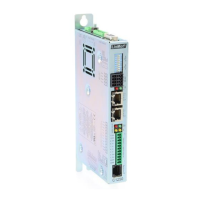
 General
| Brand | LinMot |
|---|---|
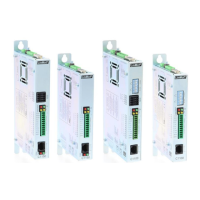
| Model | C1250-IP-XC-0S |
| Category | Servo Drives |
| Language | English |


 To Next Page