10 | CONTROLS AND CONNECTIONS
6
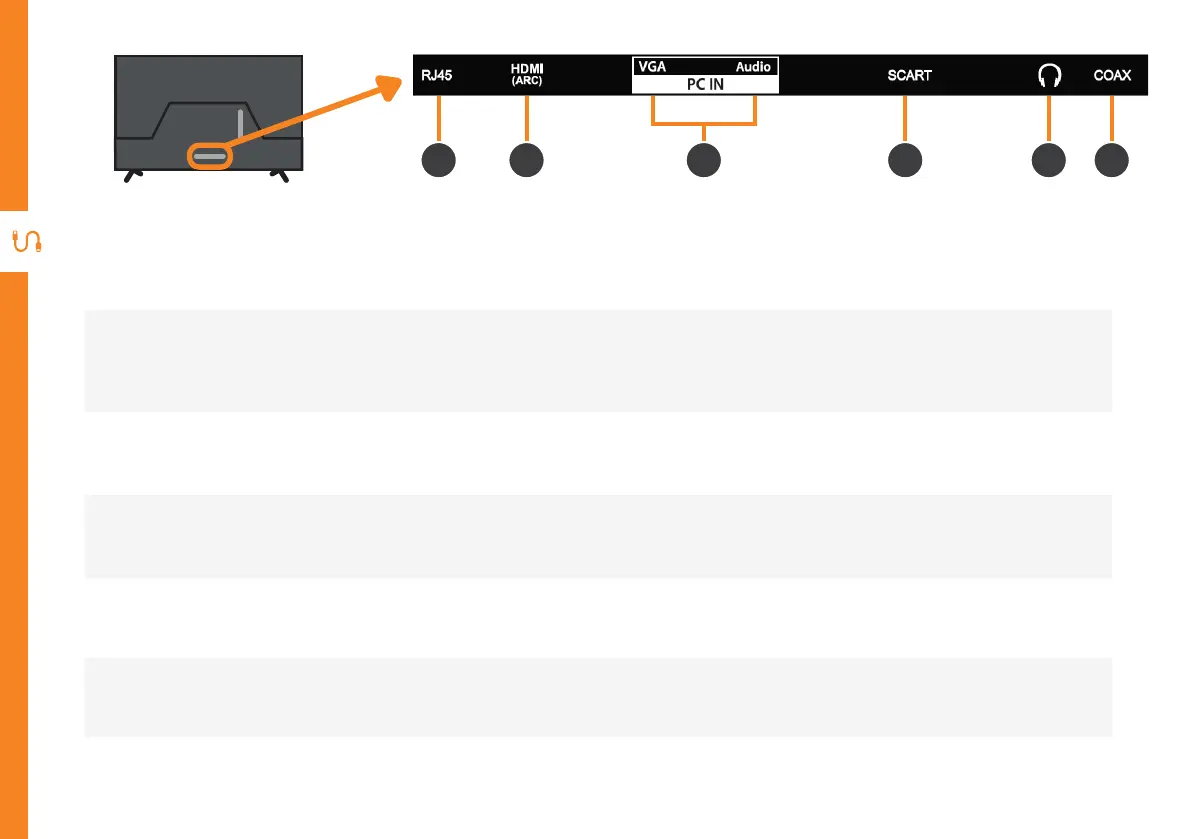
RJ45 (LAN)
Connect to your broadband modem using an Ethernet cable (not included).
7
HDMI IN
All-digital connection between the TV and any HDMI device. Supports Full HD. Requires a HDMI cable
(not included).
8
PC IN
Connect your PC and its Audio to your TV. Requires VGA and AUX Cable (not included).
9
SCART
Connect your SCART signal source, Requires SCART Cable (not included).
10
Headphone
Jack
Connect to your headphones, amplifier or audio device, using an AUX cable (not included).
11
COAX
Connect an external digital audio device. Use an Coaxial cable (not included) to connect the unit with
an amplifier, soundbar or other audio decoding device for digital audio signal input.
6 7 9 10 118



 To Next Page