CONTROLS AND CONNECTIONS | 9
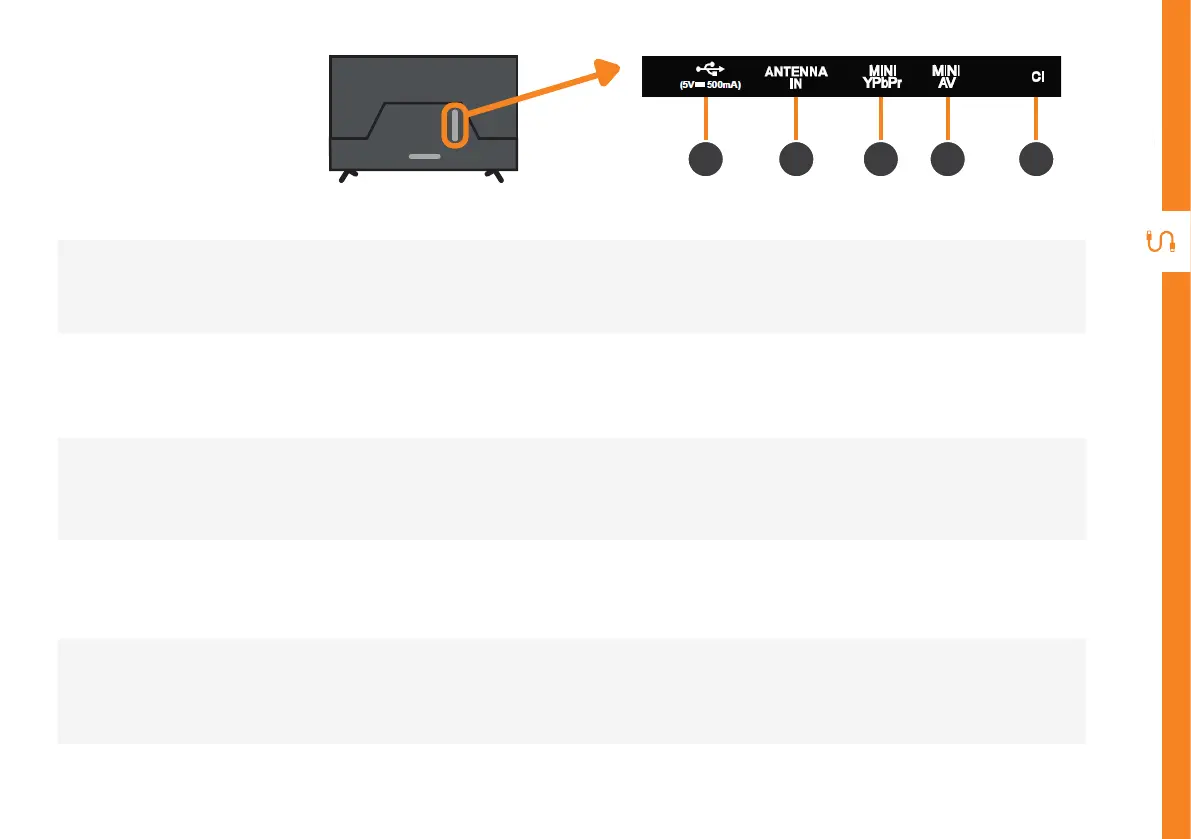
1
USB
» PVR record and pause live TV
» Play your stored media files (supported file codecs and extensions may vary)
» Software updates
2
ANTENNA IN
Connect your antenna for live TV. (Antenna cable not included.)
3
MINI YPbPr
You can use this to connect component signal source. Supports high definition (HD) picture quality.
This requires a component cable (not included).
4
MINI AV IN
You can use this to connect your DVD player. Supports Standard Definition (SD) picture quality.
Requires an AV cable (not included).
5
CI
CAM (Conditional Access Module) card is connected to the CI slot, you can view related information or
manage the CAM card.
Ports on the TV
3 4 521



 To Next Page