RECORDING AND USB MODE | 33
Instant Recording
Press D.SETUP/REC once - start recording.
Press D.SETUP/REC again to view detailed
information.
Stop Recording
Press once - display the dialogue box.
Select YES to stop recording.
Select NO to continue recording.
Scheduled Recording
See 'TV Guide' on page 31 about scheduling
recordings.
Playback
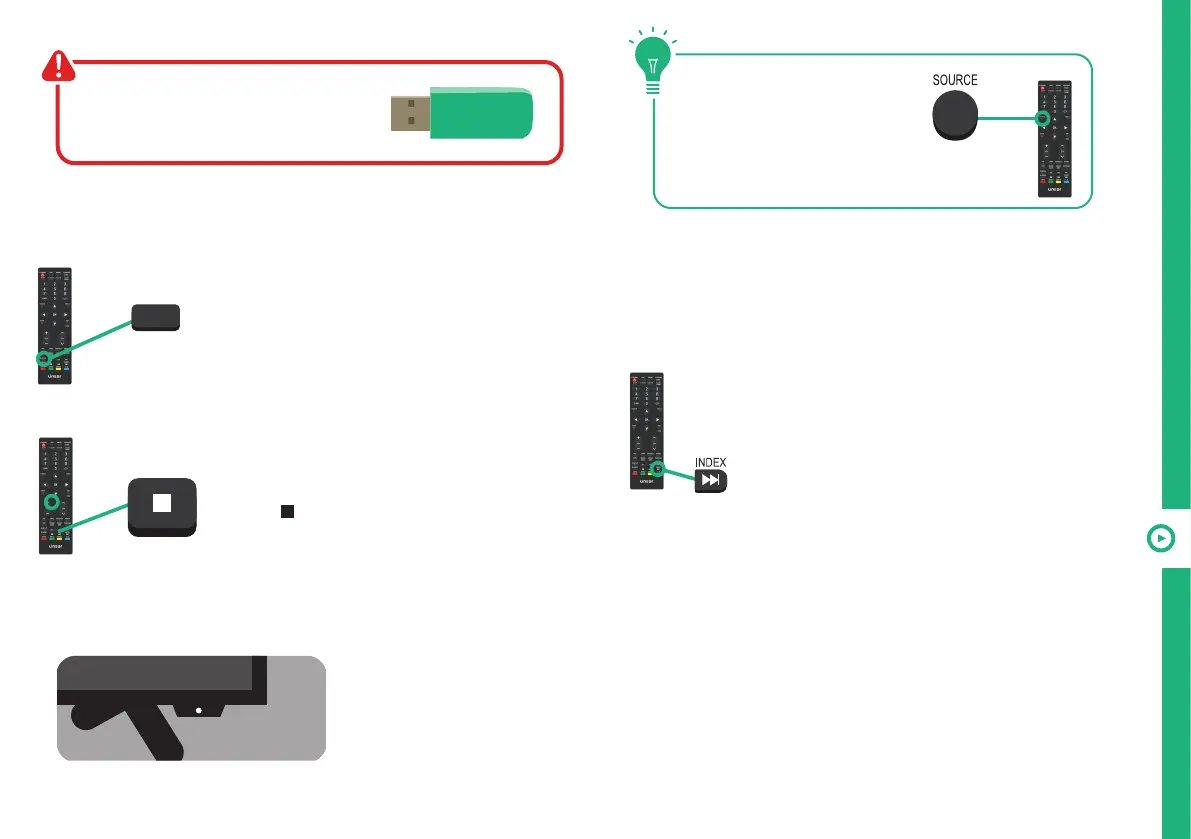
Press the INDEX button to display the list
of recorded programs, or press MENU >
select Quick Settings > Record List then
press the OK button to display the list of
recorded programs.
Press the OK button to start playback in Full Screen Mode.
Press MENU then select "delete" to delete the selected file.
Recording Live TV
Before you can record with this TV
(including time-shift recording), you
must insert your USB storage device
into the USB port.
Recording, scheduled
recording and pause
live TV functions only
work in DTV mode.
When a program is being
recorded in the background
(while the TV is in standby
mode), the Standby/ON
light will flash red.
D.SETUP
REC
NOTE: If the tool bar disappears, press the EXIT button on
the remote control to display it again.



 To Next Page