Turning the backlight off reduces the power consumption of the
unit and extends the battery life.
Once the backlight is turned off the screen will look blank, but it is
still fully functional.
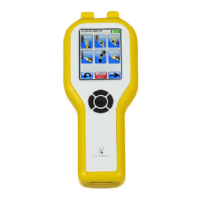
To turn the backlight back on all the user need do is press and
release one of the navigation buttons or touch the screen.
Furthermore the backlight will automatically turn back on if one of
the following events occurs:
• The subject blows a sample
• The instrument shows a result
• The ten second auto power down warning is reached
• The instrument is ready to receive a sample
Turning the backlight off does not power the instrument down and
it is still recommended that the user turns the power off if the
instrument is not in use rather than allow it to auto power down.


 To Next Page