Data Upload
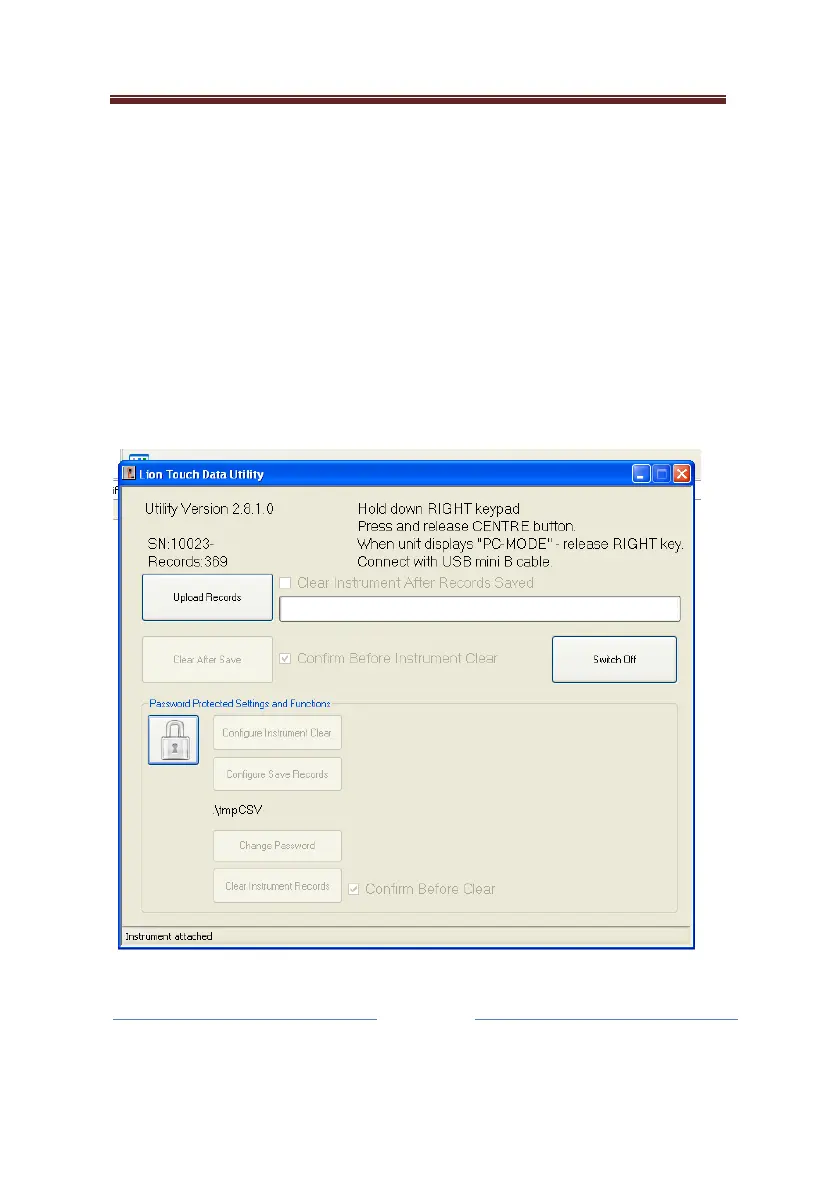
Using the supplied software, DATA600TOUCH
TM
, in a standard PC
running Windows
TM
, it is possible to download the records stored
on the instrument.
After starting DATA600TOUCH
TM
simply switch the instrument on,
holding down the right hand Navigation button (E) and the
instrument will automatically go into PC mode. Using a USB cable
from the computer, with a mini B type socket on the end, connect
to the instrument.


 To Next Page