17
Trainmaster Command operations
Tuning your F3’s performance
MOMENTUM
TrainMaster Command’s momentum fea-
ture simulates the labored performance of a
locomotive pulling a heavy load. Press L, M,
or H (located under CAB-1’s removable
panel) for light, medium, or heavy momen-
tum. The F3’s LCRU remembers this setting
until you change it. For quick locomo-
tive response, choose L.
BRAKING AND BOOSTING
There’s more to starting and stopping
than just turning the CAB-1 throttle. Use the
BOOST and BRAKE command buttons—
they give you incremental control of speed
and are the superior way to handle grades,
gradual stops-and-starts, and more. Plus,
using BRAKE in the Command environment
gives you a bonus Railsounds effect—the
ultrarealistic sound of squealing brakes.
SOUND QUALITY
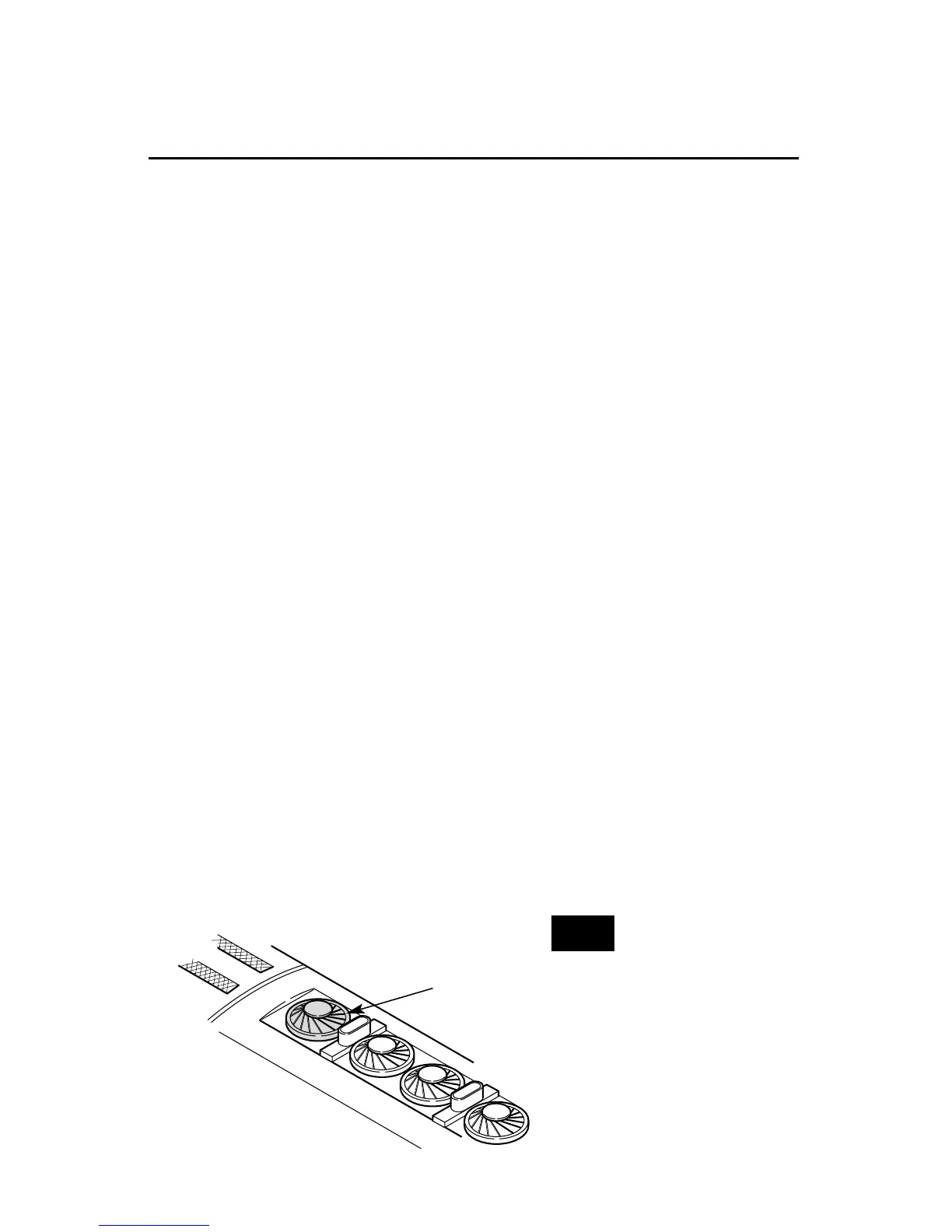
To achieve your preferred Railsounds
master volume level, we recommend you
use your non-powered F3A unit’s radiator-
fan volume control dial (see below for loca-
tion). Turn the dial left or right to adjust
the volume to your liking.
For quick remote-control of volume
below the master setting—for example,
muting—use the CAB-1 numeric keypad’s
volume control. Press AUX1 and then 4 on
the numeric keypad to lower overall
Railsounds output.
HIGH VOLTAGE SETTING
Press SET, headlight will flash. Get your
locomotive moving to the maximum speed
you want it to run, press BOOST. Use this to
keep your locomotive from excess-speed
derailing. Turn off the high voltage setting
by pressing SET, then BOOST, holding each
for one second.
STALL
Make your F3 feel more responsive by set-
ting a “stall” voltage. Get your locomotive
moving, then press SET; the F3 will stop.
Turn the throttle clockwise to get the loco-
motive moving, then decrease speed until
the locomotive just stops. Then press SET
again; the LCRU remembers the stall setting
until you change it. To clear stall, press SET
twice, holding it for one second each time.
Volume adjustment
knob
Front fan on F3B
Note!
These settings will be
lost when you assign
new engine ID#s.









 To Next Page