EasyManua.ls Logo

Lippert Components LCI - User Manual

Lippert Components LCI
20 pages
Print Icon
To Next Page IconTo Next Page
Loading...
LCI Motorized Leveling
- Unidirectional
(2009-Present)
OWNER'S MANUAL

Other manuals for Lippert Components LCI

Questions and Answers

  • S
    Shawna EvansAug 17, 2025
    Why won't the Lippert Components LCI extend to the ground when the pump is running?
    • M
      Miss Jessica MejiaAug 18, 2025
      If the jacks won't extend to the ground, but the pump is running, it could be due to a few reasons. First, check the fluid reservoir and fill it with the recommended ATF if it's low. It may also be that the jack valve is inoperative and needs to be cleaned, repaired, or replaced. Finally, there might be a loss of electronic signal between the controller and the jack valves, requiring you to trace the wires for voltage drop or signal loss, and repair or replace any necessary wires or the controller.
  • J
    Justin BrooksAug 20, 2025
    What to do if the Lippert Components LCI alarm sounds and the JACKS DOWN light flashes while traveling, even though the jacks are fully retracted?
    • A
      Ashley BarronAug 20, 2025
      If the alarm sounds and the JACKS DOWN light flashes during travel when the jacks are retracted, it could be due to a loss of pressure in the leveling system or an inoperable retract pressure switch. In either case, contact LCI Customer Service for assistance. You can also check the connection or replace the retract pressure switch.
  • S
    Sherry LewisAug 22, 2025
    How to turn on Lippert Components LCI if the ON/OFF indicator light doesn't illuminate?
    • O
      oneillmarkAug 22, 2025
      If the system won't turn on and the ON/OFF indicator light is off, ensure the coach ignition is in the RUN position and that the parking brake is set. If the controls have been on for more than four minutes, they may have timed out, so turn the ignition off and then back on.
  • M
    Michelle StanleyAug 26, 2025
    What to do if one or two Lippert Components Jacks will not retract?
    • K
      Kristen WilsonAug 26, 2025
      If one or two jacks won't retract, it could be due to a damaged or disconnected hose. Replace the hose or reconnect it. Another cause could be an inoperative return valve, which would need to be replaced. Also, check for a loss of electronic signal between the controller and solenoid by testing for voltage drop. Repair any bad wiring, or replace the defective controller or valve.
  • K
    Katelyn SimsAug 28, 2025
    Why doesn't the JACKS DOWN light turn off on my Lippert Components LCI when all jacks are retracted?
    • M
      Mary JonesAug 28, 2025
      If the JACKS DOWN light remains on after retracting all jacks, it could be due to insufficient pressure in the system or an inoperable retract pressure switch. Contact LCI Customer Service. Alternatively, check the connection or replace the retract pressure switch.
  • H
    Heather HumphreyAug 31, 2025
    Why does the Lippert Components LCI Jacks touchpad turn on, but then turns off when the jack button is pushed?
    • B
      butlerstevenAug 31, 2025
      If the touchpad turns on but shuts off when you press the jack button, the battery voltage may be low. Start the coach to charge the battery.
  • A
    Alexander SwansonSep 2, 2025
    Why does the Lippert Components Jack bleed down after being extended?
    • M
      Michael DicksonSep 2, 2025
      If a jack bleeds down after being extended, check if the Valve Manual Override is open and close it.
  • R
    robert73Sep 5, 2025
    What to do if Lippert Components LCI touchpad turns on, but the coach will not auto level, the JACKS DOWN light is on, and the jacks are retracted?
    • A
      Ashley HoffmanSep 6, 2025
      If the touchpad turns on, but the coach won't auto-level, the JACKS DOWN light is on, and the jacks are retracted, it could be a faulty pressure switch or low pressure in the system. Press the RETRACT ALL JACKS button on the touchpad. If the JACKS DOWN light remains on, call LCI Customer Service.
  • T
    Tonya RangelSep 8, 2025
    What does it mean when the low voltage light is on solid on Lippert Components Jacks?
    • W
      William ZavalaSep 8, 2025
      If the low voltage light is on solid, the charging system may be faulty. Turn the key OFF, then back ON to reset. Check the power and ground connections on the battery, alternator, and chassis.
  • D
    Dr. Kevin Wade Jr.Sep 12, 2025
    Why is the LOW VOLTAGE light flashing on my Lippert Components Jacks touchpad?
    • Z
      zbowenSep 12, 2025
      If the touchpad powers up and the LOW VOLTAGE light is flashing, it likely means the engine is not running. Start the coach engine.

Summary

Introduction and Safety

Safety Precautions

Read and understand all instructions and adhere to safety labels before operating.

System Features and Components

System Features Overview

Details on automatic/manual leveling, retraction, and airbag suspension features.

Fluid and Component Details

Recommended fluid type and description of major system components like jacks and pump.

System Wiring Requirements

Specifications for battery power, ground, logic power, and brake signal wiring.

Jack Specifications

Steel Jack Types

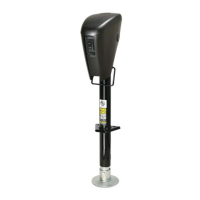
Specifications and images for various steel leveling jacks with different capacities.

Aluminum Jack Types

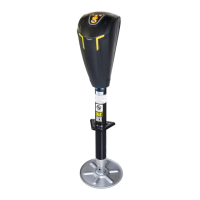
Specifications and images for various aluminum leveling jacks with different capacities.

Power Unit Components

Power Unit Assembly

Diagrams and labels for the motor, solenoid, and other components of the power unit.

Operation Procedures

Pre-Operation Conditions

Conditions that must be met before operating the leveling system.

Site Selection Guidance

Advice on choosing a level surface and potential issues with slopes.

Automatic Leveling

Step-by-step instructions for the automatic leveling cycle.

Manual Leveling

Procedures for manually extending and retracting jacks to level the coach.

Jack Retraction

Steps to fully retract all jacks to their stowed position.

Touchpad Controls

Touchpad Layout and Functions

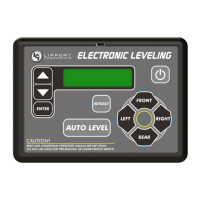
Detailed explanation of each button and indicator light on the touchpad.

Troubleshooting System Issues

Automatic Shutoff and Protection Systems

Information on automatic safety shutoff, drive away protection, and error modes.

Level Zero Point Calibration

Procedure to set the system's reference point for automatic leveling.

Feature Configuration and Manual Overrides

Air and Auxiliary Feature Setup

Steps to enable or disable air and auxiliary features for specific units.

Manual Jack Override Procedure

How to manually extend or retract jacks using an Allen wrench.

Manual Power System Override

Using a drill for manual jack operation during electrical system failure.

Alarms and Signals

Jacks Down Alarm and User Mode

Explanation of the "Jacks Down" alarm, user alarm mode, and automatic retract.

Low Voltage Signal Diagnosis

Interpreting the low voltage indicator and troubleshooting charging system issues.

Maintenance and Warnings

Preventative Maintenance

Routine checks and lubrication for the leveling system components.

Latched Out Warning

Identifying and resetting the "Latched Out" error mode.

Troubleshooting Chart

Common System Issues and Solutions

A chart detailing 'What Is Happening', 'Why', and 'What Should Be Done' for common problems.

Diagrams

Plumbing Diagram

Schematic showing the hydraulic hose connections for the leveling jacks.

Wiring Diagram

Overview of electrical connections between the touchpad, controller, and power unit.

Lippert Components LCI Specifications

General IconGeneral
BrandLippert Components
ModelLCI
CategoryJacks
LanguageEnglish

Related product manuals