4. If the menu bar is no longer on the screen, press on the remote control to display it
• Stopping a pause
From the menu bar at the bottom of the screen, select (Stop) using the or buttons, and
press ENTER to pause the live broadcast. Then validate with the button.
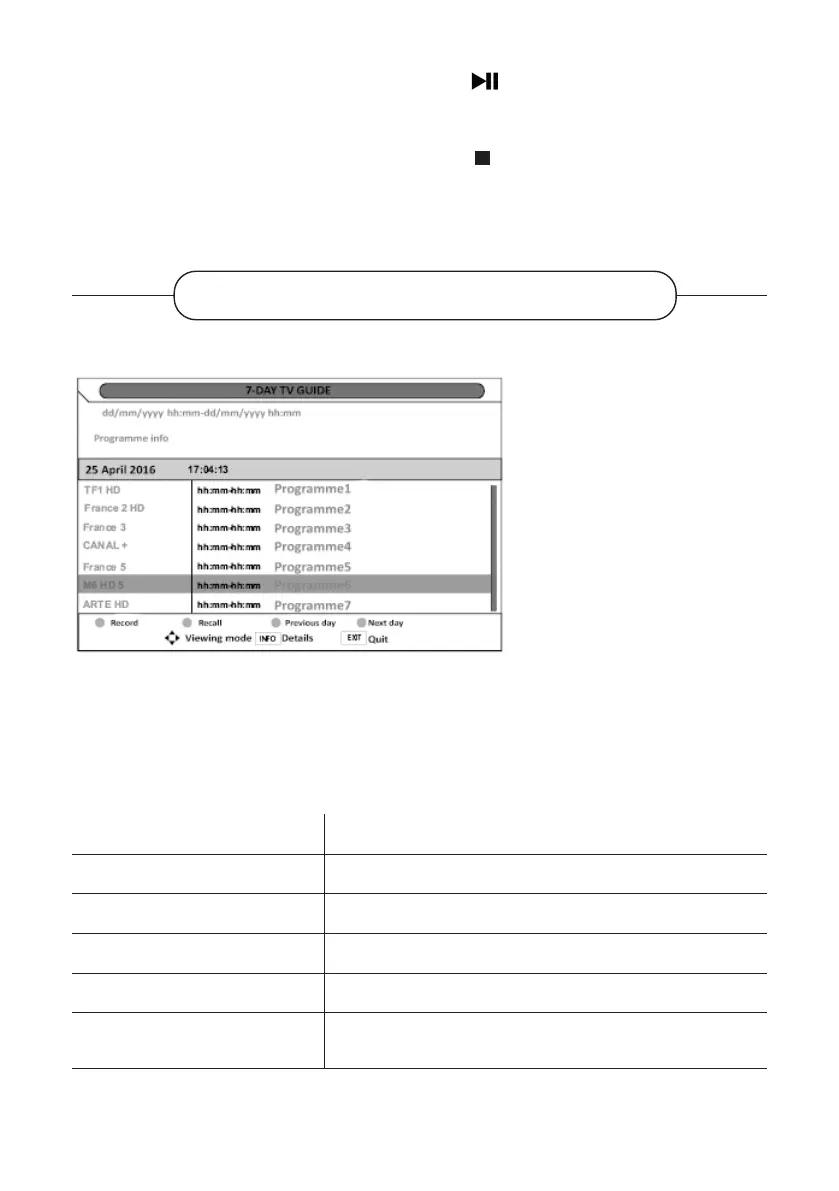
ELECTRONIC PROGRAMME GUIDE
The television is equipped with an
electronic programme guide (EPG)
that you can only view in digital
mode (DTT).
The programme guide provides
information on the programme start
and end times as well as detailed
information about a selected
programme.
The programme guide is updated
dynamically as information is
broadcast by the channel. If the
channel does not broadcast any information about its programmes, the information line indicates
"No programme info".
To display the Electronic Programme Guide, press the EPG button on your remote control
Buttons on the remote control Functions
or
Select the channel or programme.
or
Navigate through the programmes.
OK Go directly to the programme.
INFO Display information about the selected programme.
YELLOW AND BLUE BUTTONS
Display the programmes of the previous or following
days.
V.1.0 102



 To Next Page