Connection with a coaxial cable
Front panel and Rear pane i llustration
Front panel
Rear panel
Connecting to a TV Set
9a
+]
SCART OUT
SCART IN
&&RRDD [[LLDDOO
''LLJJLLWW DDOO
$$XXGGLLRR
9a
+]
&RD[LDO
'LJLWDO
$XGLR
79
%$66
75(%/(
(&+2
'2:1
83
92/80(
,13876(/(&725
087(
.$5$2.(
&+$11(/
7(67
02'(
67(5(2
352/2*,&
%<3$66
(;&,7(
32:(5
0,&
0,&92/
0,&
&RD[LDO
6$7,1
6$7287
6$7,1
6$7287
VCR
TV
VCR
Second
Démodulateur
Amplier
Home cinema
Coaxial cable
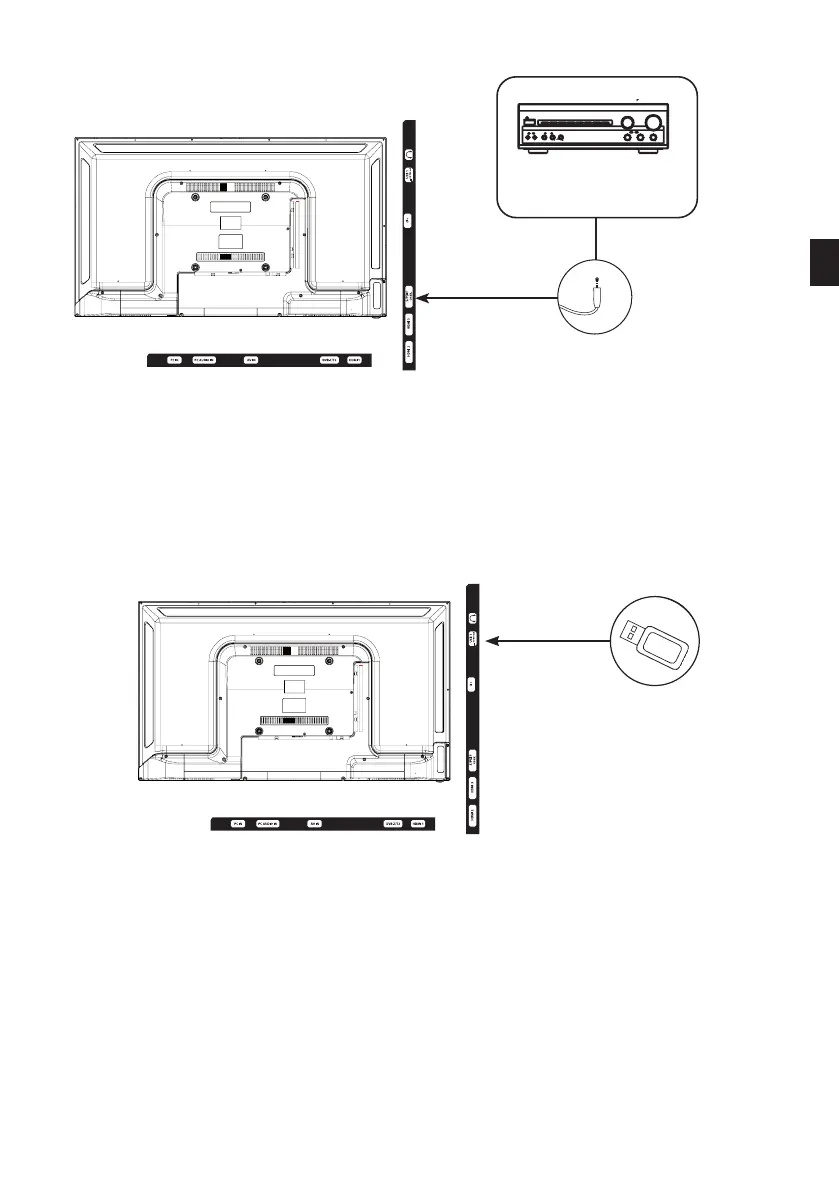
• Connect the coaxial output of the TV to the coaxial input terminal of the audio amplier with
a coaxial cable.
• Press POWER to turn on the TV, then turn on the external equipment.
• Set the audio amplier to the coaxial input mode. Read the instructions for your audio
amplier.
Using the USB/PVR port
• The TV has a USB socket for playing videos, pictures or music.
• It can also be used to record a programme in progress.
• Select the Media source by pressing the SOURCE button on the remote control and conrming
with the ENTER button.
USB key
EN
67 V.1.0



 To Next Page