CONNECTION WITH A COMPUTER
It's possible to connect a computer to this TV. To do this, your computer must be congured
with one of the following resolutions, depending on the capabilities of your graphics card.
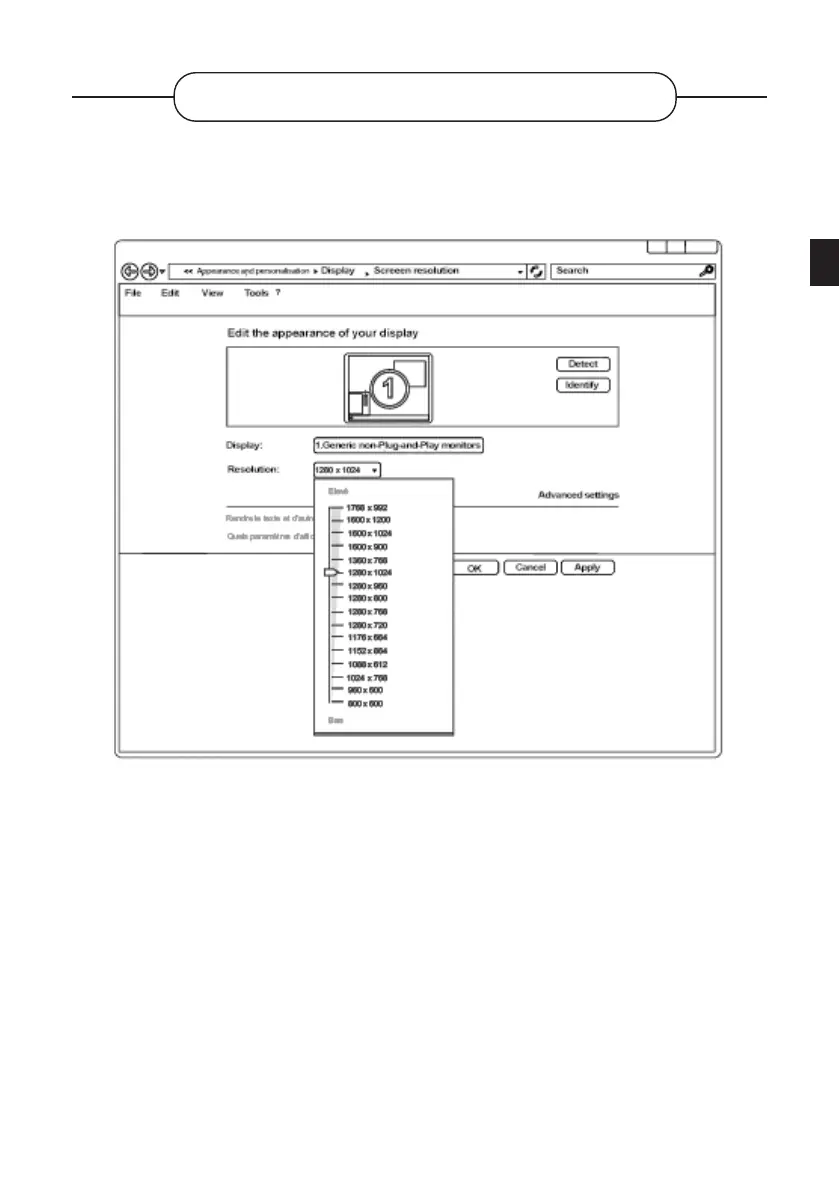
If you have a computer with a Windows 7*, Windows 8* or Windows 10* operating system, the
display settings window appears as above:
• Right-click on the Windows desktop and click on Screen resolution. The Display Properties
window appears.
• Click the Resolution drop-down list and adjust the display resolution.
• Then click Advanced Settings. A new window will appear. Click the Monitor tab and set the
Monitor refresh rate by checking the specications table.
• Click ENTER twice to close both windows.
• The conguration of the computer will be dierent depending on the graphics card. Contact
your retailer for technical assistance.
EN
105 V.1.0



 To Next Page