44
LIVA X
2
MINI PC USER MANUAL
Chapter 3
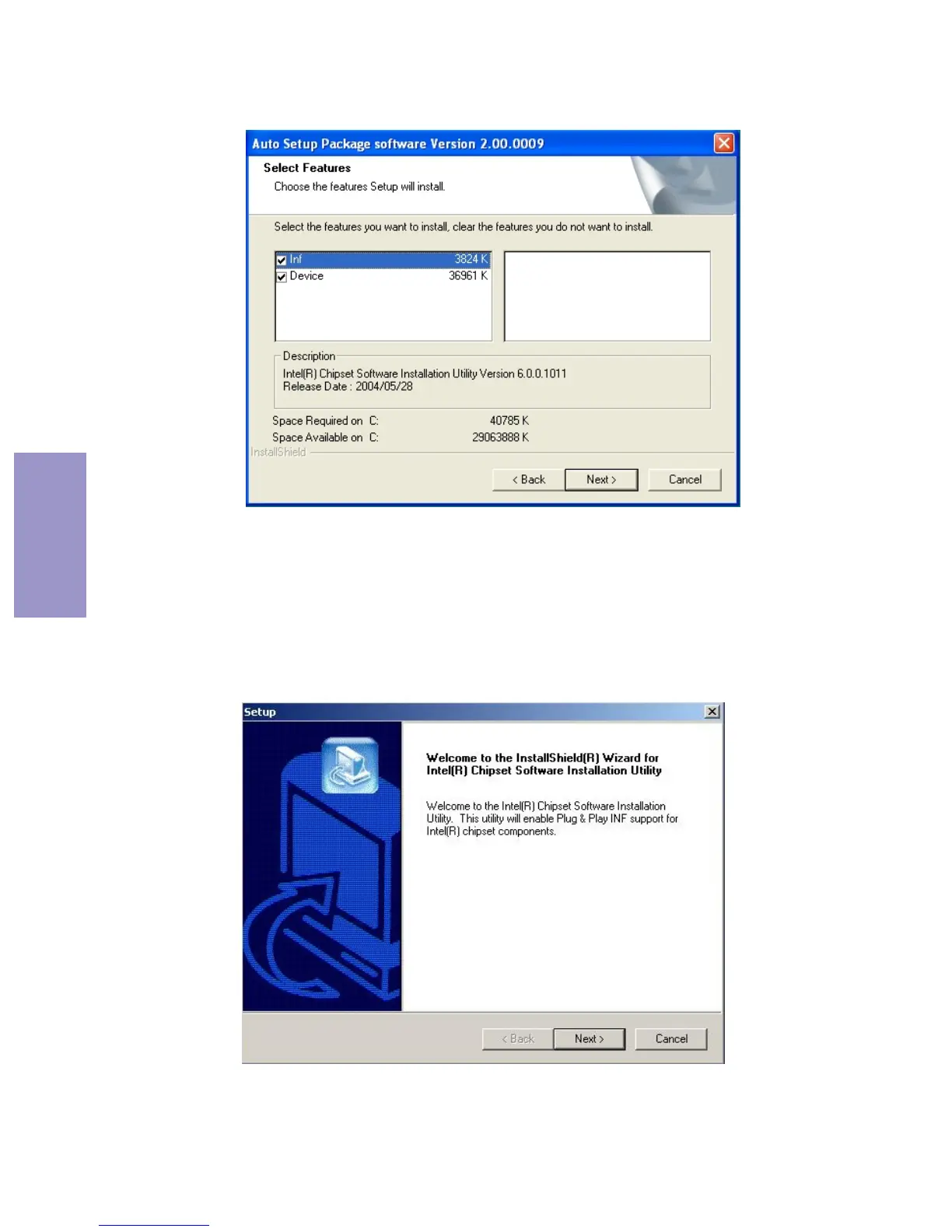
3. Check the box next to the items you want to install. The
default options are recommended.
5. Follow the instructions on the screen to install the items.
4. Click Next to run the Installation Wizard. An item
installation screen appears:
2. Click Next. The following screen appears:



 To Next Page