26
Using Your Lively Mobile2
Connecting with Nurse On-Call
With certain plans, you have access to Nurse On-Call, which provides you with unlimited health
advice from a registered nurse or board-certiied doctor, 24-hours a day, 7-days a week.
To Access a Live Nurse:
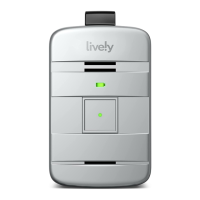
1. Press the call button briely. You will hear a voice prompt of “Calling Urgent Response, press
the button to cancel.” If you pressed the call button by mistake, you will have a short moment
to press the call button again to cancel the call. Pressing the button multiple times may result
in a call to Urgent Response being canceled.
2. When connected with an Urgent Response agent, ask to be connected to
Nurse On-Call. The agent may ask you a few questions to make sure that you do not need
emergency assistance before connecting you to a nurse.


 To Next Page