Page 24 Pulse
TM
Smartpen User Manual
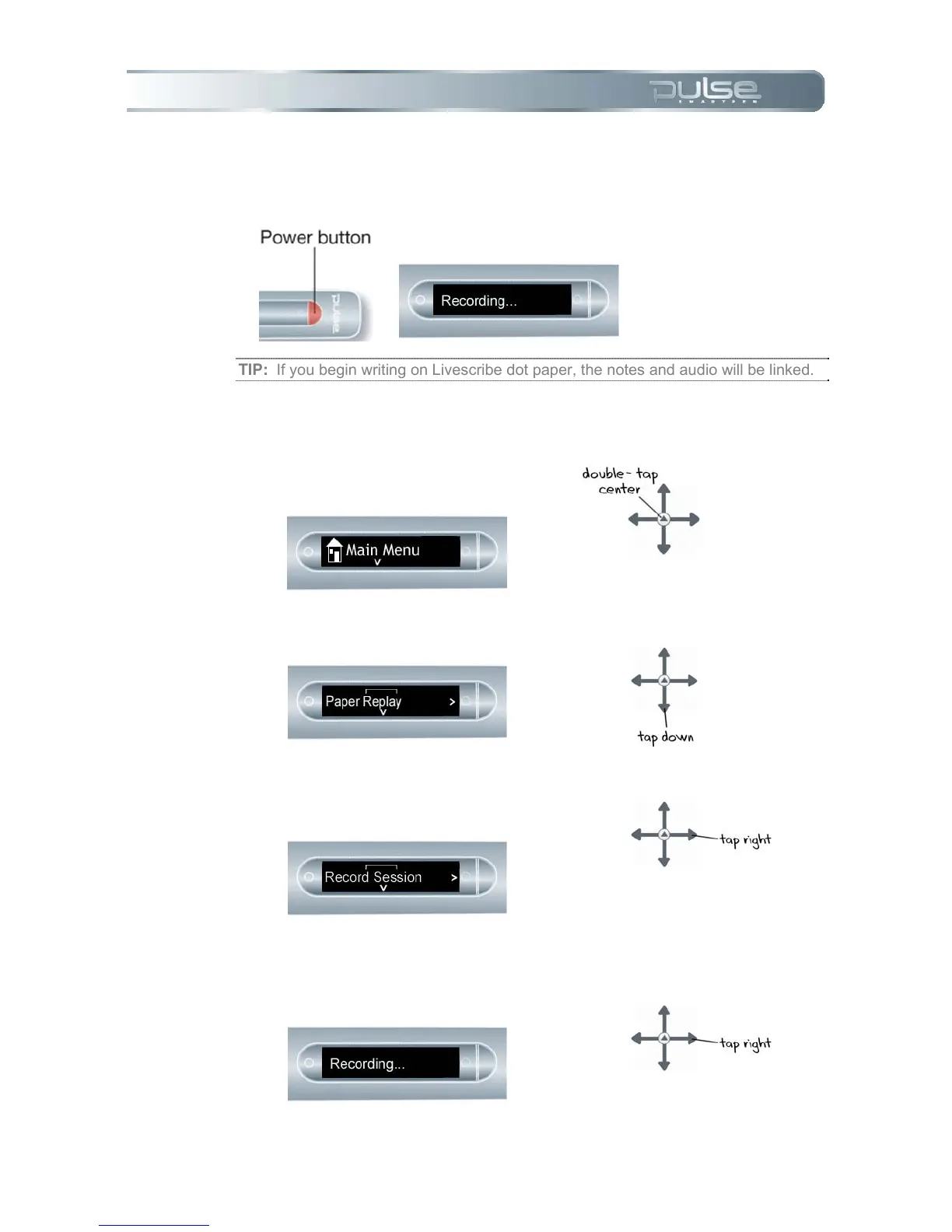
2. Quick Record: If your Pulse smartpen is on, press and hold the Power button
for until the display indicates that recording has been initiated. If your Pulse
smartpen is off, press and hold the Power button until the start sequence and
the word “Recording…” appear on the display.
TIP: If you begin writing on Livescribe dot paper, the notes and audio will be linked.
3. Use Nav Plus to begin recording an audio session.
a. Double-tap on the center of the
Nav Plus to go to your Pulse
smartpen Main Menu.
b. Tap down until Paper Replay is
displayed.
c. Tap right to launch the Paper
Replay application. You will see
the Record Session option.
d. Tap right to select Record
Session. The display will indicate
that recording has been initiated.



 To Next Page