Chapter 4: 3BUsing Paper Replay™ Page 35
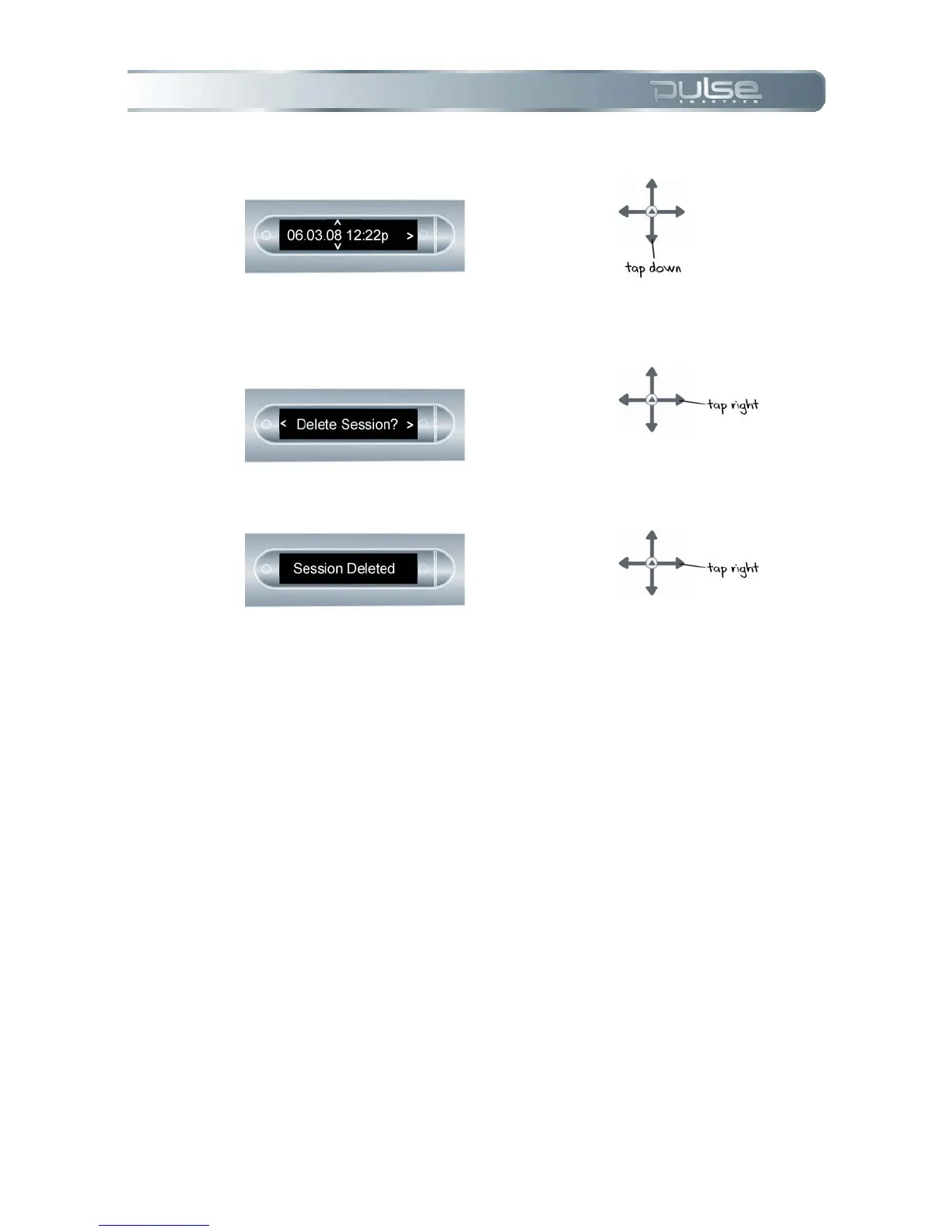
6. Tap down to scroll through a
list of Paper Replay sessions.
7. Tap right to select the session
you want to delete.
8. Tap right to confirm deletion.
Background Recording
With background recording, you can launch and run another Pulse smartpen application while
you are using Paper Replay. Paper Replay will continue recording in the background, but no ink
is linked to any audio, because the new application you launched is receiving the input from your
pen strokes.
The newly launched application has the focus of your Pulse smartpen, and has control of your
display and audio output.
If you want to stop or pause recording, or to add new index points to your recording, Paper
Replay must be ‘reactivated’ to become the dominant application again.
There are several actions that will cause Paper Replay to ‘snap back’ into control of your Pulse
smartpen:



 To Next Page