Page 34 Pulse
TM
Smartpen User Manual
• Using the Main Menu on your Pulse smartpen, as described below.
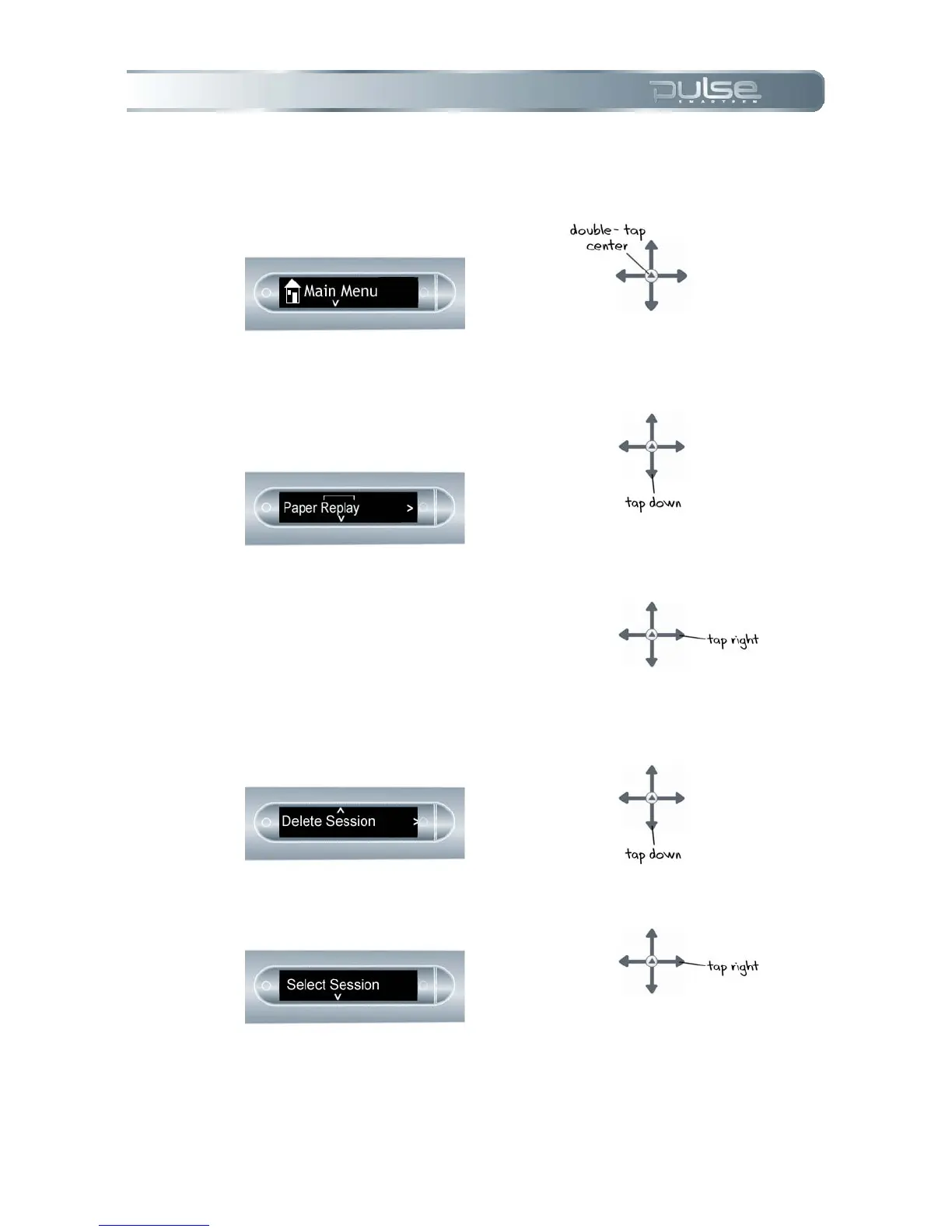
To delete Paper Replay sessions from your Pulse smartpen using the Main Menu:
1. Double-tap on the Nav Plus to
go to the Main Menu.
2. Tap down to scroll through the
applications on your Pulse
smartpen until Paper Replay
is displayed.
3. Tap right to launch Paper
Replay.
4. Tap down to select Delete
Session from the menu.
5. Tap right until Select Session
is displayed.



 To Next Page