Chapter 6: 5BAdditional Pulse Smartpen Applications Page 61
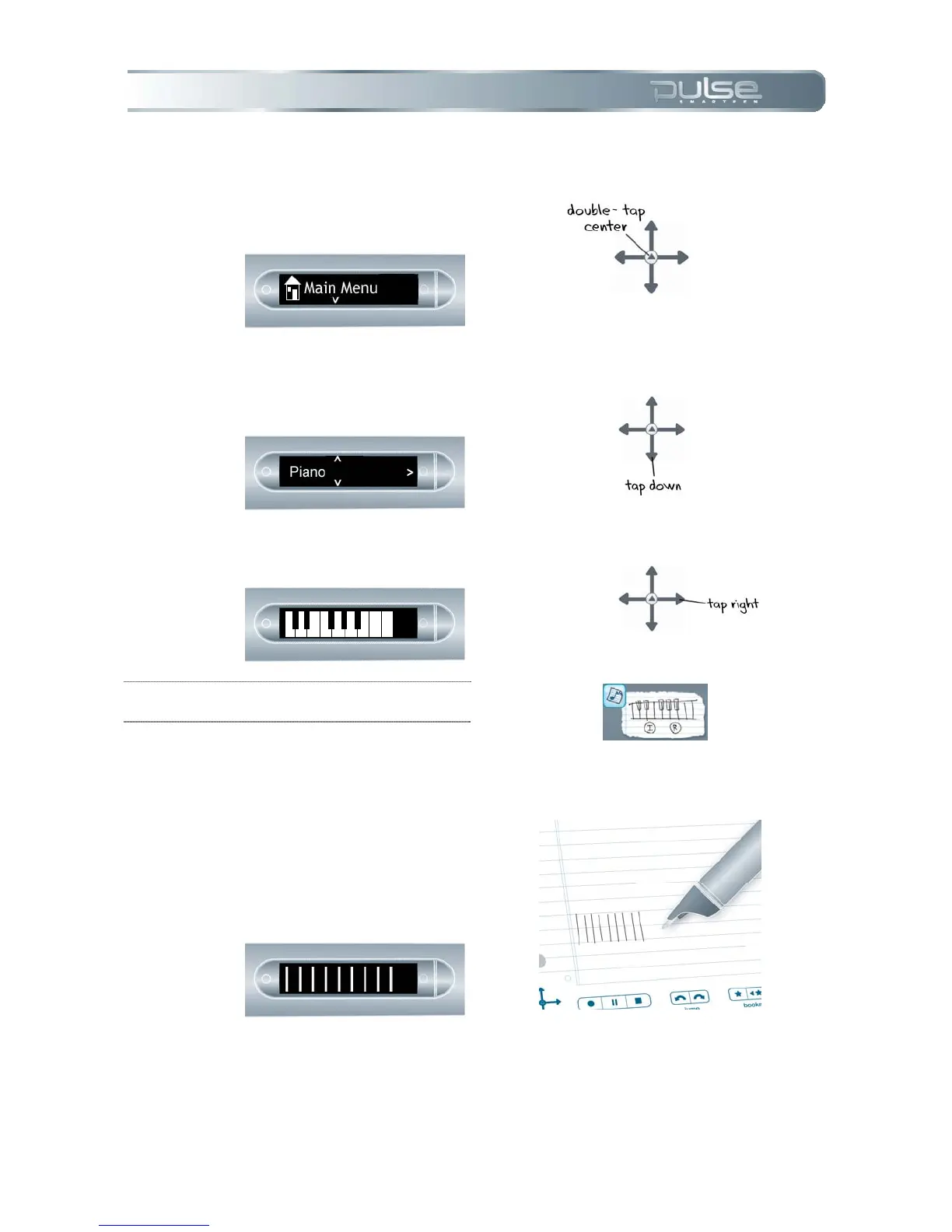
Launching Piano
1. Double-tap the center of the
Nav Plus to reach the Main
Menu.
2. Tap down to scroll through the
Pulse menu until Piano is
displayed.
3. Tap right to select Piano.
TIP: Tip: You can also start Piano by tapping on
the Piano button on your Demo Card.
Drawing Your Piano
1. From left to right, draw 9
parallel vertical lines. Your
Pulse screen will display a
blinking line to indicate which
line you should draw next.



 To Next Page