Chapter 6: 5BAdditional Pulse Smartpen Applications Page 63
Adding Sharps and Flats
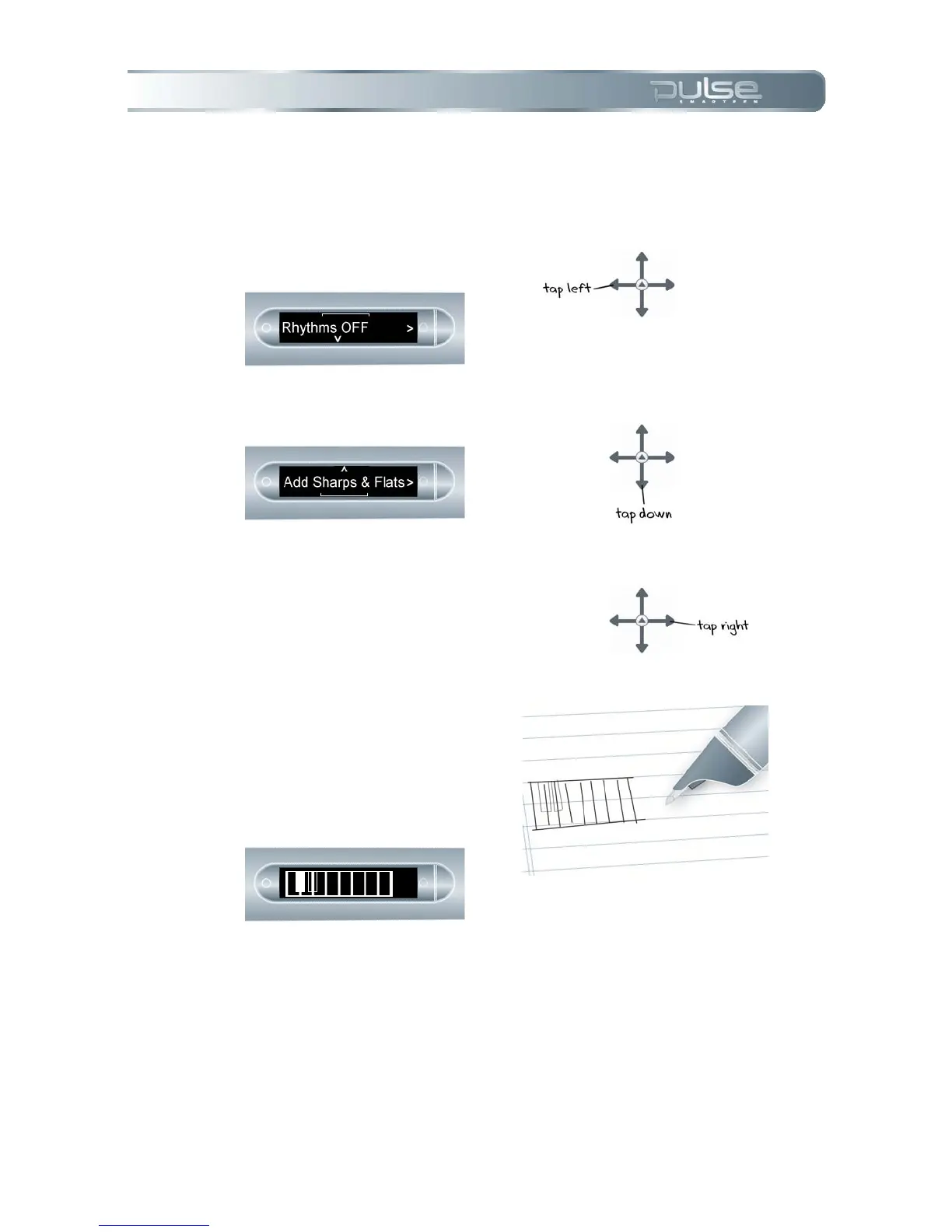
1. Tap left on the Nav Plus. Your
Pulse will display Rhythms
OFF.
2. Tap down to reach Add
sharps and Flats.
3. Tap right to Add Sharps and
Flats.
4. Your Pulse will display
blinking rectangles on your
piano. Draw rectangles after
the 2
nd
, 3
rd
, 5
th
, 6
th,
and 7
th
piano key lines, as in the
display.
Piano tips
Use the stylus to play your piano, rather than the ink cartridge. This will keep the paper free and
clear of ink marks.



 To Next Page