2322
DVD player operation,continued
3. PREFERENCE SETUP PAGE
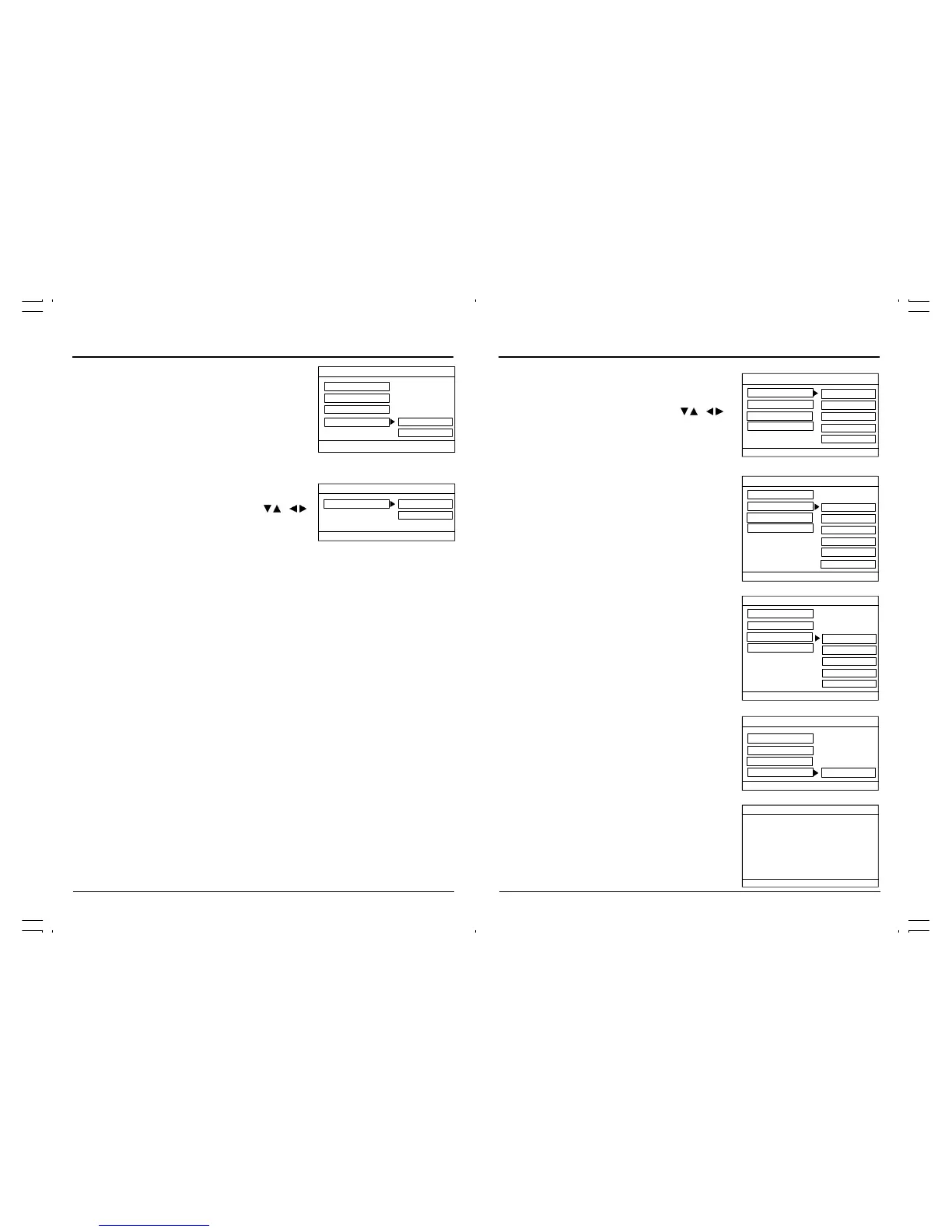
In STOP mode press the SETUP button and highlight prefer-
ence setup then press the ENTER button to confirm.
Select the desired item by use the direction / , /
button. Always press the ENTER button to confirm the
selection.
Audio
If a language listed below is recorded on the disc, you
can play the sound in such language. If not, the lan-
guage recorded will be used.
- English
- French
- German
- Spanish
- Italian
Subtitle
If a language listed below is recorded on the disc, you
can set the subtitle to be displayed in such language. If
no language is selected, the subtitles will not be displayed.
- English
- French
- German
- Spanish
- Italian
- Off
Disc Menu
If a language listed below is recorded on the disc, you
can set the Menu to be displayed in such language. If
not, the language recorded will be used.
- English
- French
- German
- Spanish
- Italian
Default
User can load the original factory settings by choosing
RESET and pressing the “ENTER”button.
- Reset
4. EXIT SETUP PAGE
Exit Setup
Highlight EXIT SETUP then press the “ENTER” button to
exit the SETUP menu.
- - Exit Setup Page - -
Exit Setup
Exit Setup Menu
- - Preference Page - -
Audio ENG
Subtitle ENG
Disc Menu ENG
Default
Preferred Audio Language
English
French
German
Spanish
Italian
English
French
German
Spanish
Italian
Off
- - Preference Page - -
Audio ENG
Subtitle ENG
Disc Menu ENG
Default
Preferred Subtitle Language
English
French
German
Spanish
Italian
- - Preference Page - -
Audio ENG
Subtitle ENG
Disc Menu ENG
Default
Preferred Menu Language
- - Preference Page - -
Audio ENG
Subtitle ENG
Disc Menu ENG
Default
Load Factory Setting
Reset
DVD player operation,continued
TV Mode
This setting allows you to select the vide signal
between Interlace and P-Scan (progressive scan).
• Interlace
• P-Scan
2. AUDIO SETUP PAGE
In STOP mode press the SETUP button and highlight Audio
setup then press the ENTER button to confirm.
Select the desired item by using the direction / , /
button. Always press the ENTER button to confirm the
selection.
Speaker Setup
• LT/RT
If a disc is recorded with a multi channel sound track, the output
signal will be incorporated to the left and right channel.
• Stereo
If a disc is recorded with a multi channel sound track, the output
signal will be incorporated to stereo.
- - General Setup Page - -
TV Display LB
OSD Lang ENG
Screen Saver On
Set OSD Language
- - Audio Setup Page - -
Speaker Setup STR LT/RT
Go To Speaker Setup Page
Stereo
TV Mode P-Scan Interlace
P-Scan



 To Next Page