1716
Operating Your TV
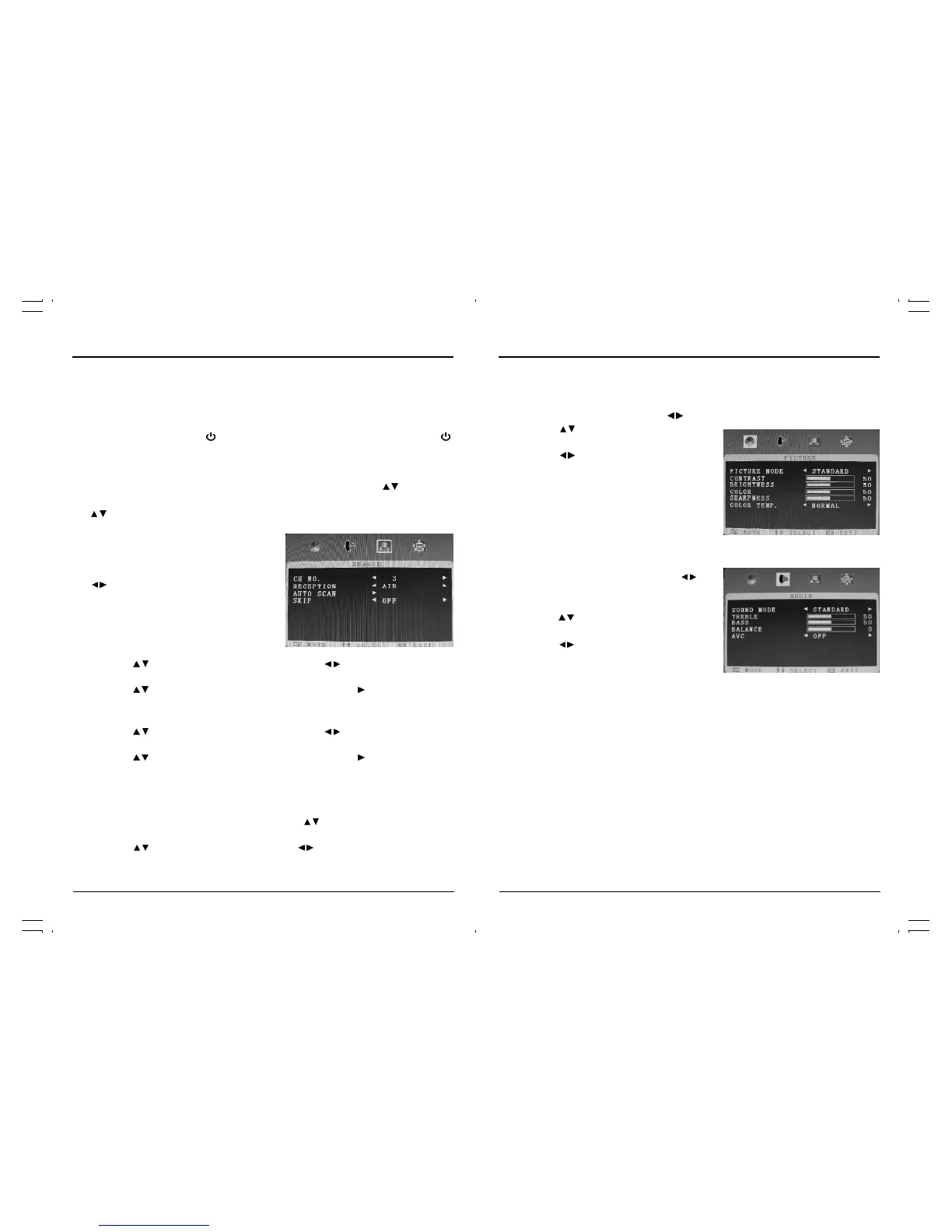
2. Adjusting Video Settings
You may wish to adjust the video settings(e.g. contrast or color) to obtain the best picture. To
do so, follow these directions:
• Press the “MENU” button and press the " / " button to select “PICTURE” menu.
• Press the " / " button to select the
function to be adjusted.
• Press the " / " button to adjust the
level of the selected function.
• Press the “MENU” button to exit.
Adjusting Audio settings
• Press the “MENU” button and press the “ / ”
button to highlight AUDIO.
• Press the “ / ” button to highlight desired
item which you want to adjust, then
press the “ / ” button to change the
parameter of selected item.
• Sound Model: User, Standard, Music,
Movie.
• Treble
• Bass
• Balance
• AVC
• Press the “MENU” button one or more times to
close the menu.
Operating Your TV
Once you have connected your TV to an antenna or cable system, plugged the TV in, and put
batteries in the remote, you are ready to use the TV. The first thing you should do is program
your TV so it memorizes available channels.
Turning Your TV On
To turn your TV ON, press the “ ” button on the remote control. You can also use the “ ”
button on the front panel. Make sure your TV is plugged in before you try to turn it on.
Programming Your TV’s Channel Memory
Your TV’s memory determines the channels that are available using the "CH / " buttons. If a
channel is not in memory. you can tune to it with the number buttons, but not with the
"CH / " buttons. Follow these steps to program your TV’s memory:
1. Auto Search
• Press the “MENU” button and then press the
" / " button to select “SEARCH” menu.
To memorize AIR channels
• Press the " / " to highlight “Reception” then press the " / " button
to select desire “Air”.
• Press the " / " button to highlight “Auto Install” then press the " " to begin.
• When finished memorizing the channels it will return to normal TV viewing.
To memorize cable channels
• Press the " / " to highlight “Reception” then press the " / " button
to select desire “cable”.
• Press the " / " button to highlight “Auto Install” then press the " " to begin.
• When finished memorizing the channels, it will return to normal TV viewing.
Skip
If the tuning process has stored some channels that you do not use, these channels can be
skipped, so that they do not appear when you use the " / " button. The only way to view a
skipped channel is to use the numeric buttons to select the channel number.
• Press the " / " to highlight “Skip” then press the " / " to select “On” or “Off”.



 To Next Page