Gocator Line Profile Sensors: User Manual
Getting Started • 42
To connect to a sensor for the first time:
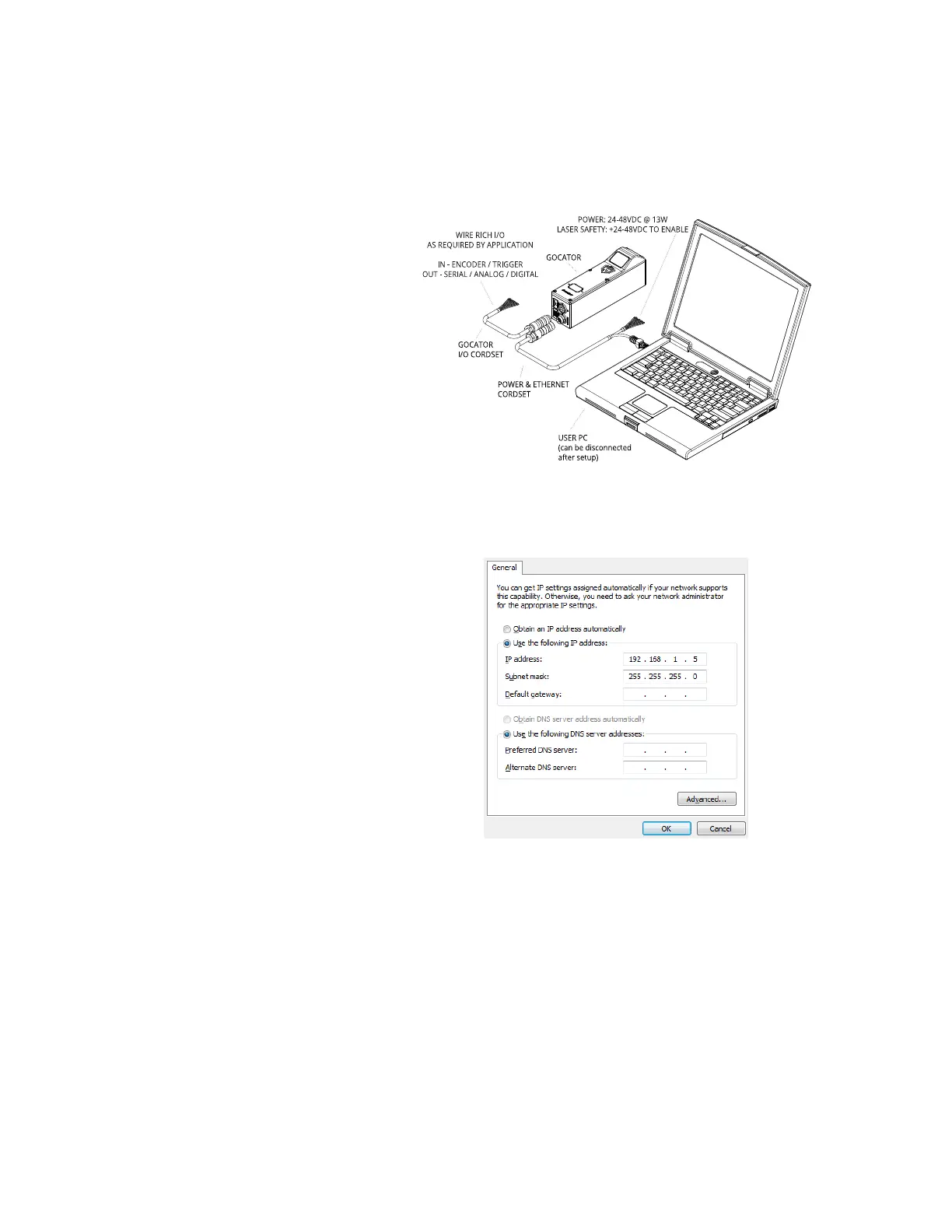
1. Connect cables and apply power.
Sensor cabling is illustrated in System
Overview on page 27.
2. Change the client PC's network
settings.
Windows 7
a. Open the Control Panel, select
Network and Sharing Center,
and then click Change Adapter
Settings.
b. Right-click the network connection
you want to modify, and then click
Properties.
c. On the Networking tab, click
Internet Protocol Version 4
(TCP/IPv4), and then click
Properties.
d. Select the Use the following IP
address option.
e. Enter IP Address "192.168.1.5"
and Subnet Mask "255.255.255.0",
then click OK.



 To Next Page