Gocator Line Profile Sensors: User Manual
Gocator Web Interface • 85
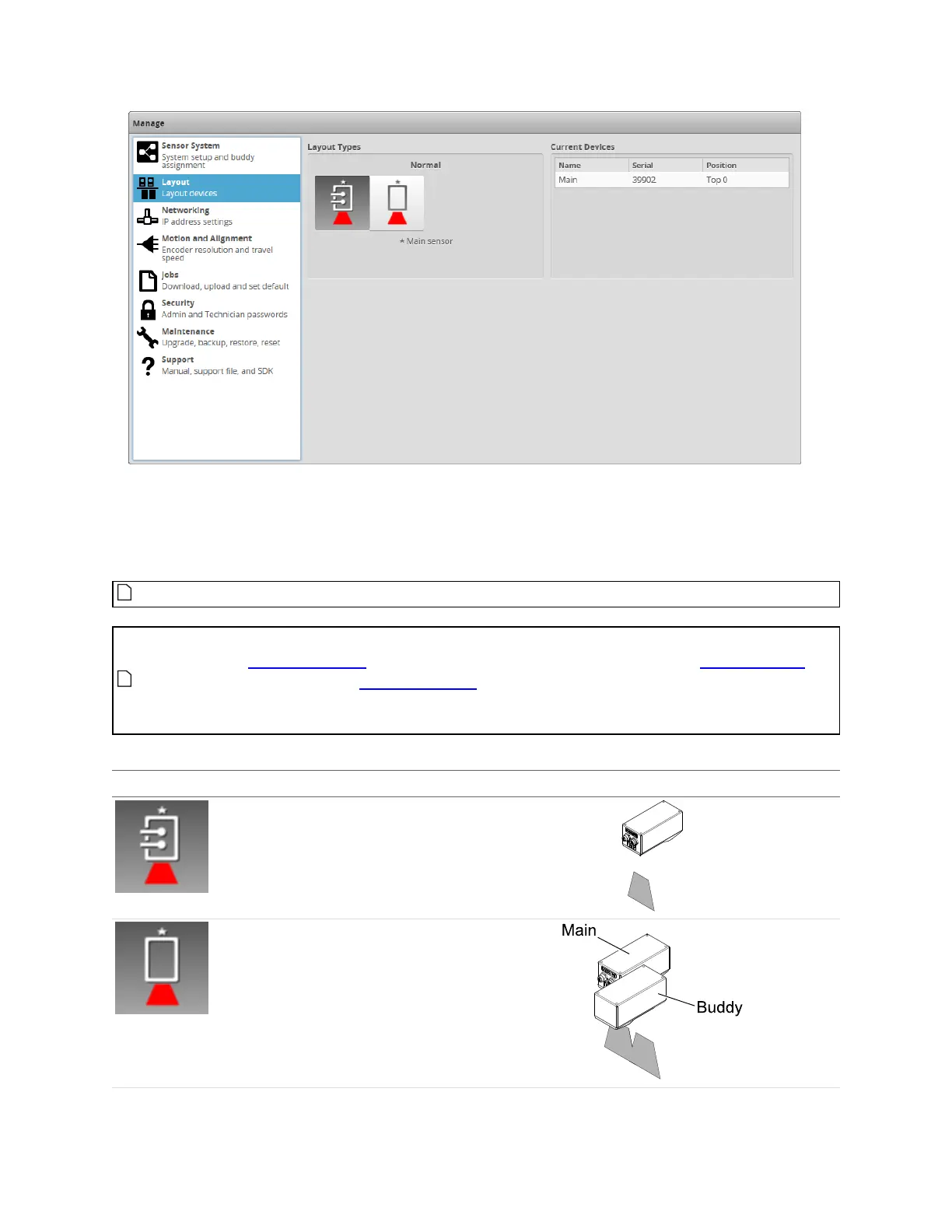
Mounting orientations must be specified for a dual- or multi-sensor system. This information allows the
alignment procedure to determine the correct system-wide coordinates for laser profiling and
measurements. For more information on sensor and system coordinates, see Coordinate Systems on
page 54.
Dual- and multi-sensor layouts are only displayed when a Buddy sensor has been assigned.
For multi-sensor layouts with sensors angled around the Y axis, to get "side" data, you must
uncheck Uniform Spacing before scanning. The Y offset, X angle, and Z angle transformations
cannot be non-zero when Uniform Spacing is unchecked. Therefore, when aligning a sensor
using a bar alignment target with Uniform Spacing unchecked, set the Degrees of Freedom
setting to X, Z, Y Angle, which prevents these transformations from being non-zero.
Layout Type Example
Normal
The sensor operates as an isolated device.
Reverse
The sensor operates as an isolated device,
but in a reverse orientation. You can use
this layout to change the handedness of the
data.
Supported Layouts



 To Next Page