EasyManua.ls Logo

Loewe 52 - User Manual

Loewe 52
74 pages
Print Icon
To Next Page IconTo Next Page
Loading...
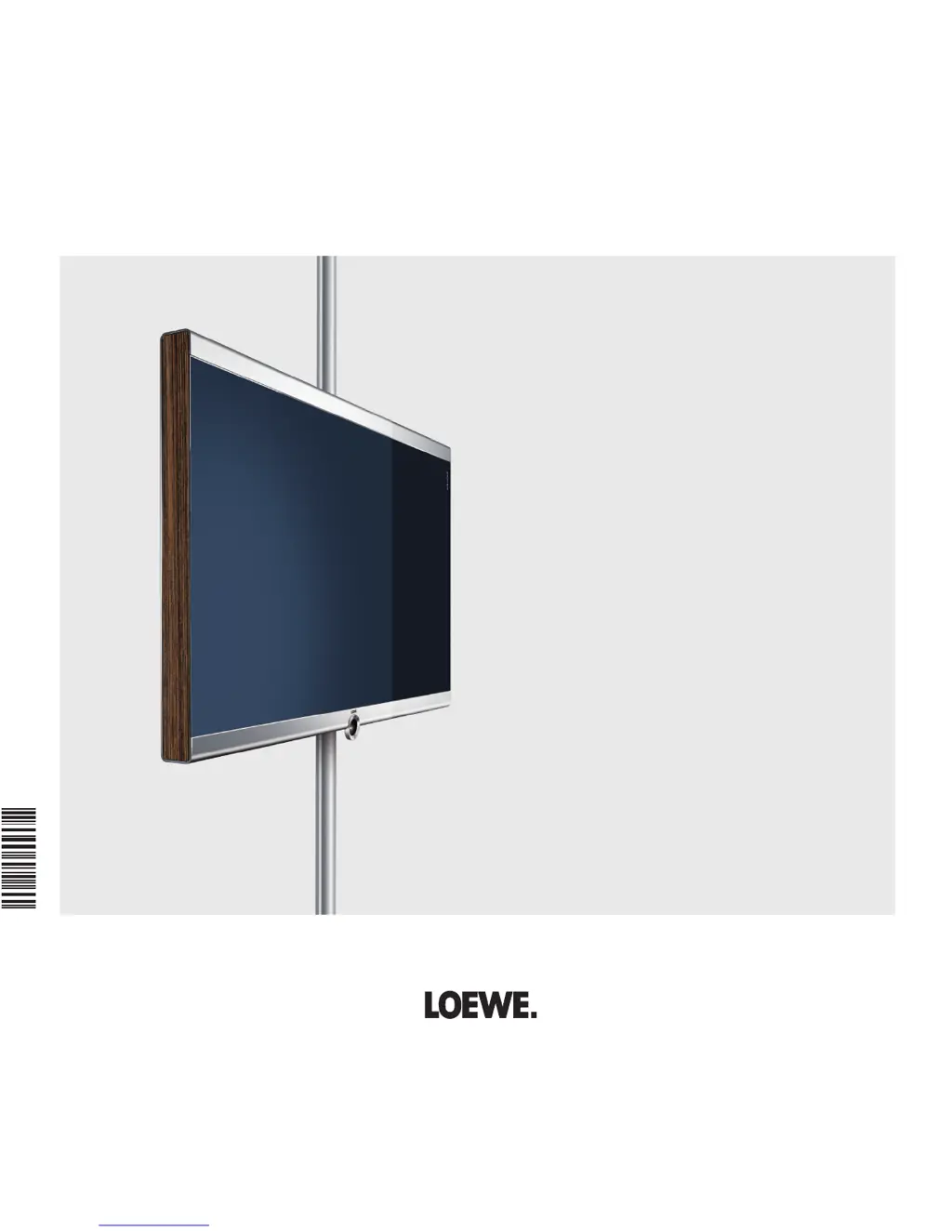
Operating instructions
Individual 52 Compose Full-HD
+
100
Individual 46 Compose Full-HD
+
100
Individual 40 Compose Full-HD
+
100
TV
3 3 2 4 7 0 2 3
233–33247.023

Table of Contents

Questions and Answers

  • C
    cobbwilliamAug 17, 2025
    Why is there no sound from my Loewe HDTV when using an external digital audio amplifier?
    • J
      Jason BarrettAug 17, 2025
      If you're experiencing no sound via the external digital audio amplifier with your Loewe HDTV, there are a couple of things to check: * First, ensure that the external digital audio amplifier supports the selected sound format (Dolby Digital, dts, MPEG). If it doesn't, set PCM stereo on the DVD player in the sound selection. For DVB stations on the TV set, switch to stereo in the status display (END) – language/sound selection (green button). * Second, verify that the TV set and external digital audio amplifier are properly connected. Connect AUDIO DIGITAL OUT from the TV set to a digital input of the external digital audio amplifier and select the appropriate input to this.
  • B
    Brenda RobinsonAug 20, 2025
    What to do if I have general problems connecting external devices via AV input on my Loewe HDTV?
    • T
      Tracey JenkinsAug 20, 2025
      If you're encountering general problems when connecting external devices via an AV input on your Loewe HDTV, here are some troubleshooting steps: * In the connection wizard (TV menu ? Connections ? New devices/modifications), compare the connection diagram with the actual installation and connect as shown if necessary. * Set the correct standard. * Set the correct signal type. If AV standard or AV signal is set to "Automatic" then this can cause errors to be detected with signals that do not comply with standards. In this case standard and signal must be set according to the information in the operating manual of the external device.
  • H
    Heather CarterAug 22, 2025
    Why is Digital Link Plus not working on my Loewe HDTV?
    • S
      Steven MccormickAug 22, 2025
      If Digital Link Plus isn't working on your Loewe HDTV, here are a couple of things to check: * First, the EURO-AV cable may not be fully wired (pin 10 not wired). If this is the case, replace the EURO-AV cable. * Second, some recorders can only adopt stations during the initial installation of the TV set. If this is the case, restore the recorder to the as-delivered state (see recorder's operating manual).
  • S
    swansonmichaelAug 26, 2025
    What to do if the decoder connection doesn't function properly on my Loewe HDTV?
    • W
      william46Aug 26, 2025
      If the connection of a decoder does not function properly with your Loewe HDTV, follow these steps: * Follow the instructions in the connection wizard (TV menu ? Connections ? New devices/modifications) and select the appropriate decoder station. * Follow the instructions in the connection wizard and select the right audio source (Decoder, TV oder Autom.), see also the decoder manual.
  • T
    tracyhamptonAug 28, 2025
    Why can't I call the timer when the picture of my external recorder is visible on my Loewe HDTV?
    • J
      Jennifer ShepherdAug 28, 2025
      If the picture of a connected external recorder is visible but the timer cannot be called on your Loewe HDTV, the device is not registered in the connection wizard or is connected differently from shown in the connection diagram. In the connection wizard (TV menu ? Connections ? New devices/modifications) compare the connection diagram with the actual installation and connect as illustrated.
  • B
    Bradley HillAug 30, 2025
    Why does my Loewe HDTV say 'no recorder available' when the recorder picture is visible?
    • C
      Connie JohnsonAug 31, 2025
      If the picture of a connected external recorder is visible but the error message no recorder available is still output on your Loewe HDTV, the device is not registered in the connection wizard or is connected differently from shown in the connection diagram. In the connection wizard (TV menu ? Connections ? New devices/modifications) compare the connection diagram with the actual installation and connect as illustrated.
  • G
    gonzalezchristinaSep 3, 2025
    How to fix Loewe Recorder and Timer control functions if they are not working properly on my Loewe 52 HDTV?
    • T
      Todd SullivanSep 3, 2025
      If the control functions of the Loewe Recorder and the Timer are not working or are not working properly, you should: a) Activate Digital Link in the recorder (see operating instructions of the recorder). b) Connect EURO-AV cable. c) Register recorder.
  • R
    Ryan ThompsonSep 5, 2025
    How to change the menu language on my Loewe 52?
    • K
      Krystal TurnerSep 5, 2025
      If all menus are displayed in the wrong language on your Loewe HDTV, it's likely that the menu language was set incorrectly. To fix this, set the menu language by pressing the INFO button in TV mode (Index). Mark the first key word and call it with OK. Then select the language and confirm it with OK.
  • K
    Kathleen MillerSep 8, 2025
    Why is 'Connections' greyed out in my Loewe 52 HDTV menu?
    • A
      Andrew ElliottSep 8, 2025
      If the TV menu item 'Connections' cannot be called (displayed in grey) on your Loewe HDTV, a timer recording is likely in progress. Wait until the timer recording ends or delete the timer recording.
  • A
    Alexis TurnerSep 12, 2025
    Why are Teletext characters displayed incorrectly on my Loewe HDTV?
    • M
      Micheal HudsonSep 12, 2025
      If, with Teletext, various character sets are displayed incorrectly on your Loewe HDTV, the wrong character set has likely been set in the Teletext menu. To fix this, set the right character set by selecting Teletext menu ? Settings ? Character set ? Standard or the appropriate character set.

Summary

Remote control - TV functions

Remote control button functions

Explains the functions of the coloured buttons and other keys on the remote control.

Permanent display of time

How to permanently display the current time on the screen.

Move picture vertically

Adjusts the picture position vertically for viewing subtitles or news tickers.

Connections rear side of the device

Compose 40 rear connections diagram

Diagram illustrating all connection sockets on the rear of the Compose 40 model.

Compose 46;52 rear connections diagram

Diagram illustrating all connection sockets on the rear of Compose 46/52 models.

Welcome

Scope of delivery and manual overview

Details on items included in the package and how to use the manual.

About this operating manual

Explains the manual's structure and provides tips for efficient use.

Operating convenience

Wizards for initial setup and operation

Overview of wizards that guide users through initial installation and setup.

Menu operation and information display

General information on navigating menus and using the info display.

For your safety

Safe usage, environmental conditions, and transport

Instructions for proper use, environmental factors, and safe device transport.

Power, air circulation, and temperature warnings

Guidelines on power supply, ventilation, and temperature to prevent hazards.

Initial installation

Installing the TV set and remote control

Steps for physical installation of the TV and preparation of the remote control.

Connecting the TV set and antenna

Instructions for connecting the TV to power and antenna sources.

First installation wizard steps

Guidance through the initial setup wizard after first power-on.

Antenna and signal source settings

Configuration options for antenna type and signal source selection.

Daily operation

Selecting TV stations and using favourites

How to tune into stations, use the station list, and manage favourites.

Selecting video sources

Instructions for selecting external input sources like AV or HDMI.

Adjusting sound and picture settings

Guide to adjusting volume, sound modes, contrast, brightness, and sharpness.

Button functions and status display

Explanation of coloured button functions and the status display elements.

Managing stations

Searching and updating stations

Using the search wizard to find new or update existing stations.

Manual station search and editing

Performing manual searches and editing station data.

Favourites list creation and management

How to create, change, rename, and delete favourites lists.

Picture in Picture

PIP overview and basic operation

Introduction to the Picture in Picture feature and its basic usage.

Configuring PIP modes and functions

Settings for PIP types (Split Screen, Small PIP) and functions (Standard, iPIP).

Electronic Programme Guide

EPG overview and list adjustment

How to use the EPG to view programme details and adjust the list.

EPG configuration and recording setup

Settings for EPG data capture and programming recordings via EPG.

Teletext

Teletext overview and page selection

How to start, end, and navigate Teletext pages.

Teletext menu functions and digital teletext

Using the Teletext menu and understanding digital teletext (MHEG-5).

Radio

Radio mode operation and settings

How to use the radio function, switch screen on/off, and adjust settings.

DVB

Conditional Access Module (CA Module) setup

Instructions for inserting and using a CA module for encrypted stations.

Software update process

How to search for and install software updates for the TV.

Other settings

Parental lock and timer functions

Setting up parental controls and various timer functions like alarms.

On-screen displays and time;date settings

Configuring on-screen display duration, position, and manual time/date.

Operating additional equipment

Connection wizard for external devices

Using the wizard to connect and configure external AV, HDMI, and PC devices.

Connecting AV, HDMI, and PC devices

Detailed instructions for connecting various types of external equipment.

Sound components wizard for audio setup

Configuring speaker systems, active speakers, and amplifiers for optimal sound.

PhotoViewer and MusicBox operations

How to view photos and play MP3 music files from USB or memory card.

Operating Loewe equipment with the remote

Setting the remote control to operate other Loewe devices.

Troubleshooting

Common connection and functionality issues

Solutions for problems related to menus, connections, and external devices.

Device-specific and display problems

Troubleshooting steps for issues with digital link, teletext, sound, and photos.

Technical data

General, electrical, and connection specifications

Detailed technical specifications including dimensions, power, and connections.

Accessories

List of available accessories

Overview of optional accessories like stands, speakers, and cables.

Setup possibilities for accessories

Illustrations and descriptions of various mounting and setup options.

Glossary

Alphabetical list of technical terms

Definitions of technical terms used throughout the manual (A-E).

Alphabetical list of technical terms

Definitions of technical terms used throughout the manual (F-R).

Alphabetical list of technical terms

Definitions of technical terms used throughout the manual (S-Y).

Service

International service contact information

Contact details for Loewe service centers in various countries.

Loewe 52 Specifications

General IconGeneral
Screen Size52 inches
Display TechnologyLCD
HDMI Ports4
USB Ports2
Brightness500 cd/m²
Response Time8 ms
Resolution1920 x 1080 pixels
Refresh Rate100 Hz
Contrast Ratio5000:1
Viewing Angle178°
Input PortsComponent, Composite, SCART
Weight38 kg (without stand)