EasyManua.ls Logo

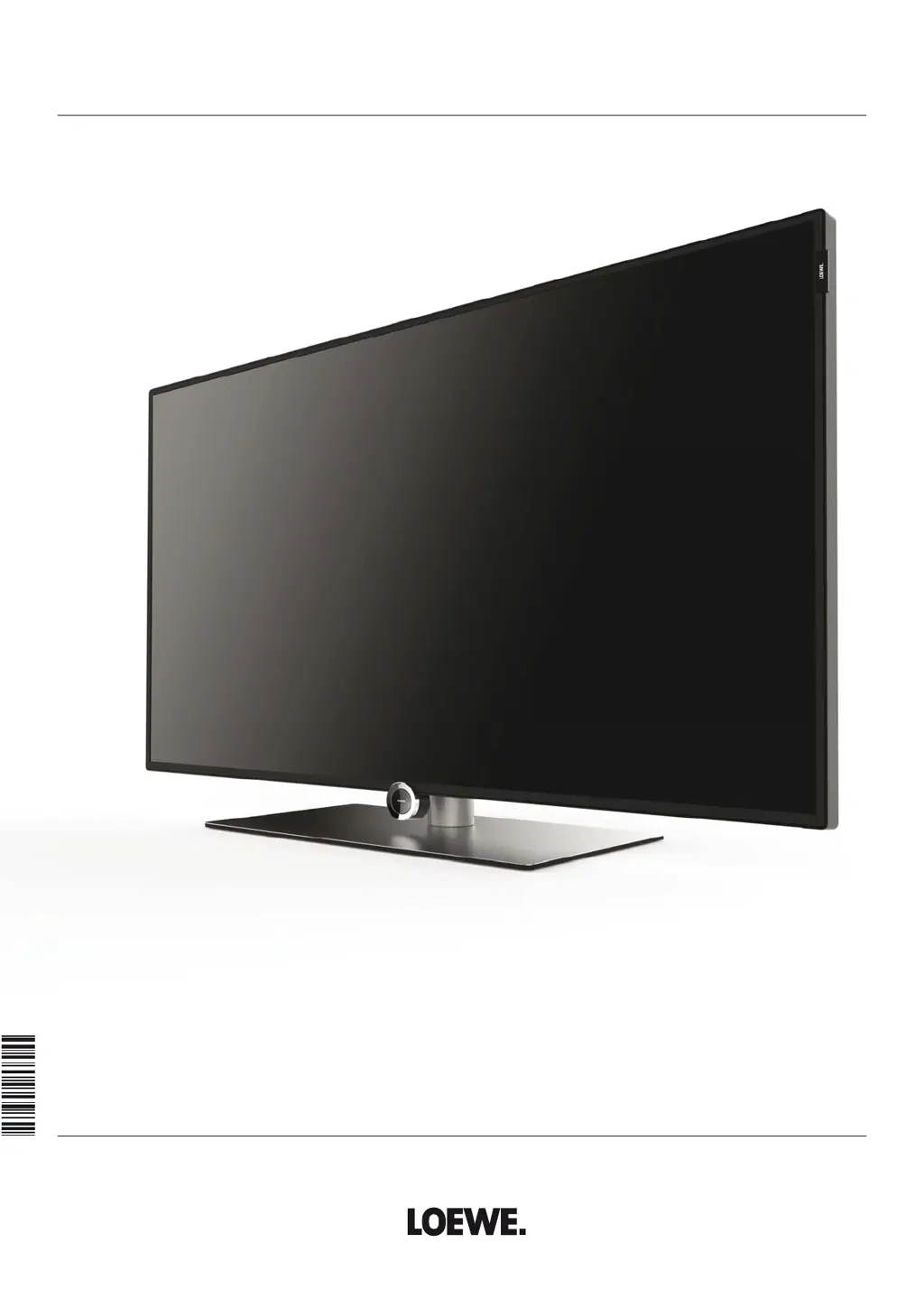
Loewe ONE 55 - User Manual

Loewe ONE 55
144 pages
Print Icon
To Next Page IconTo Next Page
Loading...
TV
One
One 55
User manual
36598021

Table of Contents

Questions and Answers

  • K
    Kerri OwensAug 18, 2025
    What to do if there is no sound on my Loewe ONE 55 LCD TV when playing video or music?
    • A
      amber43Aug 18, 2025
      If you cannot hear any sound when playing a video or music file, ensure that the TV is not muted and the volume is turned up. Press the V+ key on the remote control for a longer time to increase the volume and cancel any mute setting. Also, check under System settings > Connections > Sound components to ensure that the correct audio output (TV speakers) is selected and that any external audio devices are properly connected and switched on.
  • K
    Karen RossAug 20, 2025
    How to change the menu language on a Loewe ONE 55?
    • J
      Julie LewisAug 21, 2025
      To set the menu language, press the HOME key. Navigate to the last menu item (bottom left). In the following list, select the fourth item from the top and move to the next column on the right. Choose the first list item with OK. Select your preferred language and confirm with OK.
  • B
    Breanna EatonAug 23, 2025
    Why is my Loewe LCD TV not working with external devices connected via AV input?
    • J
      johnsonryanAug 23, 2025
      If you're experiencing issues with external devices connected via AV input, the signal type might be set incorrectly. You should set the correct signal type in System settings > Connections > AV connection settings > Signal type. If AV standard or Signal type is set to “Automatic”, this can lead to false detections with non-standard signals. In this case standard and signal must be set according to the information in the operating manual of the external device.
  • M
    Margaret WilliamsAug 26, 2025
    How to get sound from my Loewe LCD TV to play through an external digital audio amplifier?
    • L
      Leslie TaylorAug 26, 2025
      If you're not getting sound through your external digital audio amplifier, it could be due to a few reasons. First, the amplifier might not support the selected sound format (Dolby Digital, dts, MPEG). In this case, set PCM stereo on the DVD player in the sound selection. For DVB stations, switch Language/Sound. Second, the TV and amplifier might not be properly connected. Connect SPDIF OUT from the TV to a digital input on the amplifier and select the corresponding input.
  • S
    Suzanne GrayAug 28, 2025
    What to do if Teletext characters are displayed incorrectly on my Loewe LCD TV?
    • C
      Carrie WilliamsAug 28, 2025
      If Teletext characters are displaying incorrectly, the wrong character set may be selected in the System settings. To correct this, go to System settings > Control > more ... > Standard Teletext > Character set and select either Standard or the appropriate character set.
  • I
    Ian BensonAug 30, 2025
    Why does my Loewe ONE 55 switch off automatically?
    • M
      Maria LaraAug 30, 2025
      The automatic shutdown feature switches off the TV to save energy after 4 hours of inactivity if at least one signal input group is set to Home Mode. Using automatic shutdown is recommended for energy saving and safety purposes.
  • J
    Johnathan BrownSep 2, 2025
    What to do if errors occur when running a CA module on my Loewe ONE 55?
    • G
      Gregory MurphySep 2, 2025
      To resolve errors with a CA module, switch off the TV, remove the CA module, wait a few seconds, reinsert the module, and then switch the TV back on.
  • G
    George HerringSep 4, 2025
    Why can't my Loewe ONE 55 LCD TV find any wireless routers?
    • F
      frossSep 4, 2025
      If your TV isn't finding any wireless routers, the router might not be ready for wireless communication. Check your wireless router and try connecting again in a few minutes.
  • D
    Derek JohnsonSep 7, 2025
    Why did my Loewe LCD TV not make a programmed recording?
    • D
      Debbie McdanielSep 7, 2025
      A programmed recording might fail if the provider deleted the program from the EPG data due to a schedule change, or if the station doesn't support automatic time control (Accurate Recording). Only broadcasting organizations are responsible for transmitting data for the automatic time control, and its availability cannot be guaranteed.
  • Y
    yadamsSep 9, 2025
    Why is there no start or end to a programmed recording on my Loewe ONE 55 LCD TV even with Accurate Recording?
    • A
      Anna MccormickSep 10, 2025
      If a programmed recording doesn't start or end correctly even with Accurate Recording, it could be because the program's transmission time was delayed and the channel hasn't updated the data. Only broadcasting organizations are responsible for transmitting data for the automatic time control, and its availability cannot be guaranteed.

Summary

One TV User Manual

Imprint Information

Welcome and Introduction

Scope of Delivery

Lists all items included in the TV package.

About This User Manual

Explains manual structure, symbols, and conventions used.

General Information on TV Operation

Overview of the TV's user interface and general operation.

Safety Instructions and Precautions

Intended Use and Ambient Conditions

Specifies correct usage environment and conditions for the TV.

Transporting the TV Set

Guidelines for safely moving and handling the television.

Power Supply and Electrical Safety

Instructions for safe power connection and electrical precautions.

Air Circulation and Temperature Management

Ensures proper ventilation to prevent overheating and fire hazards.

LCD Screen Care and Information

Details on LCD screen handling and potential minor defects.

TV Set-up and Installation

Guidance on positioning, mounting, and stability of the TV set.

Supervision and Operational Safety

Safety measures regarding children and unattended TV operation.

Volume and Storm Safety

Warnings about loud volumes and thunderstorm precautions.

Automatic Shutdown and Maintenance

Energy saving auto-shutdown and cleaning/repair advice.

Remote Control and TV Operations

Remote Control Button Mapping

Explains the function of each button on the remote control.

TV Set Operating Elements

Describes the purpose of buttons and indicators on the TV set.

Device Connections Overview

Identifies and explains all rear panel connection ports.

Table Stand Mounting Procedures

Detailed steps for assembling and attaching the table stand and cable management.

Initial TV Setup and Network Connection

Instructions for installing the TV, connecting antennas, and network setup.

Remote Control Setup and Battery Replacement

Steps for setting up the remote control and replacing batteries.

Turning the TV On and Off

Methods for switching the TV on/off via remote, panel, and system standby.

Navigating the TV Interface

Menu Navigation and Screen Structures

Explains general navigation principles, keys, and menu structures.

On-Screen Displays and Remote Operation

Explains on-screen symbols, informational texts, and TV operation without remote.

Initial TV Installation Process

Initial Installation Wizard Guide

Guides through initial setup including language, energy, location, and mode.

Antenna and DVB Setup

Connecting antennas and configuring DVB-T/C/S reception.

Satellite System Configuration

Options for single, dual, or multi-satellite setups and DiSEqC systems.

General Reception and Language Settings

Configuring general reception, languages, age lock, and time/date.

Sound and Network Setup

Configuring sound components, network options, and software update notifications.

Home View and Mode Operations

Home View Overview and Source Selection

Main screen for accessing TV modes, favorites, and media sources.

TV Mode Operations

Controls for volume, station selection, and list management.

Status Display Information

Information displayed when changing channels or viewing broadcasts.

TV Function List and AV Source Selection

Accessing TV mode options and selecting AV inputs.

Electronic Programme Guide (EPG)

Guide to TV schedules, including recording and memorizing features.

Teletext Services Access

Instructions for starting, operating, and navigating Teletext.

HbbTV and MediaText Features

Understanding and using Hybrid Broadcast Broadband TV services.

Picture-in-Picture (PIP) Mode

Activating, managing, and adjusting the Picture-in-Picture display.

Digital Recorder: Timeshift Viewing

Pausing and resuming live TV broadcasts using the timeshift function.

Digital Recorder: Archive Recording

Recording programs to the DR+ archive and managing recordings.

DR+ Streaming and Follow-Me Functionality

Streaming recorded content and seamlessly continuing viewing across TVs.

Timer Functions for Recordings and Alarms

Setting up new recordings, managing timers, and using timer services.

Video Playback Operations

Video Source Selection and Function List

Accessing video sources and understanding playback functions.

Video Playback Controls and Navigation

Detailed explanation of playback controls, status display, and navigation.

Video Playback: Jump and Repeat Features

Using jump functions, smart jump, and repeat playback modes.

Video Playback: Bookmark Management

Managing bookmarks, including deleting and using interval functions.

Video Playback: Cover Picture and Subtitles

Setting cover pictures and handling subtitles during video playback.

Audio and Radio Operations

Audio;Radio Source Selection and Functions

Accessing audio sources and managing music titles and radio playback.

Audio Playback Controls

Explains playback controls, status symbols, and navigation for audio.

DVB and Internet Radio Modes

Tuning and operating DVB and Internet radio stations.

Internet Radio Station Search

Searching for internet radio stations by artist or name.

Photo Viewing Features

Photo Source Selection and Function List

Accessing photo sources and understanding viewing functions.

Photo Display and Slideshow Controls

Viewing photos, rotating them, and managing slideshows.

Web Browser and MediaNet Access

Web Browser and MediaNet Overview

Accessing the internet, MediaNet platform, and web browser.

MediaNet Browsing and Settings

Browsing applications, filtering content, and configuring MediaNet.

Web Browser Operations

Using the integrated web browser for internet navigation.

System Settings Configuration

Picture Settings Adjustment

Adjusting picture quality, contrast, brightness, and color.

Sound Settings Configuration

Configuring audio output, sound modes, and volume adjustments.

Station Management and Tuning

Managing TV and radio stations, including automatic and manual tuning.

Control Menu: Core TV Functions

Accessing settings for PIP, EPG, parental lock, time/date, and software.

Multimedia and Network Settings

Configuring network connections and media playback options.

Connection Settings for External Devices

Settings for connecting speakers, antennas, AV devices, Digital Link, and gaming.

Extras Menu: Additional Functions

Accessing extra functions like initial installation, factory reset, and CA modules.

Language and EPG Configuration

Setting menu language, DVB subtitles/audio, and EPG options.

Parental Lock and Access Code Management

Implementing parental controls, PIN codes, and station locking.

Energy Efficiency and Quick Start Modes

Optimizing power consumption and enabling faster TV startup.

Software Update Procedures

Updating TV software via USB, internet, or antenna.

Display and Time;Date Settings

Customizing on-screen displays and configuring time/date.

DVB and PIP Configuration

Pre-settings for DVB stations and Picture-in-Picture adjustments.

Digital Recorder (DR+) Settings

Configuring recording, streaming, Follow-Me, and parental lock for DR+.

Teletext and DR+ Streaming Configuration

Setting Teletext options and configuring DR+ streaming.

HbbTV and Hard Disk Management

Configuring HbbTV mode and managing external hard disks.

Log File Export and Web Key Function

Exporting system logs and customizing the Web key function.

Network Configuration and Setup

Configuring network adapters, connections, and network wizards.

Network Connection Details

Configuring LAN/WLAN adapters, access points, and IP settings.

Network Status and Proxy Server Settings

Understanding network status and configuring proxy servers.

Multimedia and Renderer Settings

Configuring multimedia playback options and external device rendering.

Connections Menu: Device Integration

Settings for connecting speakers, antennas, AV devices, Digital Link, and gaming.

Sound Components Wizard Setup

Step-by-step guide for configuring audio output components.

Speaker System and Amplifier Configuration

Configuring speaker systems and adjusting amplifier settings.

HiFi;AV Amplifier and Sound Transmission Setup

Configuring audio amplifiers and selecting sound transmission types.

Antenna and AV Connection Setup

Configuring DVB antennas and AV input parameters.

Digital Link and Gaming Mode Setup

Linking devices digitally and enabling gaming mode for performance.

Extras Menu: Features and Resets

Accessing integrated features, initial installation, and factory resets.

Integrated Features and Factory Reset Options

Viewing TV features and resetting system settings to factory defaults.

CA Module Installation and Troubleshooting

Inserting and troubleshooting CA modules for conditional access.

CA Module and Smartcard Management

Managing smartcard rights, station mapping, and PIN storage.

External Device Connections

HDMI Connection Guide

Connecting devices via HDMI and managing port designations.

Digital Link HD (HDMI CEC) Operation

Controlling CEC-enabled devices and managing automatic power-off.

AV Connection Guide

Connecting devices via AV inputs and playback from AV sources.

Connecting DVD Recorders, PCs, and Component Devices

Connecting DVD recorders, PCs, and component devices via AV/VGA.

Audio Connection Guide

Connecting speaker systems and HiFi/AV amplifiers for audio output.

Audio Playback from External Sources

Playing audio from external devices like MP3 players, with screen-off option.

Remote Control Setup and Teaching

Configuring Remote Control Modes

Switching remote control modes and configuring it for other Loewe devices.

Teaching the Remote Control Functions

Programming the remote to control other devices via IR learning or code entry.

Deleting Learned Remote Control Functions

Removing specific or all learned key functions from the remote control.

Troubleshooting Common TV Issues

Solving TV Operation Problems

Addresses issues like automatic shutdown, language errors, AV input problems, and CA module errors.

Resolving Audio and Network Problems

Troubleshooting no sound, media playback errors, WLAN character issues, and network discovery.

Technical Specifications

Device Specifications Overview

Details on power, dimensions, weight, environmental, tuner, and standards.

Signal Input Compatibility

Table of compatible signals for AV and HDMI connections.

Optional Accessories and Mounting

Available Accessories List

List of optional accessories like mounting options, sound systems, and upgrade kits.

Mounting Options Guide

Overview of wall mount, table stand, floor stand, and rack system options.

VESA Standard Mounting Instructions

Guidelines for using VESA-compatible mounts and adapter bolts.

Environmental, Legal, and Service Information

Environmental Protection and Disposal

Information on power consumption, device, and battery disposal.

Software Licenses and Declarations

Details on software licenses and EC Declaration of Conformity.

CA Module Error Code Reference

Table detailing error codes for CA module issues and their meanings.

Glossary of Technical Terms

Definitions of technical terms used throughout the manual.

Service Contact Information

Contact details for service and support centers worldwide.

Remote Control Code Pages

Notes Section

Loewe ONE 55 Specifications

General IconGeneral
Screen shapeFlat
Response time6 ms
Display diagonal55 \
Display brightness450 cd/m²
LED backlighting typeEdge-LED
Display diagonal (metric)140 cm
Motion interpolation technology-
On/off switchYes
Product colorWhite
Mercury content0 mg
3DNo
Luminance66 %
Annual energy consumption232 kWh
AC input voltage220 - 240 V
AC input frequency50 - 60 Hz
Power consumption (off)0 W
Power consumption (standby)0.38 W
Power consumption (typical)159 W
Digital signal format systemDVB-C, DVB-S2, DVB-T2
Audio decodersDolby Digital Plus
RMS rated power20 W
Number of speakers2
RS-232 ports0
HDMI ports quantity4
USB 2.0 ports quantityUSB 2.0 ports have a data transmission speed of 480 Mbps, and are backwards compatible with USB 1.1 ports. You can connect all kinds of peripheral devices to them.
Ethernet LAN (RJ-45) ports1
Weight and Dimensions IconWeight and Dimensions
Weight (without stand)27200 g

Related product manuals