One 55
User manual
9
1
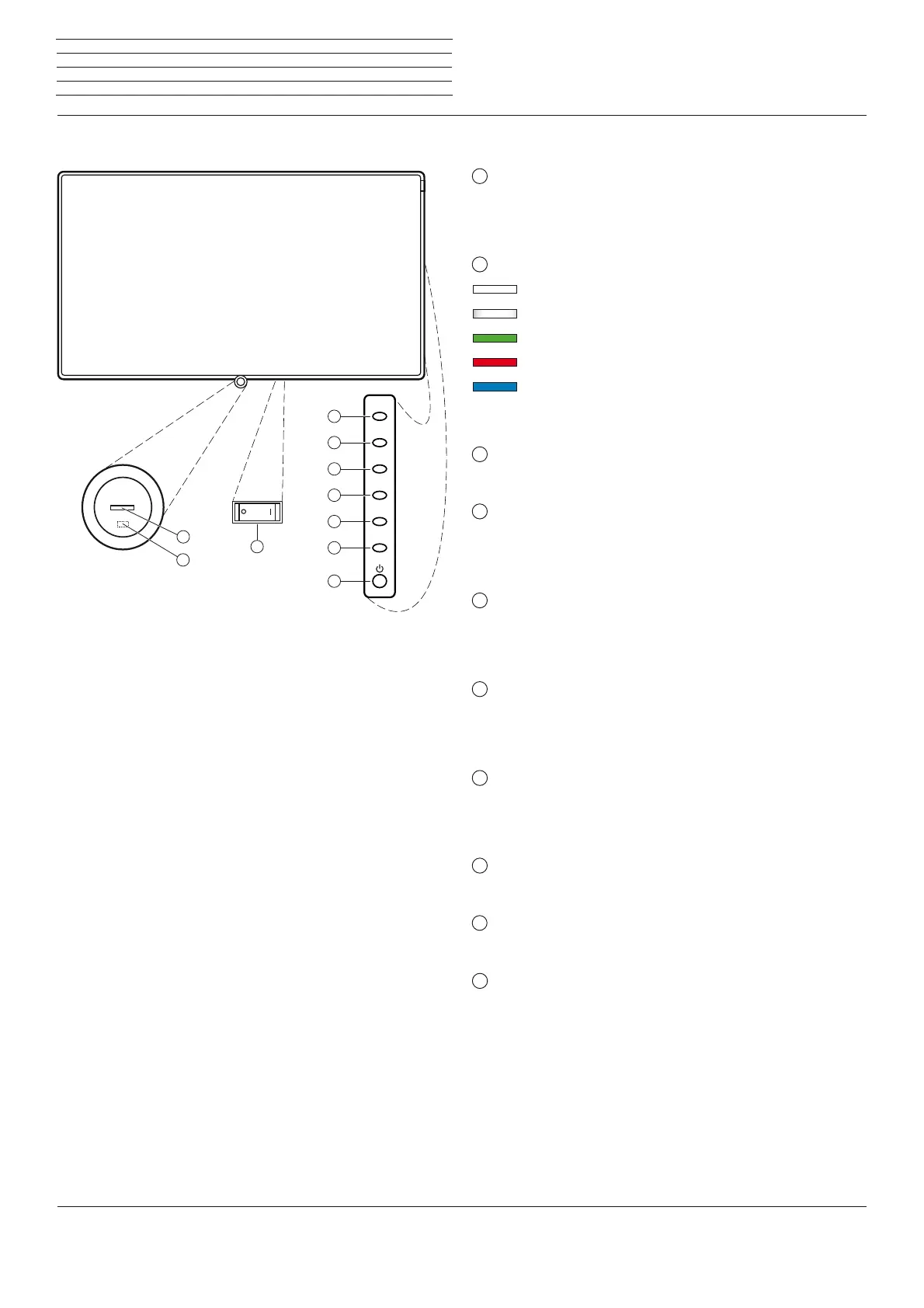
Mains switch:
The mains switch is located on the bottom of the set.
Always return the TV set to Standby mode before switching it off
with the main switch.
2
Display:
white: TV set in standby.
white, intermittent:
TV set starts.
green: TV set switched on.
red: timer recording active.
blue:
TV set in standby and background operation
active (EPG data updating, software
update).
3
IR receiver:
Infrared receiver for receiving the remote control commands.
4
Key M:
TV set in standby mode: switch TV set on in TV mode.
TV set switched on: call direct control on TV set.
Direct control on TV set: up .
5
Key R:
TV set in standby mode: switch TV set on in radio mode.
TV set switched on: toggle TV mode and radio mode.
Direct control on TV set: down .
6
V +:
TV set in standby mode: switch TV set on in TV mode.
Increase volume.
Direct control on TV set: to the right .
7
V – :
TV set in standby mode: switch TV set on in TV mode.
Reduce volume.
Direct control on TV set: to the left .
8
P +:
Programmme + (next station).
9
P – :
Programme – (previous station).
10
On/Off key:
Switching on from standby mode
Switching off to the standby mode
Operating controls on the TV set
Functions of the operating elements
M
R
V+
V-
P+
P-
2
1
4
5
6
7
8
9
10
3









 To Next Page