One 55
User manual
117
(1
Adaptor available as an accessory (see chapter Accessories).
Audio playback from external devices
Connect external AV devices (e.g., MP3 player) for sound reproduction
to the AV inputs of the TV set.
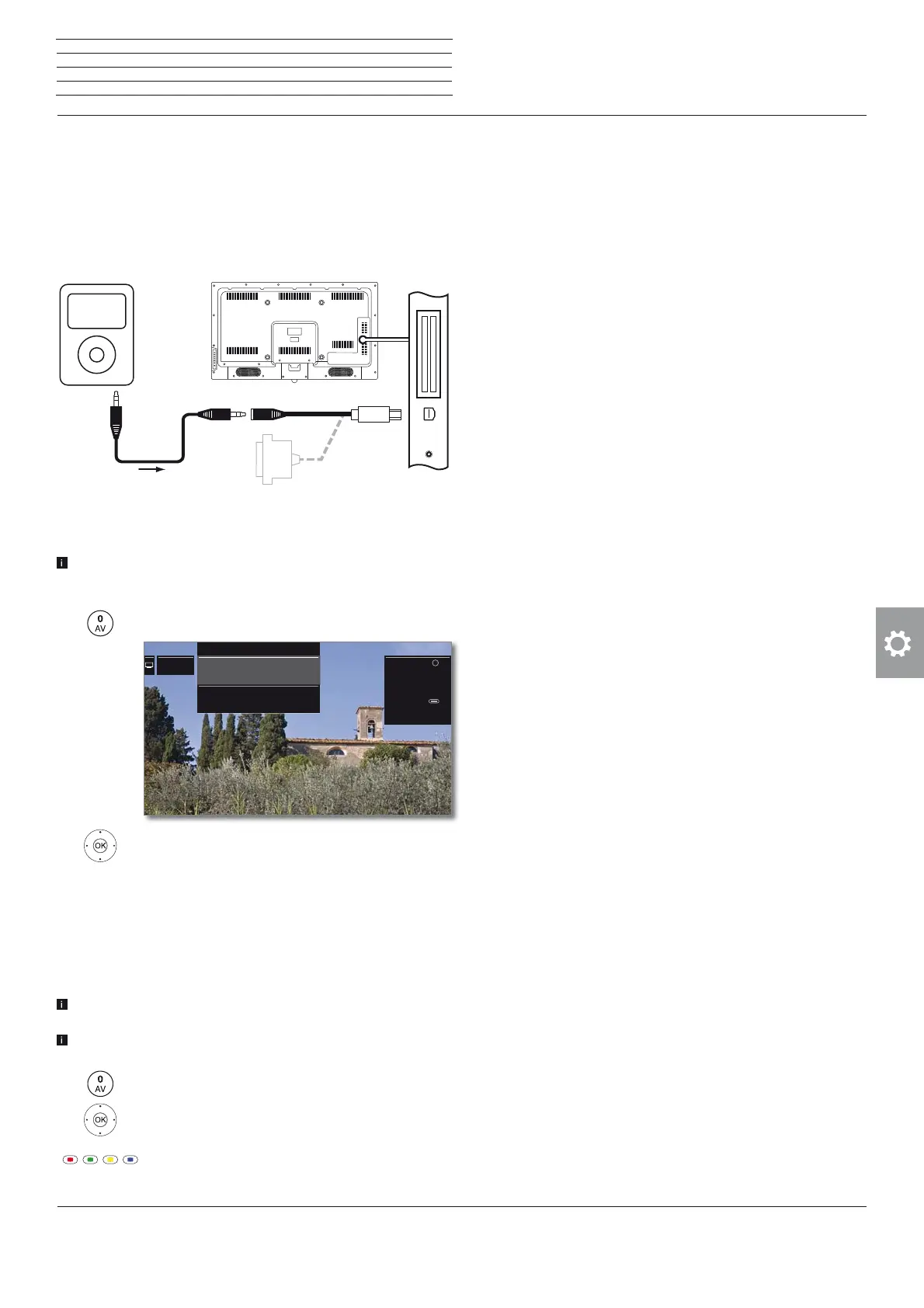
Connecting an external appliance (e.g. MP3 player)
Connect the output (jack socket) of the MP3 player via the VGA
adaptor
(1
to the AV socket of the TV set.
Select AV input
The selection of the AV input for a device at the AV socket
(connection as described above) is describe here as an example.
The procedure is similar to the selection of the other AV inputs.
Call up the AV list.
Mark desired AV source,
OK switch to AV source.
Start playback on the external device after selecting
the AV input.
Only playback of the audio signal from the AV source (screen
is off)
To play only the sound of a connected media player (e.g. MP3 player),
the AV sources can be selected so that the screen goes blank.
Switching off the screen reduces the power consumption of the
TV set.
Switching off the screen is possible for the AV sources HDMI1, HDM2,
HDM3 and HDMI 4 UHD via the function list.
Call up the AV list.
Select desired connection,
OK press at least for two seconds.
Green key: Press the green key to switch the the
screen on and off again.
AV
MP3 player TV set
Connection example of an MP3 player
8 VIDEO8 VIDEO
7 AV7 AV
AV list
Note: If you press for
at least two seconds to
switch to the selected
channel, the screen
switches off and you will
only hear the sound.
With the button
(green), you can switch
the screen back on and
off.
OK
External devices









 To Next Page