EasyManua.ls Logo

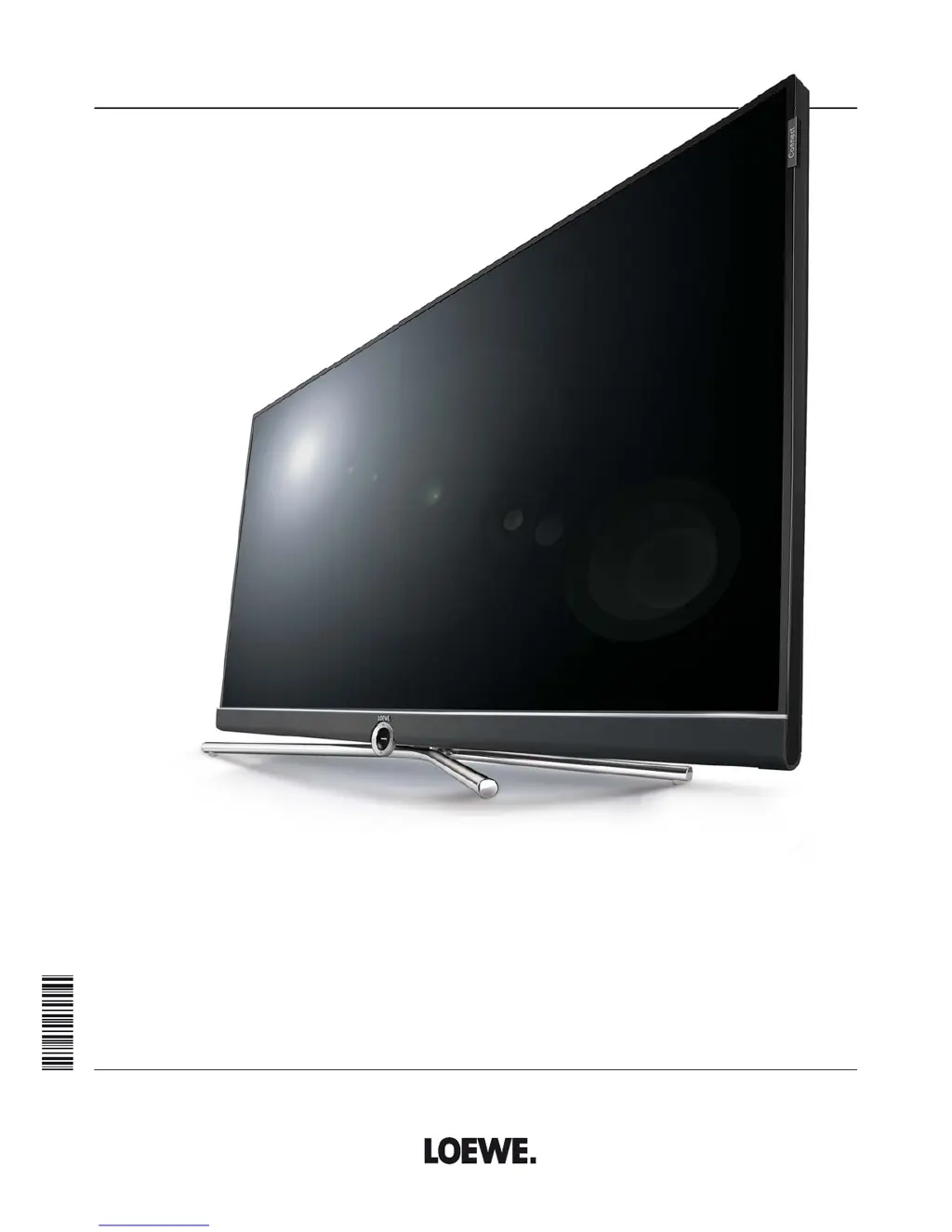
Loewe Connect 48 - User Manual

Loewe Connect 48
152 pages
Print Icon
To Next Page IconTo Next Page
Loading...
TV
Connect
Connect 55
Connect 48
Connect 40
Connect 32 DR+
User manual
36404021

Table of Contents

Other manuals for Loewe Connect 48

Questions and Answers

  • S
    Scott CrosbyAug 15, 2025
    What to do if there is no sound on my Loewe LCD TV?
    • M
      Michael ClarkAug 15, 2025
      If you're not getting any sound even when playing a video or music file on your Loewe LCD TV, first, make sure the TV isn't muted and the volume is turned up. Press the V+ key on the remote control for a longer time to increase the volume and cancel any mute setting. Also, check under System settings ? Connections ? Sound components to ensure that an audio device that does not exist or is not connected is not registered. Connect the audio device and switch it on. In the Sound components wizard change back to TV speakers.
  • D
    Dr. Matthew VegaAug 18, 2025
    Why does my Loewe Connect 48 LCD TV turn off automatically?
    • F
      fbrownAug 18, 2025
      If your Loewe LCD TV is automatically switching off, it's likely due to the automatic shutdown feature, which is designed to save energy. This feature turns off the TV after 4 hours of inactivity if at least one signal input group is set to Home Mode. Using automatic shutdown is recommended for the purposes of energy saving and safety.
  • M
    Michael Woods PhDAug 22, 2025
    How to fix AV input issues on Loewe LCD TV?
    • A
      Amber HamptonAug 22, 2025
      If you're experiencing general problems when connecting external devices via an AV input on your Loewe LCD TV, the signal type might be set incorrectly. To fix this, set the correct signal type under System settings ? Connections ? AV connection settings ? Signal type. If AV standard or Signal type is set to “Automatic” then this can lead to false detections with non-standard signals. In this case standard and signal must be set according to the information in the operating manual of the external device.
  • E
    Erika NobleAug 25, 2025
    What to do if CA module errors occur on Loewe Connect 48?
    • B
      brettlongAug 26, 2025
      If you are experiencing errors when running a CA module on your Loewe LCD TV, switch the TV off, remove the CA-module from the TV, wait a few seconds, reinsert the CA module, and then switch the TV on again.
  • E
    emarshallAug 28, 2025
    How to change the language on Loewe LCD TV?
    • M
      Michele ArmstrongAug 28, 2025
      If all the menus on your Loewe LCD TV are displayed in the wrong language, it means the menu language was set incorrectly. To change it, press the HOME key, call last menu item (bottom left), mark the fourth item from above in the following list and move to next column to the right, call first list item with OK, select the language, and confirm it with OK.
  • B
    brownwilliamAug 31, 2025
    Why is there no sound from my Loewe LCD TV's external digital audio amplifier?
    • C
      Cheryl ThompsonAug 31, 2025
      If there is no sound via the external digital audio amplifier connected to your Loewe LCD TV, it could be due to a couple of reasons. First, the external digital audio amplifier may not support the selected sound format (Dolby Digital, dts, MPEG). In this case, set PCM stereo on the DVD player in the sound selection. For DVB stations switch Language/Sound. Second, the TV and external digital audio amplifier might not be properly connected. Connect SPDIF OUT from the TV to a digital input of the external digital audio amplifier and select the appropriate input to this.
  • S
    Sarah MoranSep 4, 2025
    What to do if Loewe Connect 48 doesn't get IP address automatically?
    • S
      Sarah LevineSep 4, 2025
      If your Loewe LCD TV is not being issued an IP address despite automatic IP configuration, it indicates that no DHCP server is working on your network. To resolve this, set up a DHCP server or assign the IP addresses for the TV set manually.
  • T
    Tammy PerezSep 7, 2025
    Why are Teletext characters wrong on my Loewe Connect 48?
    • L
      lsimmonsSep 8, 2025
      If your Loewe LCD TV is displaying various characters incorrectly in Teletext, it's likely that the wrong character set has been set in the System settings. To correct this, go to System settings ? Control ? more ... ? Standard Teletext ? Character set ? Standard, or select the appropriate character set.
  • C
    Caleb ArmstrongSep 12, 2025
    Why Loewe Connect 48 LCD TV can't find wireless routers?
    • D
      Derek KleinSep 12, 2025
      If your Loewe LCD TV isn't finding any wireless routers when searching, it means the router is not ready for wireless communication. Check your wireless router and try to make the connection again a few minutes later.

Summary

Connect TV

Safety Instructions

Remote Control Overview

Initial TV Set Preparation

Connecting Power and Antennas

Steps for connecting the TV to mains power and antenna sources.

TV Set Preparation (Continued)

TV Power Management

Standby and Power On;Off

Procedures for switching the TV to standby, operating it, and turning it off.

Menu Navigation Basics

Menu Navigation Basics (Continued)

Initial Installation Wizard

Initial Setup Steps

Covers menu language, energy efficiency, location, and operating mode selection.

Initial Installation Wizard (Continued)

Antenna Connection Setup

Configuring cable analog, DVB-T, DVB-C, and DVB-S antenna connections.

DVB-T Reception Settings

Configuring network selection, scrambled stations, search method, and supply voltage.

DVB-C Reception Settings

Settings for DVB-C, including network selection and scrambled stations.

DVB-S Reception Settings

Configuration for satellite reception, including network and satellite system selection.

Satellite System Setup: Single Satellite

Configuring settings for a single satellite connection, including LNB frequencies.

Satellite System Setup: DiSEqC Multiswitch

Configuring DiSEqC multiswitch settings for multiple satellite inputs.

Satellite System Setup: DiSEqC Single Cable

Settings for DiSEqC one-cable communal systems, including channel and PIN protection.

Satellite System Setup: Other Communal Installation

Configuration for other communal satellite systems and LNB settings.

DVB-S Reception Settings (Continued)

Further settings for DVB-S, including test reception and scrambled stations.

Satellite System Setup: Multiple Satellites

Settings for dual satellite setups using switchboxes or toneburst.

Home View Navigation

TV Mode Operations

Volume and Station Selection

How to adjust volume and switch between TV channels.

TV Mode Operations (Continued)

Electronic Programme Guide (EPG)

EPG Overview and Wizard

How to start and navigate the EPG, including station selection.

Electronic Programme Guide (EPG) (Continued)

Recording Programmes via EPG

How to schedule recordings directly from the EPG.

HbbTV and MediaText

Picture-in-Picture (PIP)

Digital Recorder Functions

TV Viewing with Time Shift

Pausing live TV, continuing playback later, and returning to live broadcast.

Digital Recorder Functions (Continued)

Archive Recording

Manual and timer-based recording of programs to the DR+ archive.

DR+ Archive Access

Opening and navigating the DR+ archive for recorded programs.

Exporting Archive Entries

Copying or moving recordings to external storage or other Loewe devices.

Instant and Direct Recording

Starting immediate recordings or setting recording durations.

DR+ Archive Function List

Accessing functions like sorting, renaming, deleting, and exporting archive entries.

Follow-Me Function

Interrupting a program on one TV and continuing it on another.

Timer Functions

Calling the Timer Menu

Accessing the timer list and timer services for managing recordings.

New Recording Instructions

Steps for programming new recordings via manual entry or EPG.

Timer Functions (Continued)

Manual Recording Setup

Programming recordings manually for current or other stations.

Entering Timer Data

Explanation of settings for folder, station, date, time, and recording type.

Video Playback

Video Source Selection

Accessing video content from DR+ archive, USB, MediaNet, or home network.

Video Playback (Continued)

Playback Control: Pause and Jump

Pausing playback and skipping forward/backward using keys or time entry.

DR+ Archive Playback Enhancements

Setting bookmarks and jumping to specific points in recordings.

Audio and Radio

Audio and Radio (Continued)

Photo Viewing

Photo Viewing (Continued)

Web Access and MediaNet

Web Access and MediaNet (Continued)

System Settings Overview

Picture Settings

Adjusting picture quality, contrast, brightness, and color.

Sound Settings

Configuring sound modes, volume, and audio output.

Stations Management

Managing TV and radio stations, including scanning and list editing.

Control Menu Settings

Settings for EPG, PIP, parental lock, software updates, and more.

Multimedia and Network Configuration

Configuring network adaptors, media sharing, and network access.

Connections Setup

Connecting and configuring external audio and video devices.

System Settings: Picture

Picture Adjustment Modes

Selecting preset picture modes like Home, Premium, Cinema, or Shop.

Picture Format Selection

Adjusting the aspect ratio for optimal display of various content.

System Settings: Picture (Continued)

3 D Functionality

Enabling and configuring the TV's 3D display capabilities.

Picture Adjustment Options

Detailed settings for contrast, brightness, sharpness, and DMM.

Picture Format Explanations

Details on picture formats for HD and SD signals, including Panorama and Zoom.

System Settings: Sound

Sound Mode and Adjustment

Selecting sound modes and adjusting audio characteristics like loudness.

Volume and Speaker Configuration

Managing volume settings, speaker output, and balance.

System Settings: Stations

Station Search and Management

Starting automatic or manual station scans and managing station lists.

System Settings: Stations (Continued)

Automatic TV and Radio Scan

Using the wizard to search for and store new TV and radio stations.

Handling Found Stations

Managing newly found or no-longer-found stations after a scan.

Manual Search: Cable Analogue

Performing a manual search for analog cable stations.

Manual Station Scan

Manual tuning process and understanding the status bar.

Manual Search: DVB-T;C;S

Manual search for digital terrestrial, cable, and satellite stations.

System Settings: Control Menu

Control Menu Overview

Explanation of settings within the Control menu for various functions.

System Settings: Control (Continued)

Parental Lock Configuration

Setting up parental controls, locking stations, and managing access codes.

Energy Efficiency Settings

Optimizing power consumption through modes like Home, Premium, and Shop.

Software Update Procedures

Information on updating TV software via USB or the Internet.

Software Update via USB

Step-by-step instructions for updating software using a USB drive.

Manual Software Update via Internet

Downloading and installing software updates directly from the internet.

Automatic Internet Software Update

Configuring automatic software updates via the internet.

DR+ Digital Recorder Settings

Configuring recording times, notifications, jump distance, and smart jump.

Hard Disk Checks and Formatting

Performing hard disk checks and formatting for optimal performance.

System Settings: Multimedia and Network

Network Settings Wizard

Step-by-step guide to configure network adapters and media settings.

System Settings: Multimedia and Network (Continued)

Mobile Recording Setup

Programming recordings remotely using email or the Loewe Assist App.

System Settings: Connections

Sound Components Wizard

Configuring TV sound output through speakers, amplifiers, or sound systems.

System Settings: Connections (Continued)

Sound Components Wizard Details

Configuring TV speakers, external speakers, and amplifiers for optimal sound.

Speaker System Setup: AUDIO OUT

Connecting and configuring speaker systems via the AUDIO OUT interface.

Speaker System Setup: DIGITAL AUDIO LINK (DAL)

Connecting and configuring speaker systems via the DIGITAL AUDIO LINK interface.

HiFi;AV Amplifier Adjustment

Configuring audio amplifiers, selecting sound formats and amplifier types.

Antenna DVB Settings

Configuring DVB-T antenna voltage and DVB-S antenna wizard.

Extras and Additional Functions

DR+ Streaming Setup

Configuring the TV for DR+ archive access via the network.

Extras and Additional Functions (Continued)

Conditional Access Module (CA Module)

Installing and troubleshooting CA modules for receiving encrypted stations.

Connecting External Devices

Connecting External Devices (Continued)

Connecting Speaker Systems (AUDIO OUT)

Connecting and configuring speaker systems via the AUDIO OUT interface.

Connecting Speaker Systems (DIGITAL AUDIO LINK)

Connecting and configuring speaker systems via the DIGITAL AUDIO LINK interface.

Setting the Remote Control

Remote Control Learning Function

Remote Control Learning Function (Continued)

Troubleshooting Common Issues

Troubleshooting Common Issues (Continued)

Technical Specifications

Technical Specifications (Continued)

Loewe Connect 48 Specifications

General IconGeneral
3DNo
Volume controlDigital
Headphone connectivity3.5 mm
Annual energy consumption147 kWh
RS-232 ports0
HDMI ports quantity4
SCART ports quantity1
USB 2.0 ports quantity2
Consumer Electronics Control (CEC)DigiLink
Product colorBlack, Silver
Mercury content0 mg
Panel mounting interface200 x 200 mm
Response time8 ms
Display diagonal48 \
Display brightness385 cd/m²
Display technologyLCD
Native refresh rate100 Hz
LED backlighting typeEdge-LED
Display diagonal (metric)122 cm
Supported graphics resolutions3840 x 2160
Video formats supportedH.264, H.265, MPEG, MPEG2, MPEG4
Audio decodersDolby Digital
RMS rated power80 W
AC input voltage220 - 240 V
Power consumption (standby)0.5 W
Tuner typeAnalog & digital
Digital signal format systemDVB, DVB-C, DVB-C2, DVB-S2, DVB-T2
Weight and Dimensions IconWeight and Dimensions
Weight (without stand)19500 g

Related product manuals