One 55
User manual
13
Preparing the remote control unit
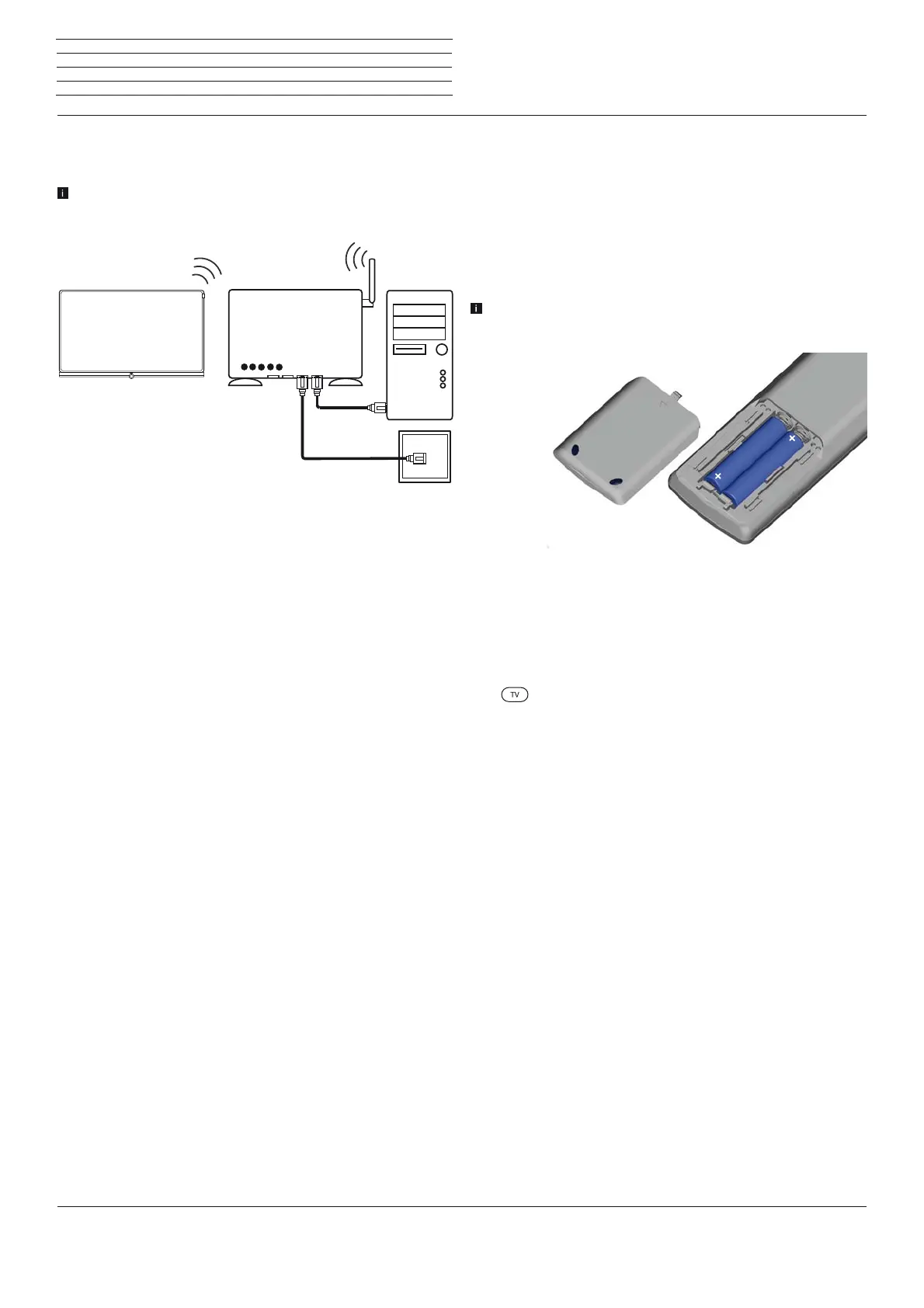
Inserting or replacing batteries
Press on the embossed arrow whilst pushing the battery cover down.
Only use leak-proof micro-cells of the LR 03 (AAA) Alkali-Manganese
type. Do not use different types of batteries and old and new batteries
together.
The batteries used must not be exposed to excessive heat such as
sunlight, fire or similar!
The position of the batteries is indicated in the battery compartment
(in opposite directions). Pay attention to the correct polarity of +
and – when inserting the batteries.
If the batteries are too weak after longer use, the TV set prompts you to
change the batteries. Dispose of used batteries in an environmentally
friendly way (see chapter Environment / Legal information).
Push the cover back on from below after having inserted the batteries.
Adjusting the remote control for operating the TV set
Press the TV key.
See in chapter External devices,section Setting the
remote control how to operate other Loewe
appliances and how to re-programme the remote
control keys.
AAA LR03
AAA LR03
Preparing the TV set
Example for a wireless connection
You can connect the TV set to your home network by a wireless radio
connection via the WLAN antenna inside the set.
Shadow effects of various materials, such as reinforced concrete,
metal surfaces, etc., attenuate the WIFI signal sometimes
significantly or completely.
Help for configuration problems
Loewe cannot provide any support for PC hardware and software or
network components owing to the diverse configuration options with
home networks.
Please contact the administrator of your home network and/or specialist
dealer for support when setting up and for maintenance of network
connections, storage media, media server software and network devices
such as routers.
DSL
WLAN router
TV set
PC









 To Next Page