- 50
Operating additional equipment
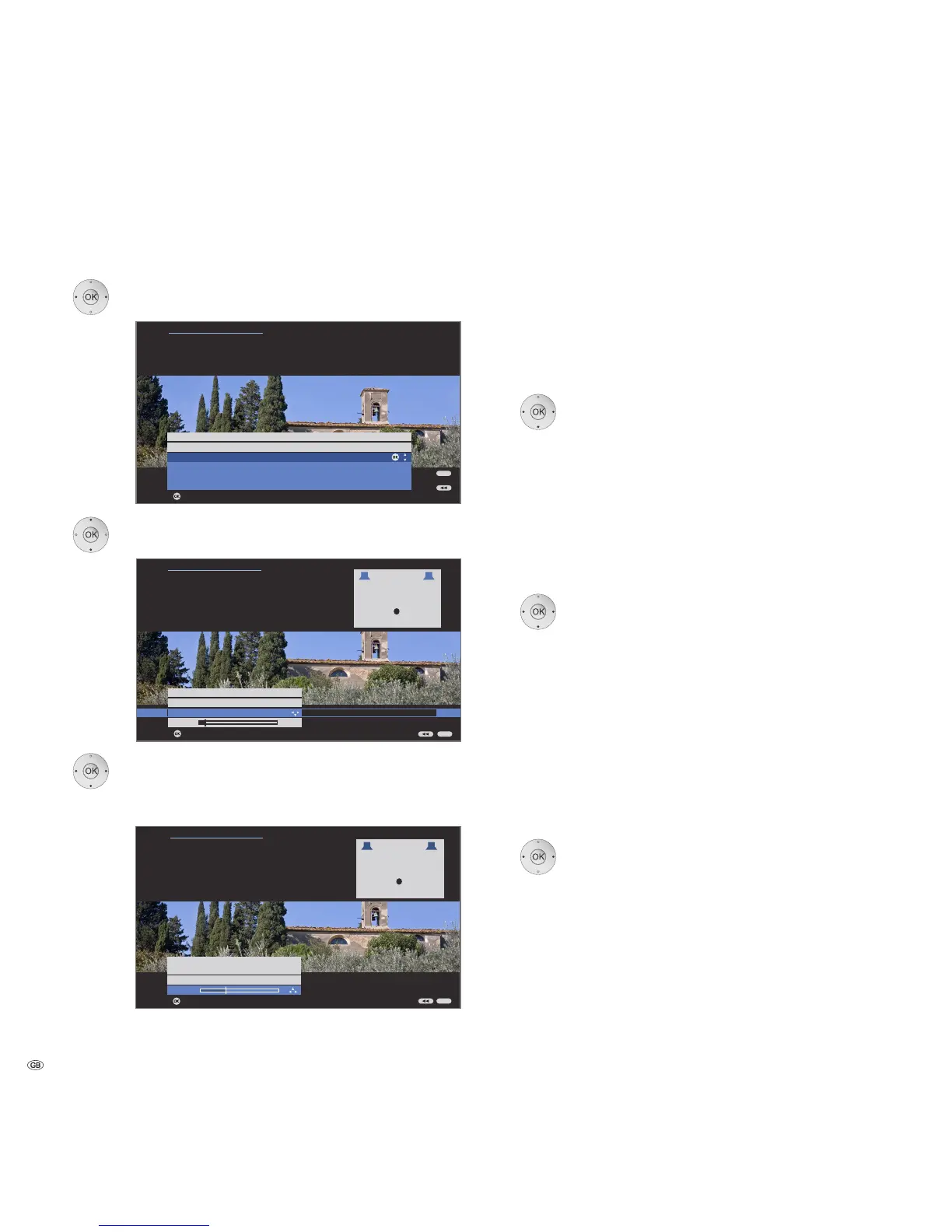
If you want to set up or change a speaker system:
34 Select Configuration/modification,
OK call selection.
6 Select Complete,
OK continue to connect and set the front speakers.
34 Select External speakers,
6go to the menu line below and
34set the lower limit frequency of the front speakers
in 10 Hz steps.
➠ Select the start value of the frequency response of the
speakers for the right setting (e.g. 50Hz for the
specification "Frequency response 50-20.000Hz"). See
the technical data of the speakers for the value.
➠ You can replace the external front speakers by the TV
speakers if necessary. In this case, select TV speakers.
Then transmit the sound of the front speakers.
OK continue to connect and set the surround speakers.
34 Select yes for external speakers.
➠ If no surround speakers are connected, these can be
simulated using the front and centre speakers.
6Go to the menu line below and
34set the lower limit frequency of the surround
speakers in 10 Hz steps.
➠ Select the start value of the frequency response of the
speakers for the right setting.
OK continue to connect and set the centre speaker.
34 Select whether the TV speakers or an External
speaker is to reproduce the centre sound or no if
no centre speaker is connected.
➠ If no centre speaker is connected, the front speakers
also transmit the centre sound parts additionally.
6for External speakers or TV speakers go to the
menu line below and
34set the lower limit frequency of the centre speaker
in 10 Hz steps.
➠ Select the start value of the frequency response of the
speakers for the right setting.
OK continue to connect the Subwoofer.
34 yes is the selection for subwoofer.
➠ If no subwoofer is connected, the front speakers
additionally transmit the sound parts intended for the
subwoofer as far as possible.
continued on the next page


 To Next Page