77 -
english
MediaNet
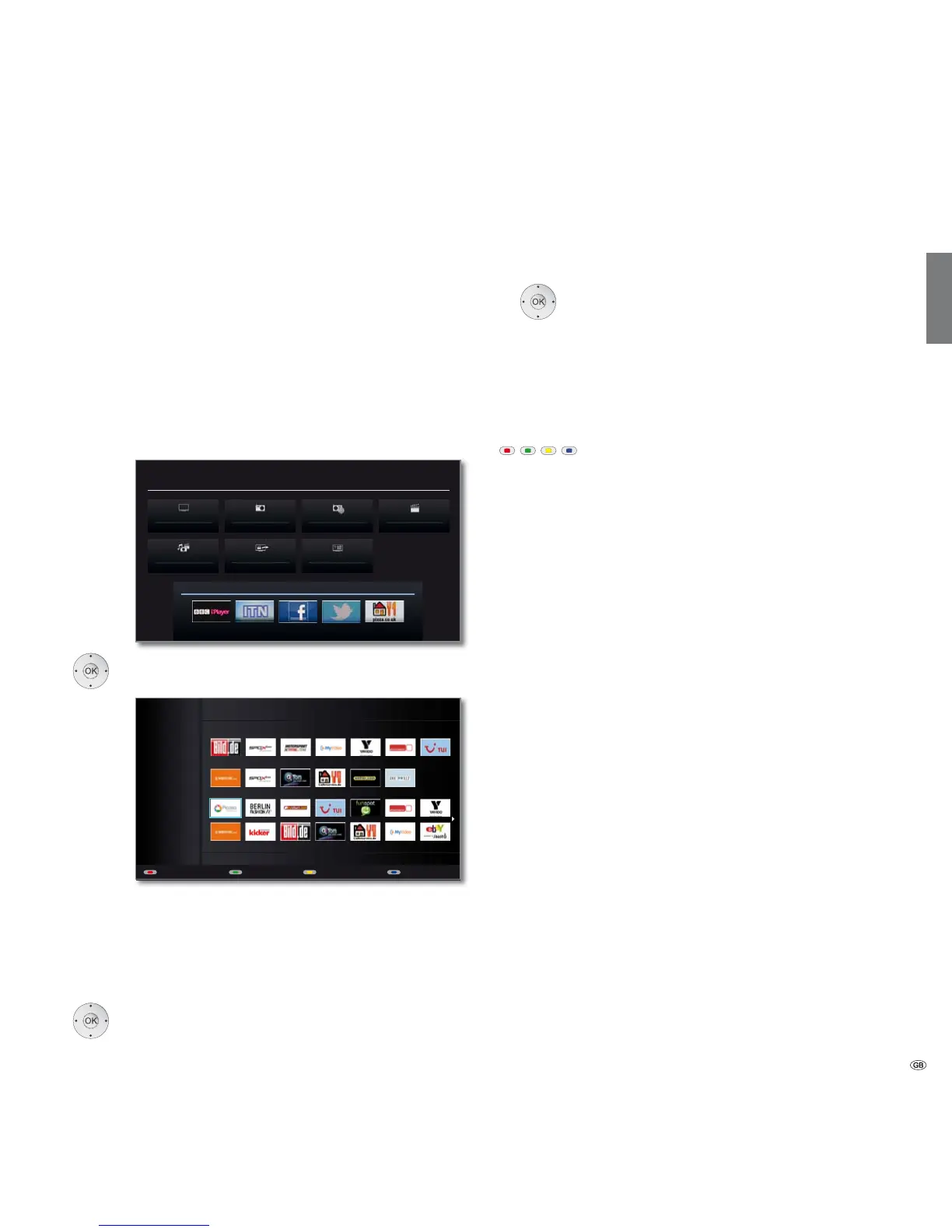
Under the menu item MediaNet you will find a continually expanding
platform for interactive TV applications from the Internet. All applications
are optimised for use on the TV. In addition, you can access Internet sites
directly via the integrated Opera browser.
The web browser can also be used without an Internet connection. Thus
you can access local devices which provide a web interface (e.g. router,
home control, home network server).
Call MediaNet
➠ MediaPortal is open.
Select MediaNet,
OK activate.
The upper section of the MediaNet basis dialog contains
Loewe Recommendations. The middle section displays
your own Favourites (Edit favourites, see page 80).
Depending on the topic selected (see right column), all
the available online content matching the topic is
displayed in the lower section.
Select the desired online content.
OK Display/play content.
Topic selection
Go to Topics.
Select the desired topic.
OK Confirm topic.
The content associated with the selected topic is
displayed in the lower section.
Function of the coloured buttons in the basic MediaNet dialogue
Red button: Edit favourites
Media content from the topic can be
defined as personal Favourites and the
Favourites can also be moved or deleted.
See page 80.
Green button: Internet
You can enter Internet addresses here and
open the associated Internet sites.
See page 78.
Yellow button: Personal area
Using a definable access code, you can
define favourites and call up websites in
the personal section.
See page 79.
Blue button: Configure MediaNet settings.
See page 81.
Media
+
MEDIA PORTAL
TV
DR+ StreamingMediaHome
DVB radio DR archive
MediaNet
Index
Internet radio
MEDIA NET
All Topics
Favourites
Recommendations
Internet Personal area SettingsEdit favourites
Picasa
Legal details
All
Topics














 To Next Page