DYNAMIC MOTION SYSTEM - SYSTEM MANUAL // PAGE 17
How to connect the system:
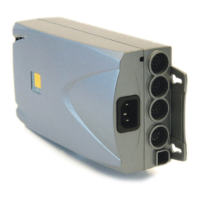
1. Plug the Actuators into the Power Hub for their respective Actuator Groups
2. Plug the User Interface(s) into the chosen Power Hub
3. Create a line of Power Hub by connecting them to each other using the Sync Cable(s)
4. Plug the Power Hubs into the Mains
INFO
The instructions describe assembly for a Table System with multiple Power Hubs
where a maximum of 3 Actuators are plugged into each Power Hub. If you wish to
connect more Actuators to each Power Hub, you will require a special Branch Cable
to accommodate the extra Cables. Contact LOGICDATA for more details.
4.4.3 COMPLETING ASSEMBLY
Before you use the table, you must perform a Position Reset Procedure (see Chapter 4.7 page 18).



 To Next Page