
 Need help?
Do you have a question about the LOGICDATA LogicS-2 and is the answer not in the manual?
Explains correct usage of the control box for height-adjustable desks.
Details features and performance characteristics of the LogicS control boxes.
Identifies the intended audience and prerequisites for using the manual.
Highlights the differences in capabilities between LogicS-2 and LogicS-3 models.
Defines the meaning of various safety symbols used throughout the manual.
Describes the ISP system for bruise hazard reduction.
Lists all components included in the LogicS control box package.
Provides step-by-step instructions for unpacking the control box safely.
Covers crucial general safety instructions for operating the control box.
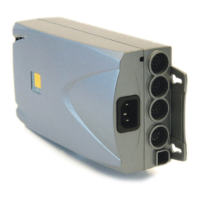
Details the various interfaces available on the LogicS control box.
Outlines the steps required for the initial setup and operation of the control box.
Explains fundamental operations like desk upward and downward movement.
Covers advanced features such as saving and moving to saved positions.
Details functions that depend on the control box's parameterization.
Provides common issues and their corresponding solutions for the control box.
Lists error codes displayed by the control box and their meanings.
Mentions available optional accessories for the LogicS system.
Provides a template for marking drill holes during mounting.
Gives instructions for the ecological disposal of the control box and its components.
Contains contact information and address for the manufacturer.
 General
| Brand | LOGICDATA |
|---|---|
| Model | LogicS-2 |
| Category | Control Systems |
| Language | English |

 To Next Page
