35
Hearing Impaired
Shows information for the hearing-impaired in some programmes. (For DTV channels only if available.)
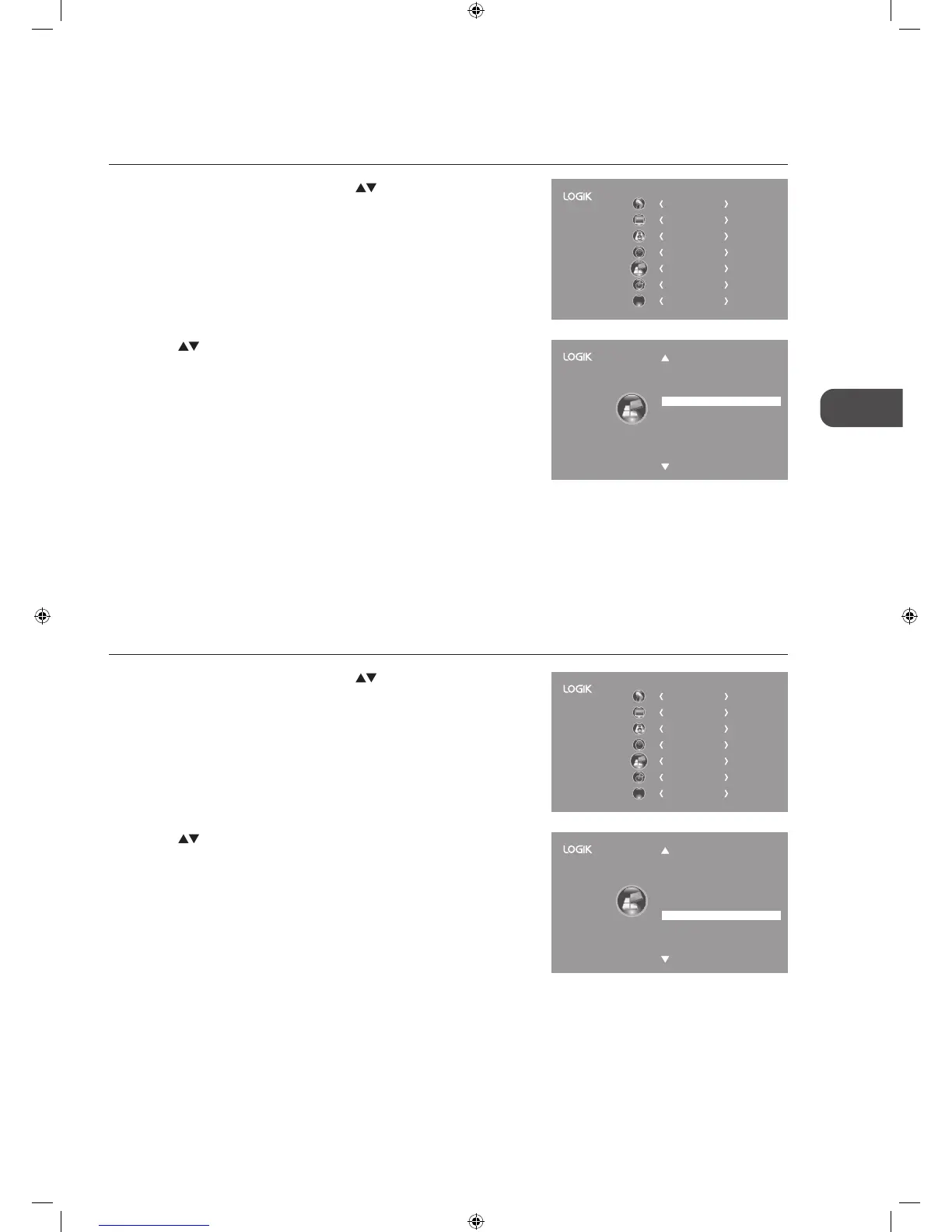
1. Press the MENU button and then press the
buttons to select the
OPTION menu and then press the OK button.
CHANNEL
PICTURE
SOUND
TIME
OPTION
LOCK
EXIT
EXIT
2. Press the buttons to select Hearing Impaired and then press the
OK button to select On / Off.
3. Press the BACK button to return to the previous menu or press the
MENU button to return to the main menu.
4. Press the EXIT button to exit the menu.
Hearing Impaired
PVR File System
Restore Factory Default
HDMI CEC
OSD Language
Audio Language
Country
Subtitle Language
On
Off
English
English
UK
English
OPTION
Country
This shows the country you selected in auto tuning. If you want to change the country, please refer to Auto Tuning on page 22.
PVR File System (DTV Mode)
Allows you to select your preferences in the PVR File System.
1. Press the MENU button and then press the
buttons to select the
OPTION menu and then press the OK button.
Hearing Impaired
PVR File System
Restore Factory Default
HDMI CEC
OSD Language
Audio Language
Country
Subtitle Language
On
Off
English
English
UK
English
OPTION
2. Press the buttons to select PVR File System and then press the OK
button.
CHANNEL
PICTURE
SOUND
TIME
OPTION
LOCK
EXIT
EXIT
L22_24FED13_IB_RC131024_Annie.indd 35 24/10/13 5:38 PM



 To Next Page