48
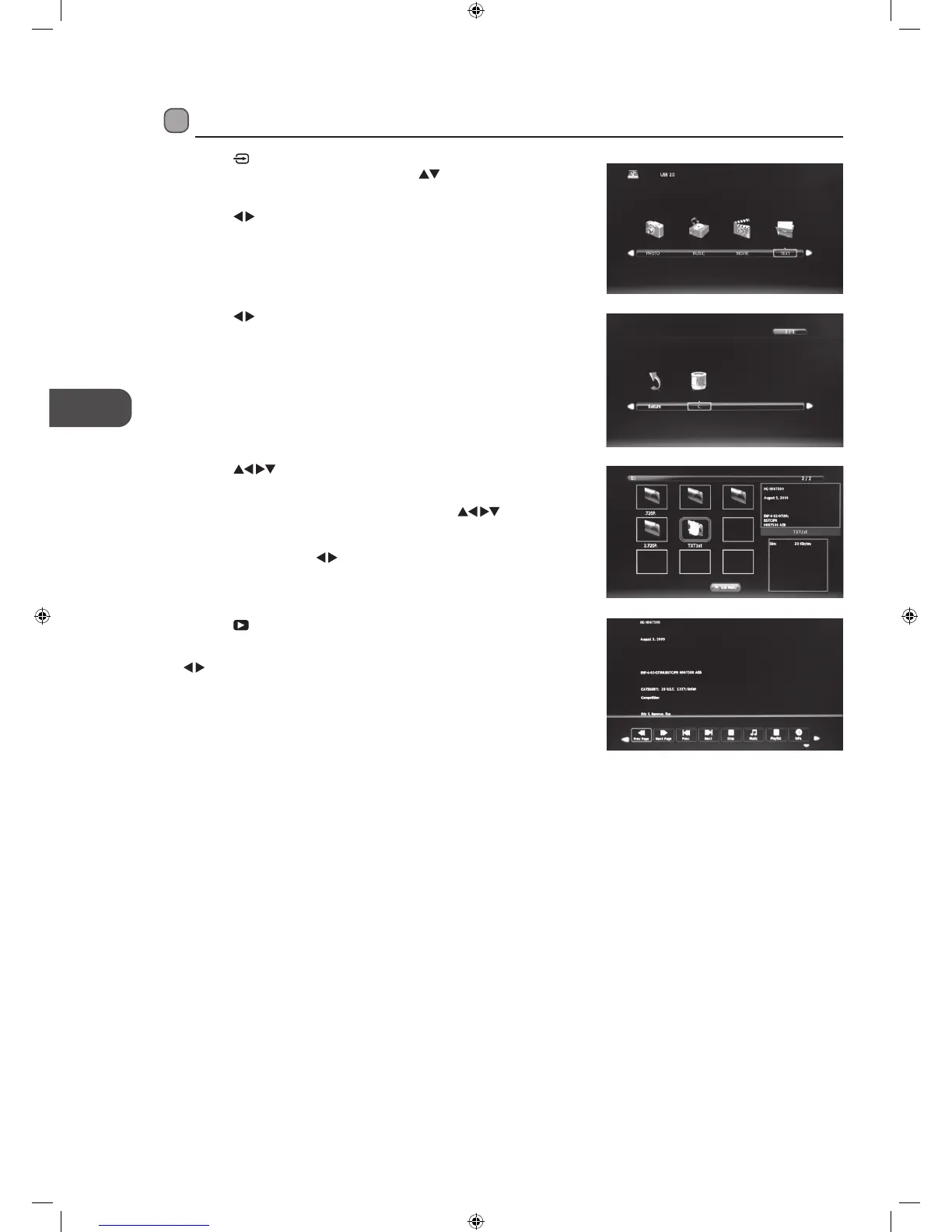
4. Press the
buttons to navigate in the text folder and then press
the OK button.
If you want to select the specified text file, press the
buttons
to select the text file and then press the OK button. A tick box will be
displayed. If you want to delete the file, press the RED button to enter
the Sub Menu, press the
buttons to select Delete and then press
the OK button to confirm.
5. Press the
PLAY button to view.
6. Press the OK button or the i button to display the function bar. Press the
buttons and then press the OK button to select the function: Prev.
page / Next page / Prev. / Next / Stop / Music / Playlist / Info.
7. Press the EXIT button to return to the previous menu.
3. Press the
buttons to select your storage device and then press the
OK button.
My Text
1. Press the button on the right side panel of the TV or the INPUT
button on the remote control then press the
buttons to select the
USB mode and then press the OK button.
2. Press the
buttons to select TEXT and then press the OK button.
L22_24FED13_IB_RC131024_Annie.indd 48 24/10/13 5:38 PM



 To Next Page