22
Cleaning After Use
External Care
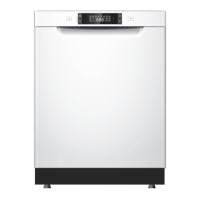
The Door and the Door Seal
Clean the door seals regularly with a soft damp cloth to remove food deposits.
When the dishwasher is being loaded, food and drink residues may drip onto the sides of the
dishwasher door. These surfaces are outside the wash cabinet and are not accessed by water
from the spray arms. Any deposits should be wiped o before the door is closed.
The Control Panel
If cleaning is required, the control panel should be wiped with a soft damp cloth ONLY.
• To avoid penetration of water into the door lock and electrical components, do not
use a spray cleaner of any kind.
• Never use abrasive cleaners or scouring pads on the outer surfaces because they may
scratch the nish. Some paper towels may also scratch or leave marks on the surface.
Delay Start
The starting time of a washing programme can be delayed and adjusted. Please follow the steps
below.
1. Open the dishwasher door and load your soiled dishes and crockery.
2. Close the door. Press the
button to turn on the dishwasher.
3. Select your preferred programme.
4. Press the
button repeatedly to select your desired delay period (range up to 24 hours).
5. Press the
button. The unit will start the programme at the assigned time automatically.
• Once delay start is set, you cannot turn o the dishwasher.
• To cancel the delay start, press and hold the
button until the H:## starts to blink.
Then press the button repeatedly until H:00 is shown.
• To change the delay start hour, press and hold the
button until the H:## starts to
blink. Then press the button repeatedly until the desired hour is shown. Press the
button to conrm.
LDW2PB20N_IB_5L_Final230130.indb 22LDW2PB20N_IB_5L_Final230130.indb 22 30/1/2023 2:41 PM30/1/2023 2:41 PM



 To Next Page