13
Using the Boost Function
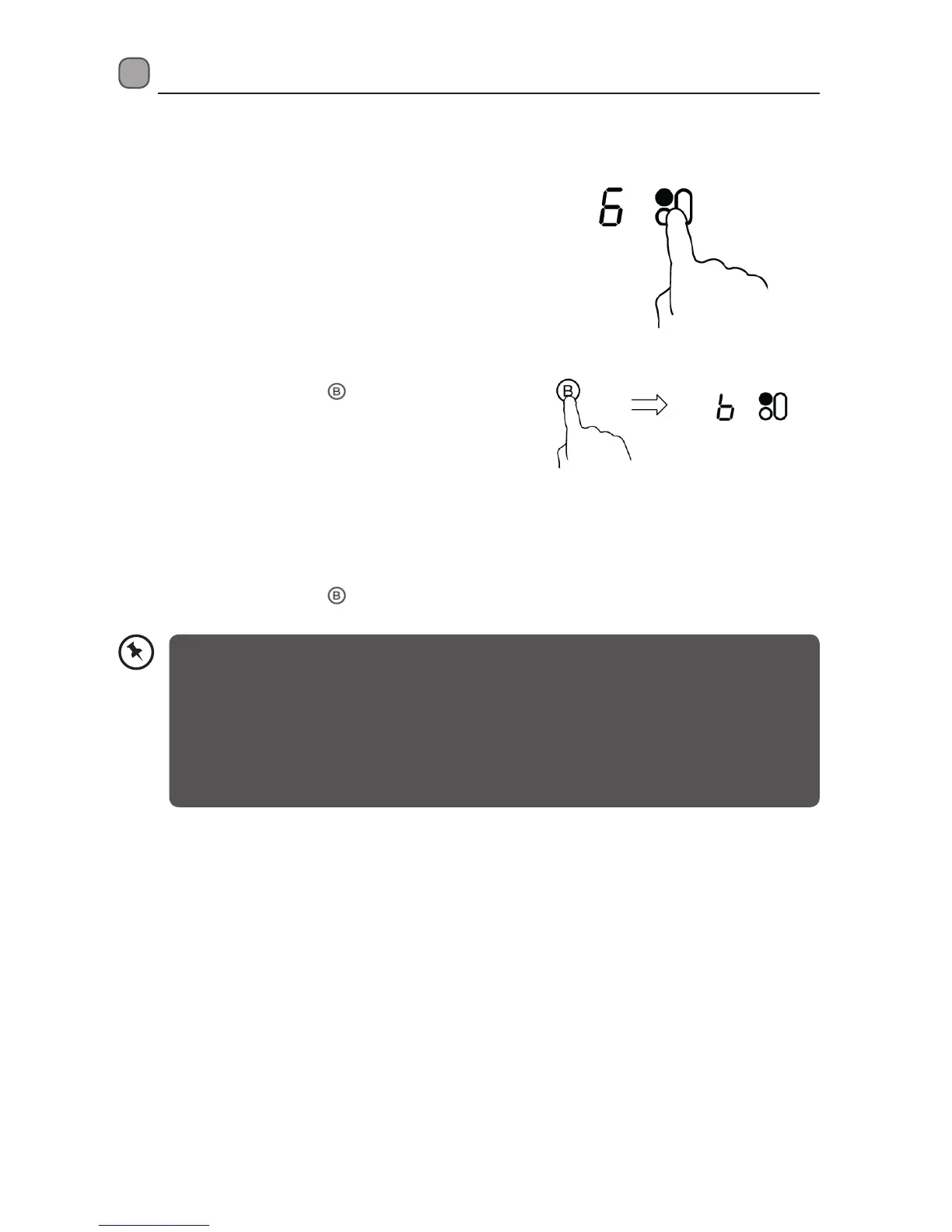
To Activate the Boost Function
1. Touch the Cooking Zone Selection Control that you
wish to activate the boost function.
2. Touch the Boost Control
. “b” will be displayed,
and cooking power will reach maximum.
To Cancel the Boost Function
1. Touch the Cooking Zone Selection Control that you wish to cancel the boost function.
2. Touch the Boost Control
to cancel. It will revert to its original setting.
• The boost function can work in any cooking zone.
• The cooking zone will return to its original setting after 5 minutes.
• If the original heat setting equals to 0, it will return to 9 after 5 minutes.
• If the original heat setting equals to F, it will return to 7 after 5 minutes.
• The 1st heating zone can only reach the maximum power of 7 when the 2nd heating zone is
Boost.
• The 2nd heating zone can only reach the maximum power of 8 when the 1st heating zone is
Boost.
LINDHOB15_IB_RC_150630_grace.indd 13 30/6/15 4:47 pm


 To Next Page