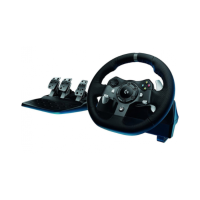
G923 TRUEFORCE Racing Wheel for Xbox and PC FAQs 2
○ Using Logitech G HUB
○ Testing your wheels and pedals
SPECIFICATIONS
● Product dimensions
● General product specifications
● Wheel technical specifications
● Pedal technical specifications
FAQs
● The force feedback on my wheel has changed and I can no longer use the center
spring force setting in G HUB to adjust the strength
● Why don't I feel the center spring on the steering wheel when I tab away or close a
game?
● Troubleshooting G923 for power/connection Issues - Xbox
● How to set up your Logitech Wheel G923, G29, G920 on Assetto Corsa Competizione
● Troubleshoot G923/G29/G920 for connection issues
● How to set up iRacing TRUEFORCE effects
● The G923 does not appear to be supported in my game on my computer. How can I
solve this?
● After I configured the G923 in my racing title, it no longer steers correctly
● RPM indicator lights do not work on the G923 racing wheel
● Adjust sensitivity on the G923 racing wheels with Logitech G HUB
○ Steering Sensitivity
○ Wheel Operating Range
○ Pedal Sensitivity
● Force feedback turns off intermittently on G923 racing wheel
● Mount and secure the G923 racing wheel using built-in bolt mounting points
○ Wheel Unit
○ Pedal Unit
○ Cable Management
● Mount and secure the G923 racing wheel using the clamping system
○ Wheel Unit
○ Pedal Unit
○ Cable Management
● Mounting templates for the G923 racing wheel





 To Next Page